
Claude Certified Developer – Foundations (CCDV-F)
(Master Claude API, Agents, MCP, Prompt & Context Engineering, Claude Code, Security, Evaluation and Production Integration-with Certification Preparation.)
Prepare for the evolving world of AI-powered software development with our Claude Certified Developer Training – Agentic Coding using Claude Code. This comprehensive, hands-on training program is designed to help developers understand and work with Claude-powered development workflows, Agentic AI, AI-assisted coding, prompt engineering, context management, and intelligent agent workflows. Learn how to leverage Claude Code to understand codebases, plan development tasks, generate and modify code, debug applications, and improve software development productivity.
Through a practical, project-based learning approach, participants will build and deploy a complete expense-tracking application using Python, Flask, SQLite, HTML, CSS, and Git. The training covers application development, database integration, multi-agent workflows, project memory using CLAUDE.md, automated testing, code optimization, version control, and cloud deployment. It also explores advanced agentic development concepts, helping learners understand how AI agents can reason, interact with tools, execute tasks, and support end-to-end software engineering workflows.
Whether you are a software developer, Python developer, AI engineer, or technology professional, this Claude Developer Training provides practical exposure to Claude Code, Agentic Coding, AI agent development, and modern AI-powered software engineering. By the end of the program, you will gain hands-on experience in developing, testing, and deploying applications using Claude Code and strengthen your understanding of the skills relevant to the Claude Certified Developer – Foundations learning path.
About the Instructor:
| Trainer Profile – Arpan Ghosh
Arpan Ghosh is a seasoned technology leader with over 19 years of extensive IT industry experience, specializing in Artificial Intelligence, Generative AI, Agentic AI, Large Language Models (LLMs), and Machine Learning. He brings strong expertise in AI innovation, technology strategy, and business transformation. With a strong technical foundation in Python programming, Deep Learning, and intelligent AI-driven solutions, Arpan has extensive experience in applying emerging technologies to real-world business and software development challenges. He has over 5 years of teaching and training experience, having delivered 70+ corporate training programs and trained 500+ individual learners. Teaching is his passion, and he strongly believes in sharing practical industry knowledge, simplifying complex technical concepts, and helping learners develop skills that are relevant to today’s evolving technology landscape. His training approach emphasizes practical knowledge, real-world examples, interactive learning, and hands-on experience. He is passionate about mentoring aspiring professionals and experienced individuals, helping them strengthen their technical skills and stay ahead in the rapidly evolving IT industry. Combining nearly two decades of industry experience with a genuine passion for teaching, Arpan brings valuable insights, practical expertise, and an engaging learning experience to every training program. |
Free Demo On:
Indian Timings: 20th November @ 9 PM – 10 PM (IST)/
U.S Timings: 20th November @ 10:30 AM – 11:30 AM (EST)/
U.K Timings: 20th November @ 3:30 PM – 4:30 PM (BST)
Class Schedule :
| Days | India Timings (IST) | US Timings (EST) | UK Timings (BST) |
| Demo | 20th November @ 9 PM – 10 PM (IST) | 20th November @ 10:30 AM – 11:30 AM (EDT) | 20th November @ 3:30 PM – 4:30 PM (BST) |
| Day 1 | 23rd November @ 9 PM – 10 PM (IST)/ | 23rd November @ 10:30 AM – 11:30 AM (EDT) | 23rd November @ 3:30 PM – 4:30 PM (BST) |
| Day 2 | 24th November @ 9 PM – 10 PM (IST)/ | 24th November @ 10:30 AM – 11:30 AM (EDT) | 24th November @ 3:30 PM – 4:30 PM (BST) |
| Day 3 | 25th November @ 9 PM – 10 PM (IST)/ | 25th November @ 10:30 AM – 11:30 AM (EDT) | 25th November @ 3:30 PM – 4:30 PM (BST) |
| Monday to Friday— 1-hour sessions will go on | Monday to Friday— 1-hour sessions will go on | Monday to Friday— 1-hour sessions will go on |
What will I learn by the end of this course?
- Understand the fundamentals of Claude and how large language models work in real applications.
- Use the Claude API to send requests, handle responses, and build AI-powered features.
- Write effective prompts using prompt engineering best practices for accurate and reliable results.
- Work with tool use and MCP (Model Context Protocol) to connect Claude with external data and services.
- Use Claude Code to speed up everyday development tasks and AI-assisted coding workflows.
- Integrate Claude with REST APIs and backend systems, including authentication and asynchronous processing.
- Apply best practices for testing, error handling, and deployment of AI applications.
- Design, build, and deploy scalable, production-ready AI solutions with confidence.
- 25+ Hours of Live Training along with recorded videos
- 1 Year access to the recorded videos
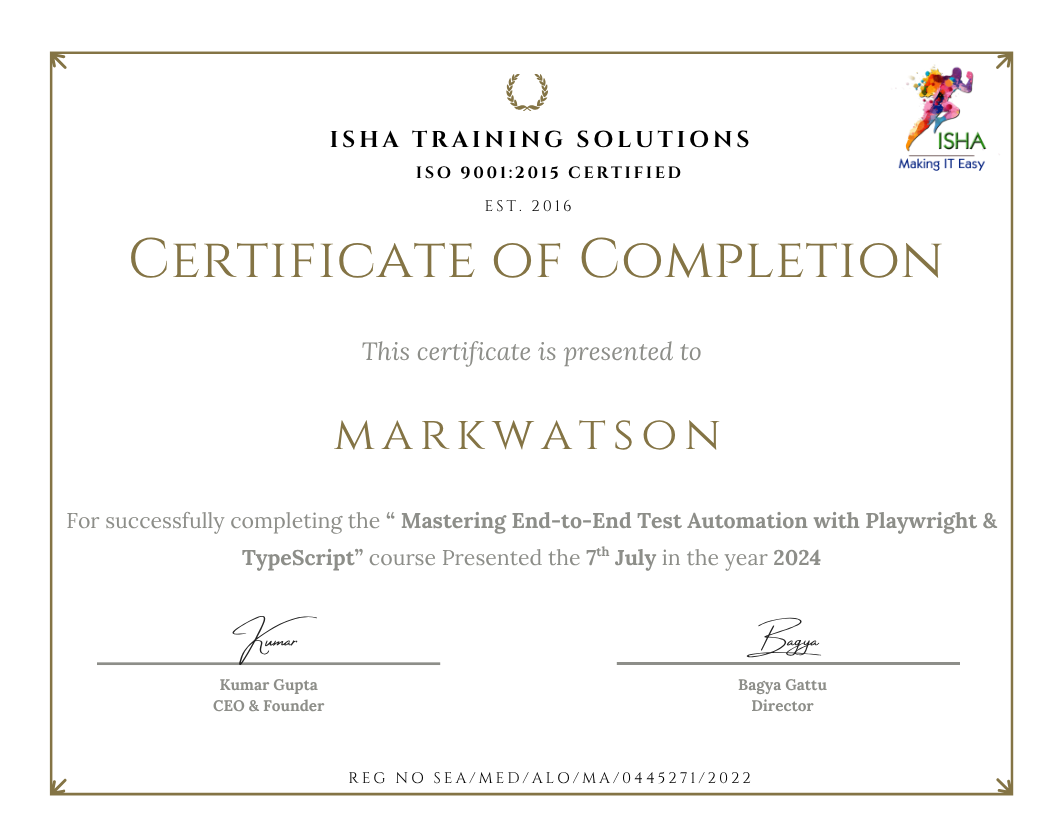
- Course Completion Certificate
Who can enroll in this course?
- Software Developers interested in building AI-powered applications using Claude.
-
Python Developers looking to integrate Claude into their projects.
-
AI & ML Engineers exploring Generative AI and Large Language Models (LLMs).
-
Application Developers who want to build intelligent applications using Claude.
-
Prompt Engineers interested in improving AI interactions and prompt design.
-
IT Professionals looking to upgrade their skills in AI development.
-
Students & Fresh Graduates who want to start a career in Generative AI.
-
Technical Leads & Architects exploring Claude-based AI solutions.
Course syllabus:
PHASE 1 : FOUNDATIONS
1. The Evolution of Coding: From Manual Development to Agentic Systems
Difference between vibe coding vs agentic coding. Why Claude Code is gaining popularity. The shift from developer to AI-powered builder.
2. Getting Started with Claude Code: Installation and First Actions
Installing Claude Code, terminal basics, understanding the interface. Running your first AI-assisted command. Prerequisites check: Python, Flask, Git.
3. Understanding Claude Code’s Intelligence: The Reasoning Loop
Understanding how Claude reads your codebase, plans tasks, and executes steps. Context windows, memory, and how Claude decides what to do next.
4. Mastering Effective Communication with Claude Code
Writing effective prompts for code generation. Giving context, specifying constraints, iterating on outputs. Good prompts vs bad prompts with live examples.
5. Project Foundation: Building Spendly – A Practical Case Study
Writing effective prompts for code generation. Giving context, specifying constraints, iterating on outputs. Good prompts vs bad prompts with live examples.
PHASE 2 — BUILDING THE CORE APP
6. Establishing Your Application Foundation with Claude Code
Using Claude Code to set up the project structure: app.py, templates, static files. Database design for expense tracking. SQLite integration.
7. Implementing Data Operations and Management
Using Claude Code to set up the project structure: app.py, templates, static files. Database design for expense tracking. SQLite integration.
8. Creating the User Interface Layer
Generating HTML/CSS for the dashboard using Claude Code. Summary cards, recent transactions view. Working with templates and static files.
9. Advanced Filtering and Data Navigation
Building the transactions list with filter controls — by date, category, amount. Claude Code handling complex query logic and frontend filter state.
10. Data Visualization and Business Intelligence
Adding an analytics page with spending breakdowns. Claude Code generating chart code (Chart.js or similar). Category-wise analysis and monthly summaries.
11. Resolving Issues and Fixing Code with Claude Code
When things go wrong — using Claude Code to identify bugs, read error messages, and fix issues. The debugging workflow: describe the problem, share context, iterate.
12. Quality Assurance and Code Optimization
Using Claude Code to review generated code for quality, security, and maintainability. Asking Claude to refactor and improve existing code.
PHASE 3 — ADVANCED AGENTIC FEATURES
13. Scaling Development: Introduction to Multi-Agent Patterns
What are multi-agent workflows? When to use them. Orchestrator vs sub-agent patterns. How Claude Code coordinates parallel development tasks.
14. Orchestrating Multiple Agents for Concurrent Development
Setting up multiple Claude Code instances for parallel development. One agent on backend, one on frontend. Merging outputs and resolving conflicts.
15. Building Claude’s Project Memory: The CLAUDE.md Strategy
Creating CLAUDE.md to give Claude persistent context about your project. Documenting conventions, architecture decisions, and constraints that Claude should always respect.
16. Version Control Integration with Claude Code
Using Claude Code to write commit messages, create pull requests, and manage branches. Claude Code + Git as a complete version control workflow.
17. Automated Quality Assurance: Test Generation
Generating unit tests and integration tests for the Spendly app. Using Claude Code to achieve test coverage without manually writing every test case.
18. Evolving Your Application: Feature Enhancement
Extending the app: budget alerts, recurring expenses, CSV export. Demonstrating Claude Code’s ability to add features to an existing codebase autonomously.
19. Optimizing Token Usage and Managing Development Sessions
Managing Claude Code’s context window effectively. When to start fresh, how to summarise long conversations, common failure modes and how to avoid them.
PHASE 4 — DEPLOYMENT & CAREER READINESS
20. Preparing for Production: Environment and Configuration
What deployment means for a Flask app. Using Claude Code to add a production config, environment variables, and requirements.txt. Choosing a cloud platform.
21. Going Live: Cloud Deployment of Spendly
Step-by-step deployment using Claude Code to guide configuration. Setting up the live environment, connecting the database, verifying the app is running.
22. Complete Development Cycle: From Concept to Production
End-to-end simulation: receiving a feature request, planning with Claude Code, building, testing, committing, and deploying — all within one agentic session.
23. Recap, Career Positioning & What’s Next
Review of key concepts. How to add agentic coding skills to your resume. What roles hire for this. Next steps: LangGraph, MCP, multi-agent systems.
Frequently Asked Questions (FAQs) for Claude Certified Developer:
1. What is the Claude Certified Developer – Foundations (CCDV-F) course?
This course introduces Claude AI, its capabilities, and the fundamentals of developing AI-powered applications using Claude.
2. Who can enroll in this course?
Software developers, Python developers, AI/ML engineers, prompt engineers, IT professionals, students, and anyone interested in AI development.
3. Do I need prior AI experience?
No. Basic programming knowledge and an interest in Generative AI are recommended.
4. What is Claude AI?
Claude is an AI assistant developed by Anthropic that helps with coding, content generation, analysis, reasoning, and problem-solving.
5. What will I learn in this course?
You will learn Claude fundamentals, prompting techniques, Claude capabilities, API integration basics, and AI application development concepts.
6. Is this course suitable for beginners?
Yes. It is designed for learners who want to understand Claude and its development capabilities from the foundations.
7. Will I learn practical applications of Claude?
Yes. You will explore practical use cases and ways to use Claude in real-world development scenarios.
8. What programming knowledge is required?
Basic knowledge of Python or any programming language is helpful.
9. What are the career opportunities after this course?
You can strengthen your skills for roles such as AI Developer, Generative AI Developer, AI Application Developer, and Prompt Engineer.
10. Will this course help me prepare for the CCDV-F certification?
Yes. The course is intended to help you understand foundational Claude development concepts and prepare for the certification exam.
11. Can non-technical professionals join this course?
Yes. Anyone interested in learning Claude AI can join, although basic technical knowledge will be beneficial.
12. Why should I learn Claude AI?
Claude is a powerful AI platform used for coding, reasoning, automation, and building intelligent applications. Learning it can help you develop valuable AI skills.
How can I enroll for this course?
Enroll For Free Demo
Course Features
- Lectures 28
- Quiz 0
- Duration 25 hours
- Skill level All levels
- Language English
- Students 0
- Assessments Yes
- 5 Sections
- 28 Lessons
- 25 Hours
- Course Syllabus:0 Items
- PHASE 1 : FOUNDATIONS5 Items
- 2.1The Evolution of Coding: From Manual Development to Agentic Systems
- 2.2Getting Started with Claude Code: Installation and First Actions
- 2.3Understanding Claude Code’s Intelligence: The Reasoning Loop
- 2.4Mastering Effective Communication with Claude Code
- 2.5Project Foundation: Building Spendly – A Practical Case Study
- PHASE 2 — BUILDING THE CORE APP12 Items
- 3.16. Establishing Your Application Foundation with Claude Code
- 3.27. Implementing Data Operations and Management
- 3.38. Creating the User Interface Layer
- 3.49. Advanced Filtering and Data Navigation
- 3.510. Data Visualization and Business Intelligence
- 3.611. Resolving Issues and Fixing Code with Claude Code
- 3.712. Quality Assurance and Code Optimization
- 3.8SDK patterns, exception handling and configuration management
- 3.9Idempotency and safe retry thinking
- 3.10Session lifecycle and application state
- 3.11Third-party/cloud deployment considerations
- 3.12Hands-on: build a production-style Claude service with streaming, error handling and logging
- PHASE 3 — ADVANCED AGENTIC FEATURES7 Items
- 4.113. Scaling Development: Introduction to Multi-Agent Patterns
- 4.214. Orchestrating Multiple Agents for Concurrent Development
- 4.315. Building Claude’s Project Memory: The CLAUDE.md Strategy
- 4.416. Version Control Integration with Claude Code
- 4.517. Automated Quality Assurance: Test Generation
- 4.618. Evolving Your Application: Feature Enhancement
- 4.719. Optimizing Token Usage and Managing Development Sessions
- PHASE 4 — DEPLOYMENT & CAREER READINESS4 Items


