SAP Automation Testing with Tosca Course – S4HANA, Fiori, Tosca Cloud, DEX, TDS & AI Automation – Live Training
(Learn End-to-End SAP Testing with Tosca – S4HANA, Fiori, Tosca Cloud, DEX, TDS & AI Automation)
Master SAP Automation Testing with Tricentis Tosca through practical, industry-oriented training covering SAP GUI, SAP S/4HANA and Fiori applications.
Learn real-time SAP SD Order-to-Cash (OTC) automation using Tosca’s model-based automation approach.
Gain hands-on experience with Tosca Commander, XScan, TestCases, TDS, DEX, API Testing, Jenkins, Tosca Cloud and Tosca AI.
Explore AI-driven automation, self-healing tests, TQL, Excel/PDF automation and enterprise test execution through real-time projects and practical assignments.
By the end of the course, you will be prepared for roles such as SAP Test Engineer, Tosca Automation Tester and QA Automation Engineer.
Certification Preparation Covered
- Tosca Fundamentals – AS1
- Tosca Fundamentals – AS2
- Tosca Deep Dive – TDS1
- Tosca Deep Dive – TDS2
- SAP Testing Specialist – Level 1
Why Choose This SAP Automation Testing with Tosca Course?
- Learn SAP automation testing with real-time SD & MM workflows
- Get hands-on experience with SAP S/4HANA and Fiori automation
- Master Tricentis Tosca and model-based automation
- Practice Order-to-Cash (OTC) and Procure-to-Pay (PTP) scenarios
- Learn Tosca AI and Agentic Test Automation
- Explore AI-driven automation and self-healing tests
- Learn API testing with GET, POST, PUT and DELETE
- Understand SAP tables, movement types and FI integration
- Work with Tosca Test Data Service (TDS)
- Perform Distributed Execution (DEX)
- Implement CI/CD with Jenkins and Tosca
- Automate Excel, PDF and file-based testing
- Learn Tosca Cloud and cloud-based test execution
- Explore Tosca Server and Administration
- Build reusable enterprise automation frameworks
- Gain hands-on experience with real-time projects
- Complete practical assignments for job-ready skills
About The Instructor:
|
With over 10 years of deep expertise in SAP S/4HANA and SAP ECC R/3 environments, the trainer specializes in end-to-end SAP Automation using Tricentis Tosca. Their strong domain experience across MM, SD, EWM, and IBP—combined with real-time project work in Testing, Rollouts, and Support—enables them to deliver highly practical, industry-ready training. They bring extensive hands-on experience in Advanced Tosca concepts, including SAP S/4HANA automation, Fiori automation, API testing, TestCase Design frameworks, reusable libraries, custom modules, and CI/CD integration. They have designed automation suites for large-scale SAP processes using Tosca’s advanced features such as TBox, XScan, Steering Parameters, ExecutionLists, Distributed Execution, and Tosca BI. Their expertise also extends to leveraging Tosca AI for intelligent automation, object recognition, and optimizing test execution. In addition to strong technical capabilities, the trainer has a rich background in SDLC, STLC, and Defect Life Cycle management, working with tools like JIRA, ALM, and Azure DevOps for end-to-end test planning and traceability. They have executed automation strategies across Unit Testing, Regression, SIT, UAT, and Production validations, aligning test automation with real business scenarios. Having conducted numerous corporate and online training programs, the trainer is known for a clear, structured teaching style that combines theory with real-time project examples. Their approach emphasizes practical execution, hands-on exercises, and building confidence to automate complex SAP business workflows. Many of their trainees now work in top MNCs as Automation Engineers, SDET professionals, and SAP Tosca Specialists. |
Sample Video :
SAP Automation Testing with Tosca Course – S4HANA, Fiori, Tosca Cloud, DEX, TDS & AI Automation- Live Training – Demo Recording
SAP Automation Testing with Tosca Course – S4HANA, Fiori, Tosca Cloud, DEX, TDS & AI Automation- Live Training – Day 1 Recording
Live Sessions Price:
For LIVE sessions – the offer price after discount is 200 USD 159 99 USD Or USD13000 INR 9900 INR 7900 Rupees.
OR
Free Demo On:
Indian Timings: 2nd September @ 9 PM – 10 PM (IST)/
U.S Timings: 2nd September @ 11:30 AM – 12:30 PM (EST)/
U.K Timings: 2nd September @ 4:30 PM – 5:30 PM (BST)
Class Schedule:
For Participants in India: Monday to Friday @ 9 PM – 10 PM (IST)
For Participants in the US: Monday to Friday @ 11:30 AM – 12:30 PM (EST)
For Participants in the UK: Monday to Friday @ 4:30 PM – 5:30 PM (BST)
What students have to say about the Trainer :
| 👦 I got immense knowledge on Tosca and SAP. All the concepts were explained beautifully and from scratch. The sessions were interactive throughout – Eeshan Acharya
👦 “The advanced hands-on sessions were outstanding. Sir explained complex topics like Fiori automation, API chaining, and CI/CD execution in such a practical and simplified way. Truly next-level training.” — Rahul Deshpande 👧 “I was completely new to advanced SAP automation, but this course made everything crystal clear. Sir covered end-to-end S/4HANA MM & SD automation, Fiori apps, APIs, CI/CD, and even Tosca AI use cases. His real-time demonstrations helped me understand how automation works in actual SAP projects. This course is a complete game-changer!”— Zainab Qureshi 👧 “The trainer made advanced API automation in Tosca extremely easy to understand. From designing reusable API test flows to validating SAP back-end responses, the explanation was simple, structured, and very practical.”— Rebecca Pinto 👦 “Sir’s way of explaining advanced concepts was fantastic. He connected every Tosca feature with real SAP business scenarios—Fiori, S/4HANA modules, Interface testing, everything. I especially liked the CI/CD pipeline execution using Tosca. This felt like real project experience, not just theory.”— Naveen Kumar 👧 “TCD, TDS, Distributed Execution, and even Tosca AI were explained so clearly. These topics always seemed difficult earlier, but sir broke them down with real examples. Excellent trainer!”— Ayesha Siddiqui 👦 “I’ve taken several automation courses earlier, but this advanced Tosca program stands apart. The depth of coverage on SAP MM/SD scenarios, Fiori automation, API workflows, and CI/CD pipelines was impressive. The trainer ensured we understood every concept with hands-on practice. Truly the best course for SAP automation professionals.”— Thomas Varghese 👧 “Very practical and industry-focused training. Each session had hands-on activities—Fiori scanning, API validations, MM/SD business flow automation, and CI/CD execution. Perfect for advancing your Tosca skills.”— Meera Iyer 👦 “This course finally helped me master end-to-end SAP automation. From scanning Fiori apps to automating complex MM/SD business flows using Tosca AI and reusable frameworks, sir taught everything with patience and clarity. I feel fully job-ready for SAP automation roles.”— Faizan Ali |
Salient Features:
- 25+ Hours of Live Training along with recorded videos
- 1 year access to the recorded videos
- Course Completion Certificate
Who can enroll in this course?
- Manual testers moving into automation testing
- Automation testers learning SAP Tosca automation
- SAP functional consultants in SD and MM
- SAP S/4HANA professionals interested in test automation
- SAP Fiori professionals wanting to learn automation
- QA engineers working with SAP or ERP applications
- Test engineers learning model-based automation
- IT professionals moving into SAP testing roles
- Fresh graduates starting a testing career
- Developers interested in test automation
- DevOps engineers working with CI/CD automation
- API testers expanding into SAP automation
- Business analysts working with SAP workflows
- Tosca professionals looking to learn advanced Tosca
- Tosca administrators learning Server and Cloud features
- Automation leads building enterprise frameworks
- Team leads and managers planning test automation
- Professionals interested in Tosca AI and Agentic Automation
- Professionals interested in Tosca Cloud automation
- Freelancers building SAP automation expertise
- QA professionals preparing for real-time SAP projects
What will I learn by the End of this course?
- End-to-end SAP automation testing using Tricentis Tosca
- Automation of SAP GUI and Fiori applications with real-time scenarios
- Designing and executing test cases using Tosca Commander
- Model-based and risk-based testing approach in Tosca
- SAP SD (Order-to-Cash) and MM (Procure-to-Pay) workflow automation
- Working with XScan and advanced control identification methods
- Test data management using Tosca Test Data Service (TDS)
- Distributed test execution using DEX
- API testing with GET, POST, PUT, PATCH and DELETE
- CI/CD integration using Jenkins and Tosca
- Creating reusable automation frameworks for enterprise applications
- Recovery and cleanup scenarios for stable test execution
- Test reporting and execution result analysis
- Tosca AI and Agentic Test Automation for smart test creation
- TQL queries for advanced test search and analysis
- Excel, PDF and file-based automation
- SAP tables, movement types and FI integration basics
- Self-healing and AI-driven automation techniques
- Tosca Cloud setup and workspace creation
- Cloud Assets, TestCases, Datasets and Playlists
- Executing test cases in Tosca Cloud
- API-based data handling using headers and authentication
- AI-powered Fiori automation using Tosca Cloud
Course syllabus:
SAP Automation
Module 1: Introduction to Tosca
- Introduction to Automation Testing
- Various Automation Testing Tools
- TOSCA for SAP Automation Testing
Module 2: Overview of Tosca
- Introduction to Tricentis Model-Based Test Automation
- Risk based automation testing in Tosca
- Architecture of Tosca
Module 3: TOSCA Setup
- TOSCA Commander download
- Tosca Installation
- Workspace creation
Module 4: SAP GUI Setup
- SAP GUI download
- SAP GUI Installation
- SAP Configuration and Profile Setup
Module 5: Modules
- Standard Modules
- SAP Standard Modules
Module 6: SAP Sales and Distribution , Order to cash flow Automation in Tosca
Agenda – Real Time OTC Flow Automation in Tosca/ Automating E2E Test Cases
- VA11 – Create Inquiry
- VA21 – Create Quotation
- VA01 – Create Sales Order
- VKM3 – Release Sales Order
- VL01N – Create Outbound Delivery
- VF01 – Create Billing Document
Module 7: Introduction to SAP S4Hana Cloud/ Fiori Application
- Register to SAP S4Hana Cloud
- Overview of Fiori Application
- Standard Fiori Module use in Automation
Module 8: SAP Toolbar, SAP Menu, SAP Statusbar
- Use SAP Toolbar Module
- Use SAP Menu Module
- Use SAP Statusbar Module
Module 9: SAP Pop-ups, SAP Subtoolbar
- Pop-up Messages in SAP
- SAP SubToolBar Module
Modules 10 : SAP Table for MM and SD Modules
- Material Table – MARA, MARC, MAKT
- Vendor Table – LFA1, LFB1, LFM1, LFM2
- Customer Table – KNA1, KNB1,
- MM Document Related – EBAN, EINA, EKPO, EKKO, MSEG, RSEG
- SD Document Related – VBAK, VBAP, VBRK, VBRP, KONV, VBFA, VBPA
Modules 11 : SAP Movemnet Types
- Learn Different movement type when sap transcation takes place ( Theroticallly)
- 101, 102, 201, 261, 262, 301, 311, 541, 411K
Modules 12 : SD – FI Integration ( Basics Understanding)
- Custome Account, Revenue Account, Bank, Stock COGS, (Credit and Debit Account)
Module 13 : SAP Fiori
- SAP Tiles, Create sales order, Create Purchase Order
- Understand and Automate Fiori Applciation in S4Hana
Module 14 : SAP Organisation Structure
- Organisation structure of SAP SD
- Organisation structure of SAP MM
Tosca AI
- Learn To configure Tosca Agentic AI at your Organisation and basic Admin Features
- Generate a Test Case using Tosca Agentic Test Automation
- Learn Using Real time Use case with S4Hana Fiori Application- Create Sales Order with Uisng Tosca Agentic AI
- Create a TQL Search Query using Tosca AI
- Learn with Real time Use case example like
- Find all Test cases which starts with zip
- Test case using Open URL module
- Test case that are passed last week and failed this week run
- Test case that is having TCP for browser as Chrome
- List of test case that are created by Robert and not in completed state
- Get a Test case Summary Using Tosca AI
- Get Test Execution Insights using Tosca AI
- Ask a question about Tosca Using Agentic AI
- Automation based on visual clues
- Independent of underlying platform or technology, including remote desktop apps delivered with Citrix or VMware
- AI-driven test automation
- Leverage the knowledge of the AI networks to automate and get rid of test customizations.
- Self-healing tests
- Future-proof — reuse tests even after major technology changes and upgrades
- User identified controls
- Train Vision AI to automate custom and proprietary applications that have hard-to-identify controls
Tosca Automation
- Overview Of Tosca Commander
- (Static Menu, Dynamic Menu , Context Menu and Navigation to the different sections(Modules, TestCases,…) )
- Introduction To Tosca Workspaces
- (Single user, Multiuser, base subset)
- Overview of XScan
- (What is XScan?, different views of XScan, Filter, Highlight selection, etc.)
- Control Identification Methods
- (Property, Anchor, Image and Index)
- Introduction To TestCase Section in Tosca
- (TestCase folder, TestCase, TestSteps, TestSteps folder, TestStepValues)
- ActionMode
- (Input, Verify & Buffer)
- Data Types in Tosca
- (String, Number, Password, Boolean)
- Test Configuration Parameters
- (Predefined and Userdefined)
- Table Steering in Tosca
- (action mode: Constraint, HeaderRow,# and $ difference)
- Wait in Tosca
- (WaitOn, TBox Wait)
- Library in Tosca
- (RTB, Business Parameter)
- Rescan, Value Range & Module Merge
- Tosca Execution Section
- (Execution folder, ExecutionLists and ExecutionEntry)
- Recovery Scenario
- (Recovery scenario collection, settings, Retry level)
- Cleanup Scenario
- ResultCount, Repetition and ExplicitName
- Template Creation
- Creation of Test case instance
- Linking TCD to Template
- Test case Design Creation
- Execution list setup In Tosca
- Expression in Tosca
- Control group in Module
- Explicit name in Module
- Cardinality in Module
- Basic TQL in Tosca
- Report generation in Tosca
- Dockusnapper
- Excel Automation in Tosca
- FileScan Automation in Tosca
- PDF Automation
- Pratical Session on Obstacle Course in Tosca as Assignment
Tosca – Advance
Dex – Distributed Execution
- Installation of Tosca Server
- Setup of DEX-AOS Workspace
- Creation of Cutom Proeprties TCDistribution in Tosca Comander
- Configuration of Machine in Tosca Server and Commander
- Creation of Test Event
- Running of Test Event
- Montior the logs in Event view
Test Data Service
- Inegrating Tosca Commander with Tosca Server for Test Data Service using Test Configuration parameter
- TestData – Find & provide item
- TestData – Create & provide new item
- TestData – Update item
- TestData – Move item to type
- TestData – Delete item
- TestData – Import items
- TestData – Export items
- TestData – Update type
- TestData – Expert module
- TDS Logics – Using of Repetition and While loops in TDS to harvest and execute mass data
License Adminstration
- Cloud hosted license
- Self -hosted license
User Adminstration
- Create User
- Create user group
- Generate Client Id Client Secret Client Token
Project Adminstration
- Add your Project and learn about file service, Create Tricentis Server Repository
Adminstration Settings
- Configure AOS workspace , Enabling HTTP, HTTPS PORT and other Services
TC Shell Scripting
- .bat file creation and .tcs file creation
- Execute test case with TCshell and Print Report
Tosca – Jenkins Integration
- Jenkins Installation
- Creation of Freestyle Project
- Running of Batch file
- Configuration of Execution Client File and use of Tosca CI
Tosca Cloud
- Tosca Cloud Setup
- Workspace Creation
- Use Tosca AI to Automate Fiori Application
- Create Cloud Asset like Module Testcase Dataset and Playlist
- Run Test case from Cloud
- Use of Logics – Repetition to reterive data from an API
- Use of Headers and Auth in API
FAQs – SAP Automation Testing with Tosca Course
1. What is SAP Automation Testing with Tosca?
SAP Automation Testing with Tosca helps automate SAP applications and business workflows using Tricentis Tosca.
2. Who can join this Tosca course?
Manual testers, QA engineers, SAP consultants, automation testers, freshers, developers, and IT professionals can join.
3. Do I need prior Tosca experience?
No. The course starts with Tosca basics and progresses to advanced topics.
4. Do I need SAP knowledge?
Basic SAP knowledge is helpful, but the course covers important SAP SD, MM, Fiori, and S/4HANA concepts.
5. Will I learn SAP GUI automation?
Yes. You will learn SAP GUI automation with real-time scenarios.
6. Will the course cover SAP Fiori and S/4HANA?
Yes. The course includes SAP S/4HANA and Fiori automation.
7. Will I learn real-time SAP workflows?
Yes. You will practice OTC (Order-to-Cash) and PTP (Procure-to-Pay) workflows.
8. Does the course include Tosca AI?
Yes. You will learn Tosca AI, Agentic Automation, AI test generation, and self-healing automation.
9. Will I learn Tosca Test Data Service (TDS)?
Yes. The course covers TDS and test data management.
10. Will I learn Distributed Execution (DEX)?
Yes. You will learn DEX and distributed test execution.
How can I enroll for this course?
OR
For any other details, Call me or Whatsapp me on +91-9133190573
Live Sessions Price:
For LIVE sessions – the offer price after discount is 200 USD 159 99 USD Or USD13000 INR 9900 INR 7900 Rupees.
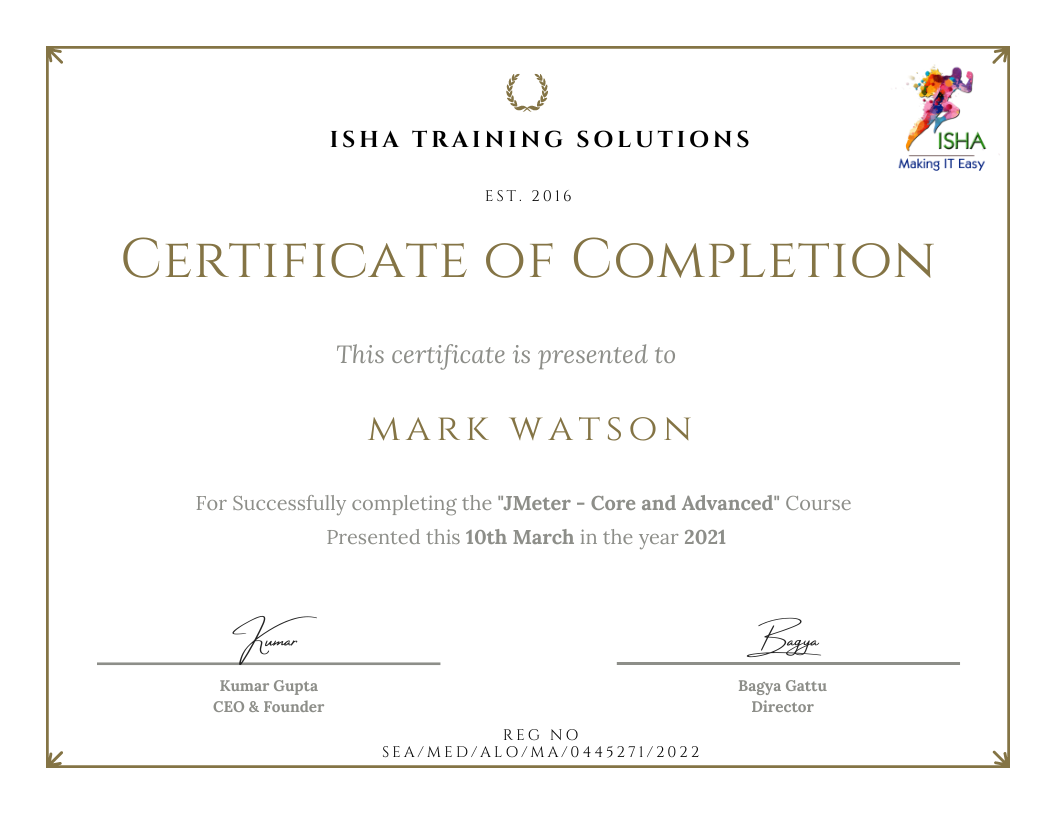
Sample Course Completion Certificate:
Your course completion certificate looks like this……
Testimonials:-
Note:
To maintain the quality of our training and ensure a smooth learning experience for all participants, we do not allow batch repetition or switching between courses.
To reiterate, moving from one course to another or shifting from one trainer to another (even if it is the same course) is not possible. Changing batches or trainers in any form is strictly not permitted.
We request all learners to attend the scheduled sessions regularly and make the most of their learning journey. Thank you for your understanding and continued support.
Course Features
- Lectures 62
- Quiz 0
- Duration 25 hours
- Skill level All levels
- Language English
- Students 0
- Assessments Yes
- 4 Sections
- 62 Lessons
- 25 Hours
- SAP Automation13
- 1.1Module 1: Introduction to Tosca
- 1.2Module 2: Overview of Tosca
- 1.3Module 3: TOSCA Setup
- 1.4Module 4: SAP GUI Setup
- 1.5Module 5: Modules
- 1.6Module 6: SAP Sales and Distribution , Order to cash flow Automation in Tosca
- 1.7Module 7: Introduction to SAP S4Hana Cloud/ Fiori Application
- 1.8Module 8: SAP Toolbar, SAP Menu, SAP Statusbar
- 1.9Module 9: SAP Pop-ups, SAP Subtoolbar
- 1.10Modules 10 : SAP Table for MM and SD Modules
- 1.11Modules 11 : SAP Movemnet Types
- 1.12Modules 12 : SD – FI Integration ( Basics Understanding)
- 1.13Module 14 : SAP Organisation Structure
- Tosca AI10
- 2.1Learn To configure Tosca Agentic AI at your Organisation and basic Admin Features
- 2.2Generate a Test Case using Tosca Agentic Test Automation
- 2.3Create a TQL Search Query using Tosca AI
- 2.4Get a Test case Summary Using Tosca AI
- 2.5Get Test Execution Insights using Tosca AI
- 2.6Ask a question about Tosca Using Agentic AI
- 2.7Automation based on visual clues
- 2.8AI-driven test automation
- 2.9Self-healing tests
- 2.10User identified controls
- Tosca Automation30
- 3.1Overview Of Tosca Commander
- 3.2Introduction To Tosca Workspaces
- 3.3Overview of XScan
- 3.4Control Identification Methods
- 3.5Introduction To TestCase Section in Tosca
- 3.6ActionMode
- 3.7Data Types in Tosca
- 3.8Test Configuration Parameters
- 3.9Table Steering in Tosca
- 3.10Wait in Tosca
- 3.11Library in Tosca
- 3.12Rescan, Value Range & Module Merge
- 3.13Tosca Execution Section
- 3.14Recovery Scenario
- 3.15Cleanup Scenario
- 3.16ResultCount, Repetition and ExplicitName
- 3.17Template Creation
- 3.18Test case Design Creation
- 3.19Execution list setup In Tosca
- 3.20Expression in Tosca
- 3.21Control group in Module
- 3.22Explicit name in Module
- 3.23Cardinality in Module
- 3.24Basic TQL in Tosca
- 3.25Report generation in Tosca
- 3.26Dockusnapper
- 3.27Excel Automation in Tosca
- 3.28FileScan Automation in Tosca
- 3.29PDF Automation
- 3.30Pratical Session on Obstacle Course in Tosca as Assignment
- Tosca – Advance9