AI Powered Playwright Python Automation AI Chatbot, UI, AI, API, CI/CD & Ollama LLM Evaluation -Live Training
(Playwright, Python, Pytest, Page Object Model, UI & API Testing, CI/CD, GitHub Actions, ChatGPT, AI Chatbots, Ollama & LLM Evaluation)
The Playwright Python Automation: UI, API, CI/CD, AI Chatbot & Ollama LLM Testing – Live Training is a practical, industry-focused program designed to help QA professionals build modern automation testing skills using Python, Playwright, PyTest, AI, and LLM technologies.
This course covers UI automation, API testing, PyTest framework development, Page Object Model (POM), multi-browser testing, mobile emulation, network mocking, and CI/CD with GitHub Actions. You will also learn how to build scalable and maintainable Playwright automation frameworks using real-world testing practices.
A key focus of the course is AI and chatbot testing. You will learn to automate text and voice-based chatbots, handle dynamic and streaming responses, work with browser media permissions, and validate chatbot outputs.
The course also introduces Ollama and LLM-as-a-Judge evaluation, allowing you to use a local LLM to intelligently evaluate AI-generated responses and convert those evaluations into automated PASS/FAIL PyTest assertions.
Why Choose This Playwright Python Automation UI, API, CI/CD, AI, AI Chatbot & Ollama LLM Evaluation Course?
- Learn Playwright automation with Python from fundamentals to advanced concepts.
- Build real-world UI and API automation frameworks using PyTest.
- Learn Page Object Model (POM) and scalable framework architecture.
- Gain practical experience with AI chatbot text and voice automation.
- Learn to test dynamic and streaming chatbot responses.
- Use Ollama and LLM-as-a-Judge for intelligent AI response evaluation.
- Implement AI-based PASS/FAIL assertions in automated tests.
- Learn multi-browser, mobile emulation, network mocking, and API testing.
- Automate test execution using GitHub Actions CI/CD.
- Work on a real-world final project combining Playwright, Python, PyTest, AI, Ollama, and CI/CD.
- Get practical live training focused on hands-on automation and AI testing skills.
About the Instructor:
|
Tripura is a passionate Automation Testing professional with extensive experience in Web Automation, Playwright, Selenium, and Python-based Test Frameworks. Over 8 years, she has worked across multiple real-world automation projects, building scalable and maintainable frameworks for UI and API validation using modern tools and best practices. Having trained and mentored 300+ professionals globally and conducted over 15 successful corporate and public training batches, Tripura is known for transforming learners into confident automation engineers ready for real-world challenges. Known for her hands-on and example-driven teaching style, she simplifies even complex automation concepts — from synchronization to CI/CD integration — making learning both engaging and practical. What truly sets her apart is her ability to bridge theory with real-world implementation. Through her interactive sessions, learners gain the confidence to design complete Playwright automation frameworks using Python, integrate them with Jenkins or GitHub Actions, and apply these skills effectively in live projects. |
Sample Videos:
AI-Powered Playwright Automation with Python – UI, API & CI/CD Framework -Live Training – Demo Recording
AI-Powered Playwright Automation with Python – UI, API & CI/CD Framework -Live Training – Day 1 Recording
Live Sessions Price:
For LIVE sessions – Offer price after discount is 300 USD 259 89 USD Or USD13000 INR 12900 INR 6900 Rupees
OR
Free Demo On:
Indian Timings: 9th september @ 9:00 PM– 10:00 PM (IST)/
U.S Timings: 9th September @ 11:30 AM – 12:30 PM (EST)/
U.K Timings: 9th September @ 4:30 PM – 5:30 PM (BST)
Class Schedule:
For Participants in India: Monday to Friday @ 9:00 PM– 10:00 PM (IST)
For Participants in the US: Monday to Friday @ 11:30 AM – 12:30 PM (EST)
For Participants in the UK: Monday to Friday @ 4:30 PM – 5:30 PM (BST)
What students have to say about Tripura:
|
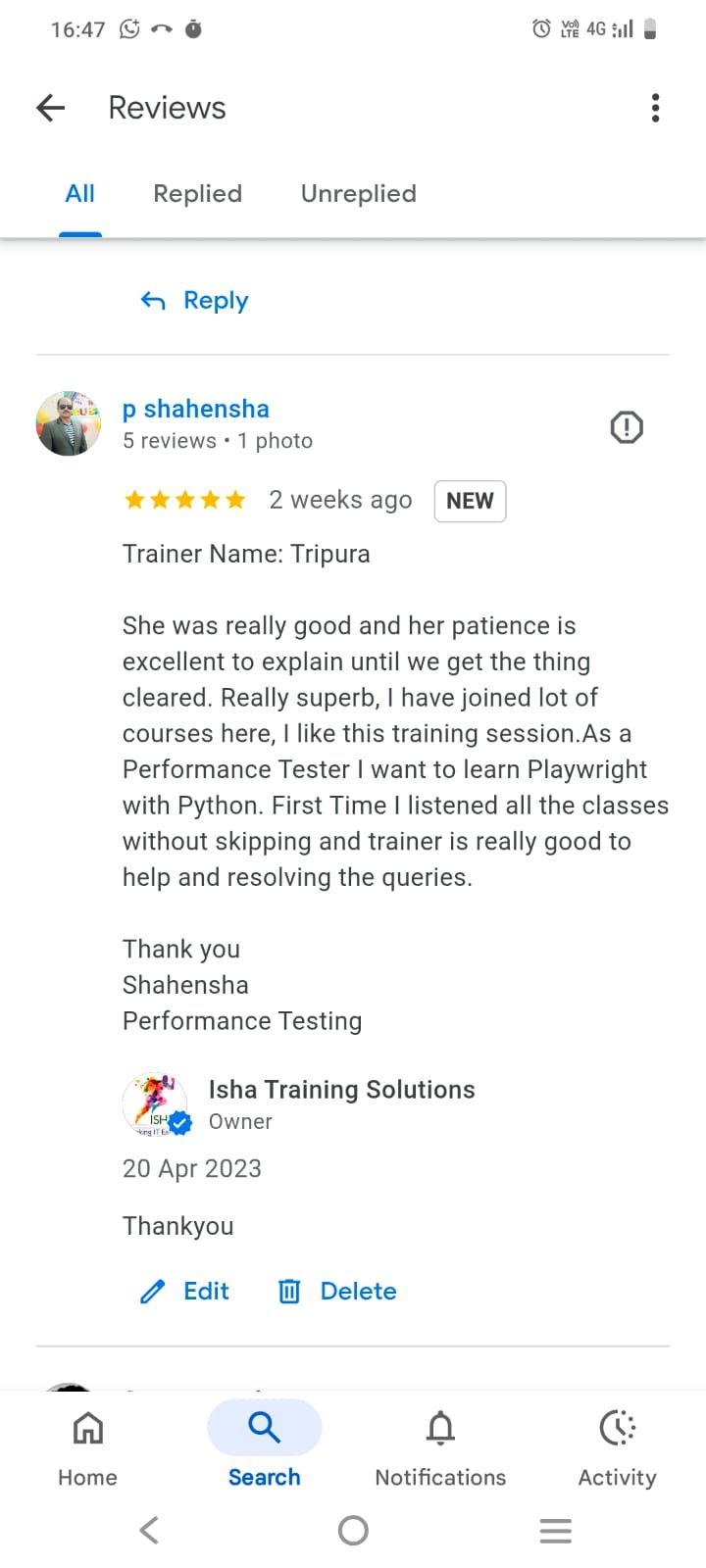
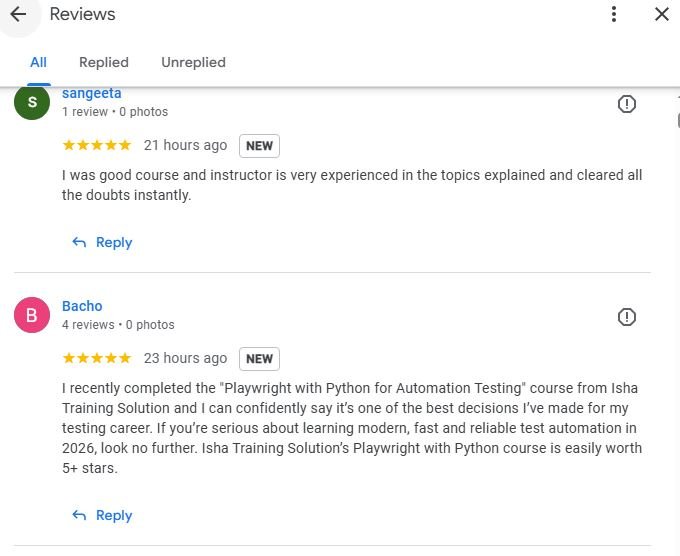
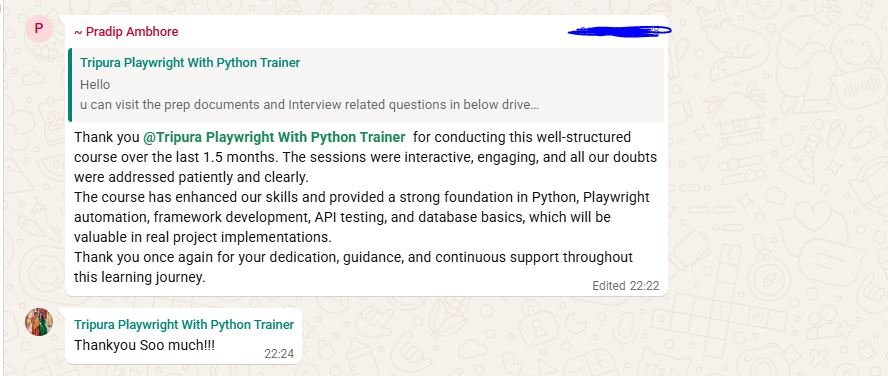
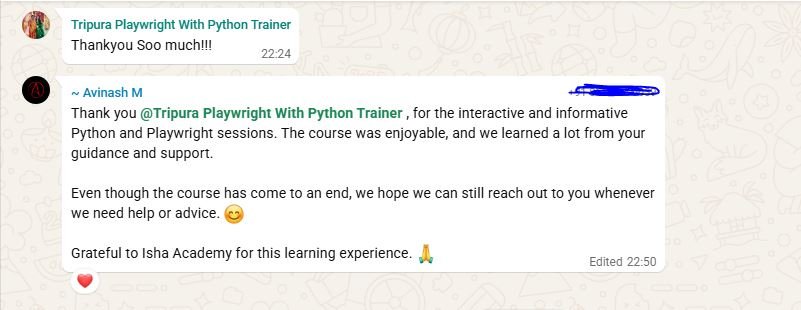
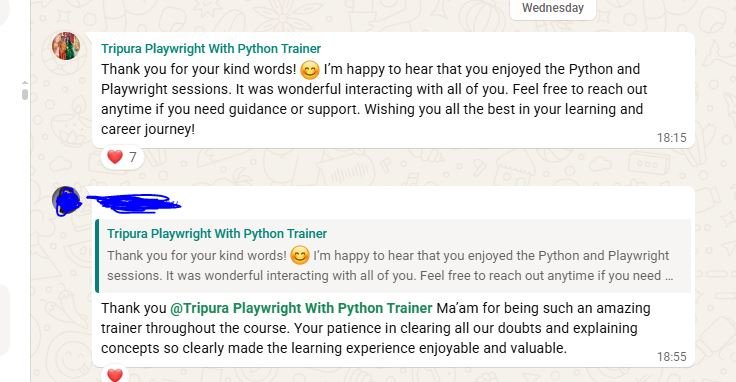
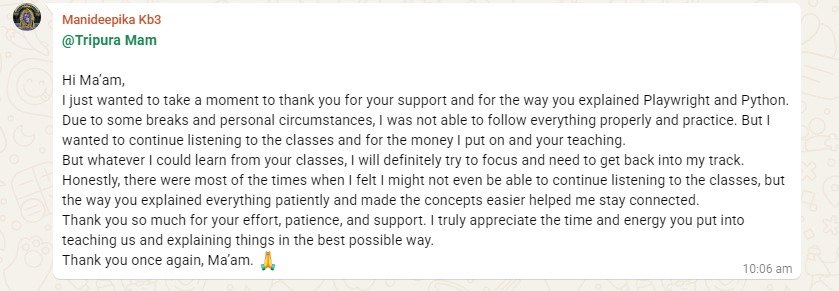
👨 Kiccha Kotigobba: 👨 Chiranjiv chakravarthi: @Tripura Mam Thank you Tripura for your time that you have given me for this session. I was very impressed with the way the concepts were delivered. I hope that in future you will continue to make more students knowledegable. Your technique was excellent through which all A to Z were deliverd iand I trully appreciate eerything. 👨 Bhawesh: @Tripura Mam 👩 Manideepika: Hi Ma’am, I just wanted to take a moment to thank you for your support and for the way you explained Playwright and Python. Due to some breaks and personal circumstances, I was not able to follow everything properly and practice. But I wanted to continue listening to the classes and for the money I put on and your teaching. But whatever I could learn from your classes, I will definitely try to focus and need to get back into my track. Honestly, there were most of the times when I felt I might not even be able to continue listening to the classes, but the way you explained everything patiently and made the concepts easier helped me stay connected.Thank you so much for your effort, patience, and support. I truly appreciate the time and energy you put into teaching us and explaining things in the best possible way. 👩 Tripti Pandey: 👨 Pradip Ambhore: Thank you @Tripura Playwright With Python Trainer for conducting this well-structured course over the last 1.5 months. The sessions were interactive, engaging, and all our doubts were addressed patiently and clearly. The course has enhanced our skills and provided a strong foundation in Python, Playwright automation, framework development, API testing, and database basics, which will be valuable in real project implementations. Thank you once again for your dedication, guidance, and continuous support throughout this learning journey. 👨 Hari Pavan: 👨 Avinash M: Even though the course has come to an end, we hope we can still reach out to you whenever we need help or advice. 😊 Grateful to Isha Academy for this learning experience. 🙏❤️ 👨Sasi: Thank you @Tripura Playwright With Python Trainer Ma’am for being such an amazing trainer throughout the course. Your patience in clearing all our doubts and explaining concepts so clearly made the learning experience enjoyable and valuable. 👩 Bacho I recently completed the “Playwright with Python for Automation Testing” course from Isha Training Solution and I can confidently say it’s one of the best decisions I’ve made for my testing career. If you’re serious about learning modern, fast and reliable test automation in 2026, look no further. Isha Training Solution’s Playwright with Python course is easily worth 5+ stars. 👩 Kirti: 👨 Vishnu: 👨Shahensha: 👨 Rohit Kulkarni: 👩 Sana: 👨 Karthik Reddy: 👩 Priyanka Guptha: 👨 Aditya Chauhan: 👩 Pooja Abhishek Maheshwari: |
What Will I Learn by the End of This Course?
- Master Playwright with Python for robust UI automation.
- Build scalable PyTest automation frameworks using Page Object Model (POM).
- Perform complete API testing and integrate API + UI automation.
- Implement data-driven, parallel, and multi-browser testing.
- Automate dynamic web applications, mobile scenarios, and network mocking.
- Automate AI chatbots, including text, voice, and streaming responses.
- Use Ollama Local LLM for intelligent chatbot response evaluation.
- Implement LLM-as-a-Judge to validate non-deterministic AI responses.
- Convert AI evaluation results into automated PASS/FAIL assertions.
- Debug and analyze tests using Playwright Trace Viewer and reports.
- Implement CI/CD automation with GitHub Actions.
- Build a complete Playwright + Python + PyTest + Ollama AI Testing Framework as a real-world final project.
Salient Features:
- 30 Hours of Live Training along with recorded videos
- one year access to the recorded videos
- Course Completion Certificate
Who can enroll for this course?
- QA Engineers and Automation Testers looking to master Playwright with Python.
- Manual Testers who want to transition into automation testing.
- SDETs and Software Developers interested in modern test automation.
- Test Engineers working with UI and API testing.
- Professionals looking to learn AI Chatbot and LLM testing.
- Testers interested in PyTest, CI/CD, and automation frameworks.
- Beginners with basic programming knowledge who want to build automation skills.
- Professionals looking to gain practical experience with Playwright, AI, Ollama, and LLM evaluation.
Course syllabus:
Phase 0: Python Essentials for Test Automation
Python Setup & Fundamentals
- Installing Python and configuring VS Code
- Python virtual environments
- Variables and Data Types
- Operators
- Conditional statements
- Loops
- Functions and parameters
🎯 Assignment: Build a Python utility script for generating and validating test data.
Python OOP for Test Automation
- Classes and Objects
- Constructors
- Encapsulation
- Inheritance
- Reusable methods and utilities
- Why OOP is important for automation frameworks
🎯 Assignment: Create reusable Python classes for test data and common automation utilities.
File & Test Data Handling
- Reading and writing files
- JSON handling using Python standard libraries
- Creating reusable test data
- Importing modules and packages
- Structuring Python automation utilities
🎯 Assignment: Read JSON test data and create a Python utility to retrieve user information.
Phase 1: Playwright Foundations
Getting Started with Playwright
- What is Playwright and why use it for automation?
- Playwright architecture
- Installing Playwright for Python
- Sync vs Async Playwright APIs
- Browser, BrowserContext and Page
- Launching Chromium, Firefox and WebKit
- Headed vs Headless execution
🎯 Assignment: Create your first Playwright script to launch a browser, navigate to a website and perform abasic validation.
Browser, Context & Page Management
- Understanding Browser lifecycle
- BrowserContext lifecycle
- Page lifecycle
- Multiple pages and browser tabs
- Popups and new windows
- Handling frames and iframes
- Screenshots and video recording
🎯 Assignment: Automate a scenario involving multiple tabs and an iframe.
Locators & Web Elements
- Understanding Playwright locators
- Role-based locators
- get_by_role()
- get_by_text()
- CSS selectors
- XPath selectors
- Locator chaining
- Handling dynamic elements
🎯 Assignment: Build robust locators for a dynamic web application.
Dynamic Web Elements & Auto-Waiting
- Dynamic tables
- Dropdowns
- Checkboxes and radio buttons
- Handling changing UI elements
- Playwright auto-waiting mechanism
- Understanding locator stability
🛠 Mini Project: Automate a dynamic web page containing tables, dropdowns and dynamically loadedelements.
Phase 2: Playwright Actions & Assertions
User Actions & Interactions
- click()
- fill()
- press()
- Keyboard actions
- Mouse actions
- Hover
- Scrolling
- File uploads
- File downloads
🎯 Assignment: Automate a complete user workflow involving forms, uploads and downloads.
Assertions & Validations
- Playwright Web-First Assertions
- Text validation
- Visibility validation
- Attribute validation
- URL validation
- Soft assertions
- Custom assertions
🎯 Assignment: Create a validation suite containing positive and negative assertions.
Building Stable Automation
- Understanding Playwright’s automatic waiting
- Handling dynamic loading
- Waiting for elements and pages
- Handling timeouts
- Reducing flaky tests
- Debugging failed interactions
🛠 Mini Project: Stabilize a flaky end-to-end test using proper locators, assertions and synchronization.
Phase 3: PyTest & Framework Development
PyTest Fundamentals
- Introduction to PyTest
- Creating and executing tests
- Test discovery
- Assertions
- Test organization
- ini
- Test markers
Fixtures & Test Setup
- Understanding PyTest fixtures
- Fixture scopes:
- Function
- Class
- Module
- Session
- py
- Setup and teardown
- Browser and context fixtures
Parameterization & Parallel Execution
- mark.parametrize
- Data-driven testing
- Running multiple test scenarios
- Parallel execution using pytest-xdist
Environment & Secrets Management
- Environment variables
- .env files
- Managing usernames, passwords and API credentials
- Separating configuration from test code
🎯 Mini Project: Build a reusable PyTest framework with fixtures, parameterization, parallel execution andenvironment configuration.
Phase 4: Page Object Model & FrameworkArchitecture
Page Object Model (POM)
- What is Page Object Model?
- Benefits of POM
- Creating Page classes
- Reusable page methods
- Separating locators from test cases
Advanced Framework Architecture
- Base Page
- Base Test
- Page inheritance
- Helper utilities
- Reusable methods
- Test data management
- Framework folder structure
Clean Automation Framework Design
- Separation of responsibilities
- Managing locators
- Managing test data
- Utility functions
- Configuration management
- Designing maintainable automation frameworks
🛠 Mini Project: Build a scalable Page Object Model framework with reusable utilities and cleanarchitecture.
Phase 5: API Testing with Playwright
API Testing Fundamentals
- Understanding API testing
- HTTP methods:
- GET
- POST
- PUT
- DELETE
- APIRequestContext
- Sending API requests
- Validating status codes and responses
API Authentication & Validation
- Authentication headers
- Bearer Token authentication
- Basic authentication
- Request headers and parameters
- Request body
- Response body validation
Hybrid UI + API Automation
- Using APIs for test data setup
- Creating application state through APIs
- Performing UI validation
- API-based cleanup
- Combining API and UI automation
🛠 Mini Project: Create a hybrid UI + API automation workflow.
Phase 6: Advanced Playwright Features
Multi-Browser & Session Management
- Chromium, Firefox and WebKit
- Multi-browser execution
- Storage state
- Session reuse
- Authentication state
Mobile Emulation & Geolocation
- Mobile device emulation
- Viewport configuration
- Device profiles
- Responsive testing
- Geolocation testing
- Permission handling
Network Interception & Mocking
- Understanding network interception
- Request interception
- Response mocking
- Blocking network requests
- Simulating API failures
Debugging & Trace Viewer
- Playwright Trace Viewer
- Analyzing failed tests
- Debugging automation failures
- Understanding test execution traces
🛠 Mini Project: Build network-mocked tests with session reuse and execute them across multiplebrowsers.
Phase 7: Playwright Chatbot Automation – Text &Voice
Chatbot UI Automation
- Understanding chatbot automation challenges
- Targeting dynamic chat inputs
- Automating send buttons
- Extracting chatbot responses
- Handling dynamically generated messages
- Handling streaming responses
Dynamic Response Handling
- Waiting for chatbot responses
- Handling typing indicators
- Detecting response completion
- Managing non-deterministic response timing
- Creating reusable chatbot automation methods
Voice Chatbot Automation
- Handling browser microphone permissions
- Suppressing microphone permission popups
- Working with browser media permissions
- Injecting mock .wav audio streams
- Automating voice input
- Intercepting Web Speech API
- Understanding window.speechSynthesis
- Capturing and validating spoken output
🛠 Mini Project: Build a reusable ChatbotPage object capable of automating text prompts, streamingmock audio inputs and extracting text/spoken outputs.
Phase 8: Local LLM Evaluator with Ollama
Building a Local AI Testing Lab
- Introduction to LLM-based testing
- Challenges of testing non-deterministic AI responses
- Why traditional assertions may not be enough
- Setting up Ollama locally
- Running a local LLM
- Creating a zero-cost AI testing environment
LLM-as-a-Judge Evaluation
- Understanding the LLM-as-a-Judge pattern
- Evaluating chatbot responses using an LLM
- Designing evaluation prompts
- Semantic response validation
- Expected vs actual response comparison
- Structured JSON evaluation
- Generating PASS / FAIL results with reasoning
🛠 Mini Project: Build an ollama_evaluator.py script that evaluates chatbot responses and returnsstructured assertion results.
Phase 9: PyTest + Playwright + AI AssertionPipeline
Building the AI Testing Pipeline
- PyTest browser context fixtures
- Media stream configuration
- Combining Playwright actions with response extraction
- Sending chatbot responses to Ollama
- Converting AI evaluation into PyTest assertions
- Text and voice verification
End-to-End AI Test Execution
- Automating ChatGPT/Gemini-style interfaces
- Executing chatbot prompts
- Extracting generated responses
- Evaluating responses using Ollama
- Generating PyTest PASS/FAIL results
🛠 Mini Project: Build a complete end-to-end AI automation suite that performs:9
Prompt → Chatbot Response → Response Extraction → Ollama Evaluation → PASS/FAIL Assertion
Phase 10: CI/CD with GitHub Actions
Automating Test Execution
- Git and GitHub fundamentals
- Introduction to GitHub Actions
- Creating CI/CD workflows
- Running Playwright tests automatically
- Managing environment variables and secrets
- Configuring test execution in CI
- Running automated tests on Pull Requests
- Publishing Playwright reports and test artifacts
- Understanding GitHub Actions execution and limitations
🎯 Final Deliverable: A GitHub Actions workflow that automatically executes the Playwright + PyTest + AI/ LLM testing framework and publishes the test results.
Final Project: AI-Powered Playwright Testing Framework
Build a complete automation framework incorporating:
- Playwright with Python
- PyTest
- Page Object Model
- UI Automation
- API Testing
- Multi-browser Testing
- Mobile Emulation
- Network Mocking
- Text Chatbot Automation
- Voice Chatbot Automation
- Streaming Response Handling
- Ollama Local LLM
- LLM-as-a-Judge
- AI-based PASS/FAIL Evaluation
- PyTest Assertion Pipeline
- GitHub Actions CI/CD
- Automated Test Reports
🎯 Final Project: Build a complete Playwright + PyTest + Ollama AI Testing Framework capable ofautomating and intelligently evaluating text and voice chatbot interactions.
FAQ’s – Playwright Python Automation UI, API, CI/CD, AI, AI Chatbot & Ollama LLM Evaluation:
How can I enroll for this course?
OR
For any other details, Call me or Whatsapp me on +91-9133190573
Live Sessions Price:
For LIVE sessions – Offer price after discount is 135 USD 129 89 USD Or USD25000 INR 19000 INR 6900 Rupees.
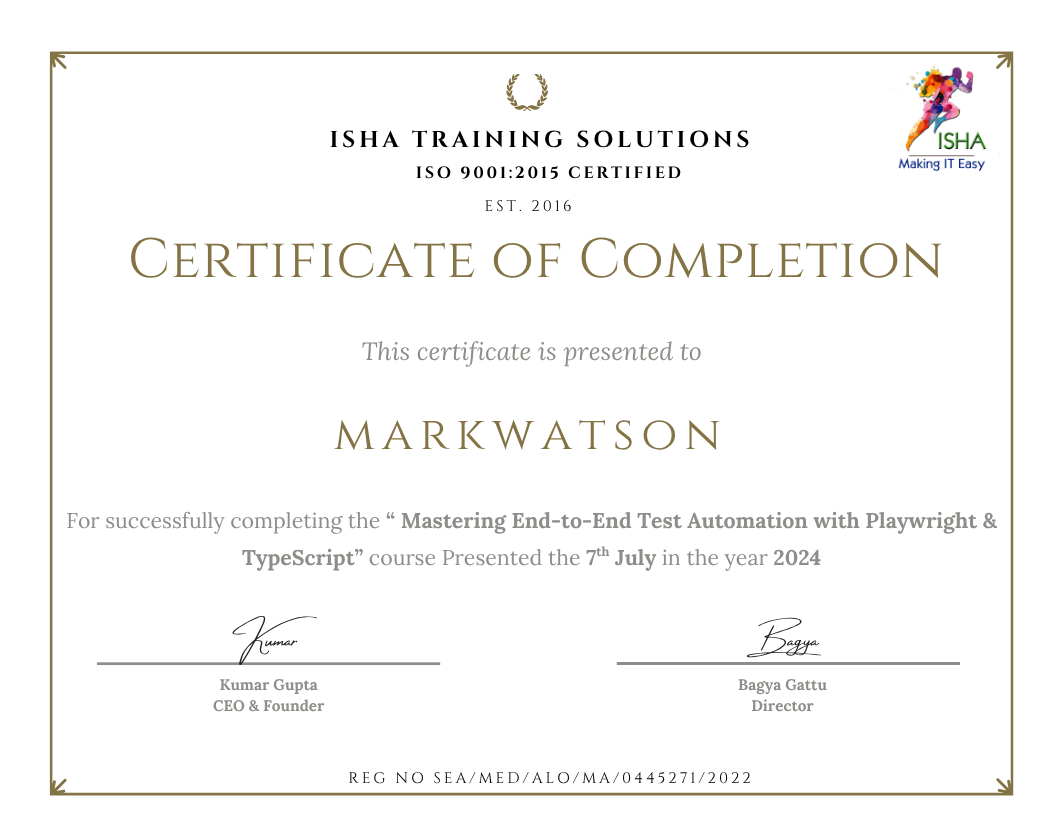
Sample Course Completion Certificate:
Your course completion certificate looks like this……
Reviews:





Important Note:
To maintain the quality of our training and ensure a smooth learning experience for all participants, we do not allow batch repetition or switching between courses.
To reiterate, moving from one course to another or shifting from one trainer to another (even if it is the same course) is not possible. Changing batches or trainers in any form is strictly not permitted.
We request all learners to attend the scheduled sessions regularly and make the most of their learning journey. Thank you for your understanding and continued support.
Course Features
- Lectures 32
- Quiz 0
- Duration 30 hours
- Skill level All levels
- Language English
- Students 0
- Assessments Yes
- 12 Sections
- 32 Lessons
- 30 Hours
- Phase 0: Python Essentials for Test Automation3
- Phase 1: Playwright Foundations4
- Phase 2: Playwright Actions & Assertions3
- Phase 3: PyTest & Framework Development4
- Phase 4: Page Object Model & FrameworkArchitecture3
- Phase 5: API Testing with Playwright3
- Phase 6: Advanced Playwright Features4
- Phase 7: Playwright Chatbot Automation – Text &Voice3
- Phase 8: Local LLM Evaluator with Ollama2
- Phase 9: PyTest + Playwright + AI AssertionPipeline2
- Phase 10: CI/CD with GitHub Actions1
- Final Project: AI-Powered Playwright Testing Framework0