
Claude AI Certification Prep – CCAO-F (Associate Foundations) -Live Training
(Master Claude AI, Prompt Engineering, AI Workflows, Governance & Responsible AI with Hands-On Training and Certification Exam Preparation.)
The Claude AI Certification Prep program is a structured 30-day live training program designed to help learners understand Claude AI, apply it in real-world business scenarios, and prepare for the Anthropic Claude Certified Associate – Foundations (CCAO-F) certification exam.
The course covers Claude AI fundamentals, prompt engineering, output evaluation, model selection, workflow integration, knowledge management, AI governance, responsible AI practices, and troubleshooting, along with hands-on exercises and mock exams.
About the Instructor:
| Senior Technology Professional | AI & Generative AI Enthusiast | Cloud & Data Engineering Specialist
Loga Rajeshwaran Karthikeyan is a technology professional with over 7 years of industry experience across fintech, telecommunications and e-commerce domains. His expertise spans Cloud Computing, Data Engineering, Generative AI, Agentic AI and enterprise application development. He has worked on designing and developing cloud-based solutions, scalable data architectures, distributed processing systems and modern application workflows. His experience also encompasses AI-powered solutions, Generative AI applications, intelligent automation, LLM-based workflows, AI agents and the integration of emerging AI technologies into real-world business and technology environments. His technical skill set includes Python, SQL, PySpark, BigQuery, Dataflow, Cloud Functions, Pub/Sub, ETL frameworks and modern cloud-native technologies. With 4–5 years of training experience, Loga has delivered multiple technical training programmes across Cloud Computing, Cloud Development, Data Engineering, ETL, Generative AI, Agentic AI and emerging AI technologies. His training coverage includes Cloud Certified Development (CCDV), cloud architecture and application development, Generative AI fundamentals, prompt engineering, LLM-powered applications, AI agents, intelligent workflows and practical AI adoption. He focuses on connecting core concepts with real-world implementation scenarios through structured explanations, hands-on demonstrations and practical use cases, helping learners develop industry-relevant technical skills and build confidence in modern cloud and AI technologies. |
Live Sessions Price:
For LIVE sessions – Offer price after discount is 129 USD 109 69 USD Or USD15000 INR 9900 INR 5900 Rupees.
OR
Free Demo On:
Indian Timings: 23rd November @ 8:00 PM – 9:00 PM (IST)/
U.S Timings: 23rd November @ 9:30 AM – 10:30 AM (EDT)/
U.K Timings: 23rd November @ 2:30 PM – 3:30 PM (BST)
Class Schedule:
For Participants in India: Monday to Friday @ 8:00 PM – 9:00 PM (IST)
For Participants in the US: Monday to Friday @ 9:30 AM – 10:30 AM (EDT)
For Participants in the UK: Monday to Friday @ 2:30 PM – 3:30 PM (BST)
What student’s have to say about Trainer :
| Rahul Sharma:
Excellent Claude AI training. The trainer explains every concept clearly with practical examples. I especially liked the sessions on prompt engineering and AI workflows. Priya Nair: The training was well structured and easy to understand. The practical demonstrations helped me understand how Claude AI can be used in business applications. Mohammed Arif: Very informative course with a great learning experience. The trainer has strong technical knowledge and explains Claude AI features in a simple way. Gurpreet Singh: One of the best learning experiences. The trainer explains complex topics like AI governance, output validation and responsible AI with real-world examples. Sneha Reddy: I gained a good understanding of Claude AI and prompt engineering. The trainer is patient, knowledgeable and encourages students to ask questions. David Thomas: Great course for understanding Claude AI fundamentals and certification requirements. The hands-on sessions made the concepts more practical. Fatima Khan: The trainer explains topics in a very organized manner. I particularly enjoyed learning about Claude Projects, AI-powered workflows and data privacy. Harpreet Kaur: Well-designed certification preparation program. The domain-wise explanations and practice questions helped me understand the CCAO-F exam structure. |
Salient Features:
- 30 Hours of Live Training along with recorded videos
- 1 Year access to the recorded videos
- Course Completion Certificate
Who Should Take This Course ?
- This course is suitable for:
- Beginners interested in Generative AI and Claude AI.
- IT professionals and working professionals.
- Business analysts and product managers.
- Project managers and team leaders.
- Developers and software professionals.
- Business owners and consultants.
- Anyone preparing for the Claude AI CCAO-F certification.
What You Will Learn ?:
- By the end of this training, learners will be able to:
- Understand Generative AI, LLMs, Anthropic and Constitutional AI.
- Work with Claude models: Haiku, Sonnet and Opus.
- Master effective prompting techniques and task execution.
- Evaluate Claude outputs for accuracy, quality, bias and hallucinations.
- Select appropriate Claude models and products for different business needs.
- Design AI-powered workflows and practical business solutions.
- Configure Claude Projects, instructions, knowledge files and connectors.
- Understand AI governance, privacy, security and responsible AI.
- Troubleshoot prompt and output-related issues.
- Prepare for the CCAO-F certification exam through practice questions and mock tests.
Course syllabus:
Module 1: Foundations — Understanding Claude AI
Day 1 — Demo Session
-
Welcome and program overview.
-
CCAO-F exam format, cost, passing score and Pearson delivery.
-
Introduction to the seven exam domains and learning path.
-
Live Claude demo: upload a PDF, analyze an image and create an Artifact.
- Certification path and Q&A
Day 2 — Claude AI Fundamentals
-
Introduction to Generative AI and Large Language Models (LLMs).
-
Introduction to Anthropic and Constitutional AI.
-
Understanding Claude Haiku, Sonnet and Opus.
-
Claude products: Claude.ai, Enterprise, Claude Code, Chrome, M365, Tag and API.
-
Introduction to the Claude Partner Network.
Module 2: Prompting & Task Execution -Domain 1 (14%)
Day 3 — Anatomy of an Effective Prompt
-
Prompt clarity and context.
-
Defining constraints and providing examples.
-
Role-based prompting.
-
Task decomposition.
- Few-shot, chain-of-thought and template prompting.
Day 4 — Prompting Techniques and Anti-Patterns
-
Identifying common prompt anti-patterns.
-
Prompting for analysis and research.
-
Prompting for drafting and brainstorming.
-
Prompting for summarization and decision support.
-
Hands-on exercise: rewrite five poor prompts.
Day 5 — Iterative Prompting and Multi-Step Workflows
-
Iterative prompting techniques.
-
Designing multi-step workflows.
-
New conversations versus continued conversations.
-
Working with long documents.
-
Working with spreadsheets and images.
Day 6 — Business Prompt Templates
-
Creating reusable business prompt templates.
-
Prompting for marketing tasks.
-
Prompting for operations and sales.
-
Prompting for finance and HR.
-
Practice: Domain 1 exam-style questions.
Module 3: Output Evaluation & Validation -Domain 2 ·( 21%)
Day 7 — Evaluating Claude Outputs
-
Evaluating accuracy.
-
Checking completeness and relevance.
-
Evaluating coherence and tone.
-
Identifying hallucinations.
-
Recognizing output red flags.
Day 8 — Fact-Checking and Bias Detection
-
Identifying bias in AI-generated outputs.
-
Learning the four-step fact-checking workflow.
-
Verifying claims and information.
-
Hands-on: find errors in intentionally flawed outputs.
Day 9 — Human Review and Output Improvement
-
Identifying when human review is required.
-
Editing outputs for tone.
-
Adjusting length and audience suitability.
-
Selecting appropriate output formats.
-
Applying the quality improvement loop.
Day 10 — Validation Scenarios: Business Documents
-
Validating market research reports.
-
Checking financial summaries.
-
Reviewing client proposals.
-
Applying accuracy and completeness checks to each scenario.
Day 11 — Validation Scenarios: HR and Data
-
Validating HR policy documents.
-
Reviewing data analysis outputs.
-
Applying output validation criteria.
-
Practice: 20 exam-style questions.
Module 4: Product & Model Selection- Domain 3 (12%)
Day 12 — Claude.ai Features and Plans
-
Understanding Claude.ai features.
-
Working with Projects and Artifacts.
-
Using Research, Memory and Styles.
-
File handling capabilities.
-
Comparing Free, Pro, Team and Enterprise plans.
Day 13 — Context Windows and Model Comparison
-
Understanding context windows.
-
Working within context limits.
-
Comparing Claude models.
-
Creating a model comparison matrix.
-
Hands-on: perform the same task using three models.
Day 14 — Model Selection Framework
-
Understanding model selection criteria.
-
Choosing the right model for a task.
-
Applying a model selection decision framework.
-
Solving practical model selection scenarios.
-
Practice: 15 model selection questions.
Module 5: Workflow Integration & Solution Design-Domain 4 (16%)
Day 15 — AI Workflow Identification
-
Identifying workflows suitable for AI.
-
Applying the “Can Claude do this?” framework.
-
Analyzing business requirements.
-
Estimating return on investment (ROI).
-
Assessing workflow risks.
Day 16 — Workflow Design and Implementation
-
Designing human-in-the-loop workflows.
-
Designing AI-augmented workflows.
-
Designing automated workflows with oversight.
-
Understanding hybrid workflows.
-
Change management and hands-on workflow mapping.
Day 17 — Communicating Business Value
-
Communicating value to executives.
-
Explaining benefits to teams and IT.
-
Presenting value to clients.
-
Setting realistic expectations.
-
Understanding Claude’s capabilities and limitations.
Day 18 — Use Case Presentation and Pilots
-
Structuring an AI use case presentation.
-
Defining business problems and expected outcomes.
-
Designing pilot programs.
-
Presenting proposed AI solutions.
-
Practice: 15 scenario-based questions.
Module 6: Configuration & Knowledge Management -Domain 5 (12%)
Day 19 — Claude Projects Configuration
-
Creating Claude Projects.
-
Writing project-specific instructions.
-
Uploading knowledge files.
-
Organizing project knowledge.
-
Hands-on: build a Claude Project for your role.
Day 20 — Connectors, Memory and Privacy
-
Understanding Claude connectors.
-
Connecting Google Drive and Gmail, and exploring other connectors.
-
Understanding memory management.
-
Reviewing privacy considerations.
-
Identifying appropriate ways to manage connected information.
Day 21 — Knowledge Base Best Practices
-
Designing and maintaining knowledge bases.
-
Configuring knowledge for different use cases.
-
Maintaining knowledge files and instructions.
-
Understanding knowledge security.
-
Practice: 10 exam-style questions.
Module 7: Governance, Risk & Responsible Use -Domain 6 (15%)
Day 22 — AI Governance Fundamentals
-
Understanding AI governance fundamentals.
-
Introduction to the NIST AI Risk Management Framework (AI RMF).
-
Understanding the EU AI Act.
-
Introduction to ISO 42001.
-
Hands-on: draft an AI acceptable use policy.
Day 23 — Data Privacy and Security
-
Classifying data based on sensitivity.
-
Understanding data privacy requirements.
-
Understanding AI data security.
-
Applying responsible AI principles.
-
Hands-on: classify 20 data scenarios.
Day 24 — Ethics and Risk Mitigation
-
Understanding ethical AI use.
-
Applying the newspaper test.
-
Identifying AI risk scenarios.
-
Developing risk mitigation approaches.
-
Hands-on: evaluate 10 AI use cases.
Day 25 — Industry-Specific Governance
-
Governance considerations in finance.
-
AI use in healthcare.
-
Governance in legal applications.
-
Responsible use in education.
-
Practice: tricky exam questions and 20 governance questions.
Module 8: Troubleshooting & Optimization -Domain 7 (10%)
Day 26 — Prompt and Output Troubleshooting
-
Identifying common prompt problems.
-
Identifying common output problems.
-
Applying appropriate fixes.
-
Using a troubleshooting decision tree.
-
Hands-on: fix 10 broken prompts.
Day 27 — Performance and Quality Optimization
-
Optimizing efficiency.
-
Improving output quality.
-
Optimizing speed.
-
Measuring improvement.
-
Establishing feedback loops and practicing 15 questions.
Module 9: Exam Preparation & Mock Tests
Day 28 — Exam Preparation and Mock Test
-
Recapping the exam format.
-
Reviewing all seven exam domains.
-
Learning exam-day tips.
-
Reviewing Pearson OnVUE setup.
-
Understanding common exam traps.
-
Complete the full mock exam as timed homework.
Day 29 — Mock Exam Review: Questions 1–30
-
Review mock exam questions 1–30.
-
Understand the correct answers.
-
Analyze why incorrect answers are wrong.
-
Identify knowledge gaps.
-
Revise weak areas.
Day 30 — Mock Exam Review: Questions 31–60
-
-
Review mock exam questions 31–60.
-
Practice questions from weak domains.
-
Complete the certification registration walkthrough.
-
Review the retake policy.
- Course wrap-up and final preparation.
-
CCAO-F Certification Exam Domains:
- The program covers all seven CCAO-F exam domains:
| Domin | Weight |
| Prompting & Task Execution | 14% |
| Output Evaluation & Validation | 21% |
| Product & Model Selection | 12% |
| Workflow Integration & Solution Design | 16% |
| Configuration & Knowledge Management | 12% |
| Governance, Risk & Responsible Use | 15% |
| Troubleshooting & Optimization | 10% |
How can I enroll for this course?
OR
For any other details, Call me or Whatsapp me on +91-91331 90573
Live Sessions Price:
For LIVE sessions – Offer price after discount is 129 USD 109 69 USD Or USD15000 INR 9900 INR 5900 Rupees.
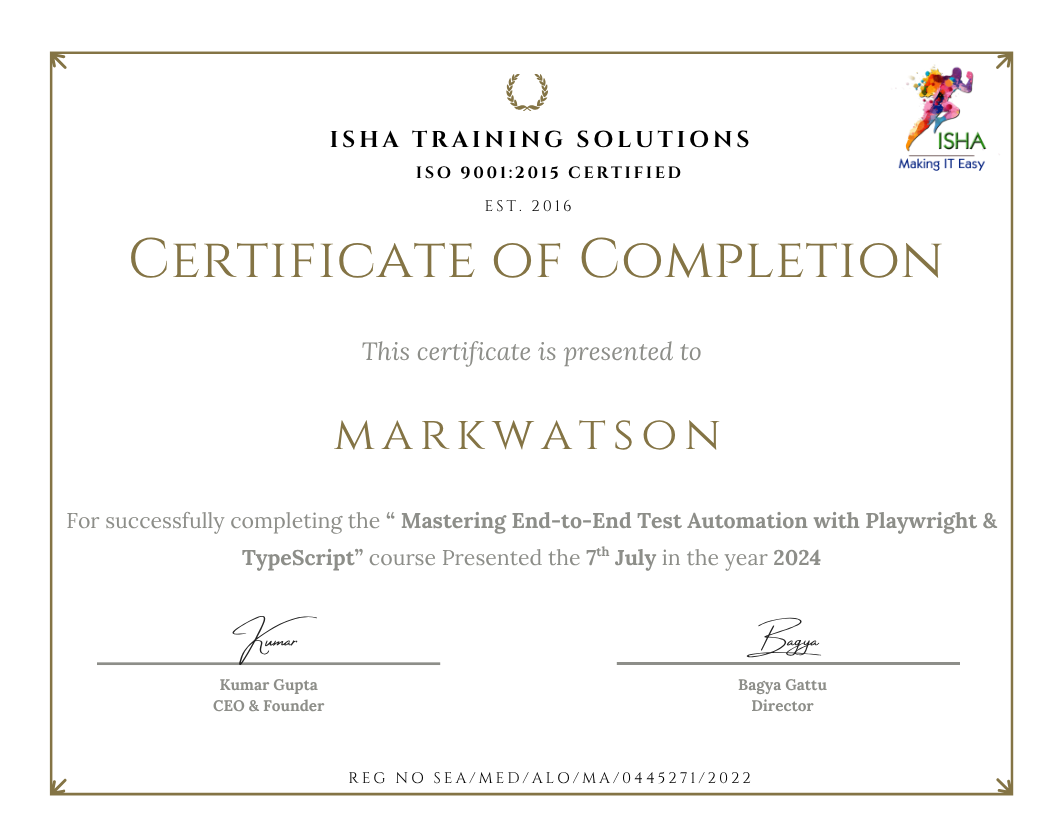
Sample Course Completion Certificate:
Your course completion certificate looks like this……
Course Policy :
Once payment is made, no refund will be provided.
If you do not attend the course, the payment cannot be transferred to another batch.
Course repetition is not allowed for missed sessions
We request all learners to attend the scheduled sessions regularly and make the most of their learning journey. Thank you for your understanding and continued support.
Course Features
- Lectures 30
- Quiz 0
- Duration 30 hours
- Skill level All levels
- Language English
- Students 0
- Assessments Yes
- 9 Sections
- 30 Lessons
- 30 Hours
- Module 1: Foundations — Understanding Claude AI2 Items
- Module 2: Prompting & Task Execution -Domain 1 (14%)4 Items
- Module 3: Output Evaluation & Validation -Domain 2 ·( 21%)5 Items
- Module 4: Product & Model Selection- Domain 3 (12%)3 Items
- Module 5: Workflow Integration & Solution Design-Domain 4 (16%)4 Items
- Module 6: Configuration & Knowledge Management -Domain 5 (12%)3 Items
- Module 7: Governance, Risk & Responsible Use -Domain 6 (15%)4 Items
- Module 8: Troubleshooting & Optimization -Domain 7 (10%)2 Items
- Module 9: Exam Preparation & Mock Tests3 Items


