
AI-Powered Performance Testing with JMeter, Groovy, InfluxDB, Grafana & Ci/CD– Live Training
(Master AI-powered Apache JMeter with hands-on real-time projects, web & API performance testing, advanced scripting, correlation, parameterization, load test execution, performance analysis, reporting, and interview preparation)
AI-Powered JMeter Performance Testing from Core to Advanced Level is a comprehensive online training program designed for freshers, software testers, QA engineers, automation testers, developers, and working professionals who want to master Apache JMeter and Performance Testing. This hands-on course covers the complete performance testing journey, including JMeter fundamentals, test plans, thread groups, samplers, logic controllers, config elements, timers, assertions, web application scripting, session handling, correlation, parameterization, debugging, API performance testing, and test script validation.
The course integrates AI-powered techniques into performance testing, helping learners use AI for JMeter script creation, converting business flows into test steps, correlation, parameterization, test data generation, NFR creation, test plans and test strategies, load pattern recommendations, bottleneck identification, performance result analysis, troubleshooting, reporting, and root cause analysis. Learners also explore performance metrics such as Average Response Time, Median Response Time, 90th/95th/99th Percentiles, Throughput, TPS, and Error Percentage, along with JMeter reporting tools including Aggregate Report, Summary Report, View Results Tree, View Results in Table, and Response Time Graph.
Through practical exercises and a real-time web application performance testing project, participants gain hands-on experience in designing, scripting, executing, and analyzing performance tests. The course also introduces AI-assisted performance testing, monitoring concepts, CPU and memory analysis, performance anomaly detection, APM tools, and application performance analysis, followed by dedicated interview preparation covering frequently asked JMeter questions, real-time project scenarios, and troubleshooting questions. By the end of the course, learners will have practical skills in JMeter, Web Performance Testing, Load Testing, API Performance Testing, AI-Assisted Performance Testing, Performance Analysis, Reporting, and APM fundamentals.
Live Sessions Price:
For LIVE sessions – Offer price after discount is 200 USD 159 109 USD Or USD13000 INR 12900 INR 8900 Rupees
OR
Free Demo Session:
Indian Timings: 5th October @ 9 PM – 10 PM (IST)/
U.S Timings: 5th October @ 11:30 AM – 12:30 PM (EST)/
U.K Timings: 5th October @ 4:30 PM – 5:30 PM (BST)
Class Schedule:
For Participants in India: Monday to Friday @ 9 PM – 10 PM (IST)
For Participants in US: Monday to Friday @ 11:30 AM – 12:30 PM (EST)
For Participants in UK: Monday to Friday @ 4:30 PM – 5:30 PM (BST)
What students have to say about MS Raj:
| Excellent course for beginners and working professionals. The trainer covered everything from JMeter basics to advanced scripting, API testing, and performance analysis with hands-on examples – Swathi
This is one of the best JMeter training programs I have attended. The trainer’s real-world experience, clear explanations, and practical approach helped me master Web and API Performance Testing. The AI-powered learning methods added great value to the course. – Rahul I had an excellent learning experience with this AI-Powered JMeter Performance Testing course. The trainer explained every topic clearly, from basic concepts to advanced techniques, using real-time examples and hands-on projects. The AI-powered approach made scripting, debugging, and performance analysis much easier to understand. The interview preparation sessions and practical exercises helped me build confidence for real-world projects. I highly recommend this course to anyone looking to build a successful career in Performance Testing. – Oliver The trainer explained JMeter concepts clearly with practical, real-time examples and an AI-powered approach. The hands-on projects and interview preparation made learning engaging and easy to understand. I highly recommend this course to anyone who wants to build a career in Performance Testing – Joy One of the best JMeter courses with hands-on training, AI-powered techniques, and excellent trainer support. – Sophie |
What will I learn by the end of this course?
- Understand the fundamentals of Apache JMeter and the Performance Testing Lifecycle.
- Create and validate Web Application Performance Testing scripts using JMeter.
- Work with Thread Groups, Samplers, Logic Controllers, Config Elements, Timers, Assertions, Pre-Processors, Post-Processors, and Listeners.
- Master Correlation techniques using Regular Expression, Boundary, and JSON Extractors.
- Apply Parameterization and Data-Driven Testing using CSV Data Set Config and User Defined Variables.
- Perform API Performance Testing with authentication, tokens, JSON payloads, and API correlation.
- Debug and troubleshoot JMeter scripts using Debug Sampler, View Results Tree, and Assertions.
- Use AI-powered techniques for JMeter script creation, test data, correlation, parameterization, NFRs, test plans, and test strategies.
- Use AI to assist with load pattern recommendations, bottleneck identification, performance result analysis, reporting, and Root Cause Analysis (RCA).
- Analyze key performance metrics including Response Time, Percentiles, Throughput, TPS, and Error Percentage and generate performance reports.
- Understand monitoring concepts, CPU and memory utilization, performance anomalies, and APM tools.
- Gain hands-on experience through a Real-Time Web Application Performance Testing Project.
- Prepare for JMeter interviews through real-time scenarios, frequently asked questions, and troubleshooting exercises.
Salient Features:
- 30 to 35 Hours of Live Training along with recorded videos
- 1 Year access to the recorded videos
- Course Completion Certificate
Who can enroll in this course?
- Freshers aspiring to start a career in Performance Testing and JMeter.
- Manual Testers looking to upskill in Apache JMeter and Performance Testing.
- Automation Test Engineers who want to learn Web and API Performance Testing.
- QA Engineers and Software Testers looking to build practical performance testing skills.
- API Testers interested in API Performance Testing and authentication handling.
- Performance Test Engineers looking to enhance their JMeter, AI-assisted testing, and result analysis skills.
- Software Developers interested in application performance, monitoring, and performance analysis.
- Working Professionals looking to upskill in JMeter, AI-powered Performance Testing, reporting, and APM fundamentals.
Course syllabus:
Module 1: JMeter Introduction
- What is JMeter?
• performance testing lifecycle
• Installation & Setup
• Understanding Test Plans
• JMeter GUI Overview
• JMeter Folder Structure
Module 2: JMeter Components
- Thread Groups
• Samplers
• Logic Controllers
• Config Elements
• Timers
• Assertions
• Pre-Processors
• Post-Processors
• Listeners
Module 3: Web Application Scripting
- Recording User Actions
- Creating Scripts from Scratch
- HTTP Request Sampler
- HTTP Header Manager
- Cookie Manager
- Cache Manager
- Handling User Sessions
- Script Validation
Module 4: Correlation
- Understanding Dynamic Values
• Session IDs
• Tokens
• Correlation Concepts
• Regular Expression Extractor
• Boundary Extractor
• JSON Extractor
Module 5: Parameterization
- CSV Data Set Config
• User defined variables
• Data-Driven Testing
Module 6: Assertions & Debugging
- Response Assertions
• Duration Assertions
• JSON Assertions
• Debug Sampler
• View Results Tree
• Script Troubleshooting
Module 7: API Testing with JMeter
- Authentication Handling
• Token-Based Authentication
• JSON Payloads
• API Correlation
Module 8: AI for Test Script Creation
- Generate JMeter Scripts using AI Prompts
- Convert Business Flows into Test Steps
- AI Assistance for Correlation, Parameterization & Test Data
- Creating & Analyzing NFRs
- Generate Test Plans & Test Strategies
Module 9: AI for Load Test Setup
- AI Suggestions for Users, Ramp-Up & Duration
- Load Pattern Recommendations
- Bottleneck Identification using AI
Module 10: AI for Result Analysis
- Understanding Performance Metrics
- Identifying Failed Requests & Slow APIs
- AI-Based Report Summary & RCA
Module 11: AI + Monitoring Integration
- Understanding Monitoring Dashboards
- CPU, Memory & Resource Utilization Analysis
- Detecting Performance Anomalies
Module 12: AI for Performance Testers
- AI-Assisted JMeter Script Generation
- AI-Based Debugging Assistance
- Auto-Generated Reports & Performance Summaries
Module 13: Real-Time Project
- Complete Web Application Scripting
Module 14: Result Analysis & Reporting
Understanding below Performance Metrics
- Average Response Time
- Median Response Time
- 90th, 95th, and 99th Percentile
- Throughput
- Transactions Per Second (TPS)
- Error Percentage
- View Results Tree
- View Results in Table
- Aggregate Report
- Summary Report
- Response Time Graph
Module 15: Interview Preparation
- Frequently Asked JMeter Interview Questions
- Real-Time Project Scenarios
- Troubleshooting Questions
Module 16: APM tool
- APM tool exposure & walkthrough
- Frequently asked APM tool interview questions
Course Highlights
- 100% Hands-On Training
- Real-Time Project Scenarios
- Advanced Correlation Techniques
- API Performance Testing
- Industry Best Practices
- Interview-Oriented Training
- Course Material & Practice Exercises
Frequently Asked Questions (FAQs)
1. Is this course suitable for beginners?
Yes. This course starts with Apache JMeter fundamentals and gradually progresses to advanced performance testing concepts.
2. Do I need prior experience with JMeter?
No. No prior JMeter experience is required. Everything is covered from the basics.
3. Will I work on real-time projects?
Yes. The course includes hands-on labs and real-time performance testing projects.
4. Does this course cover API Performance Testing?
Yes. You will learn API scripting, authentication, JSON payloads, and API performance testing using Apache JMeter.
5. Will I learn AI-powered techniques?
Yes. You’ll learn how to use AI tools to assist with JMeter scripting, troubleshooting, report analysis, and test optimization.
6. Does this course include interview preparation?
Yes. The course includes JMeter interview questions, real-world scenarios, and troubleshooting techniques.
7. Who should enroll in this course?
Freshers, manual testers, automation testers, QA engineers, developers, and working professionals interested in performance testing.
8. What tools will I learn?
You will primarily learn Apache JMeter, along with AI tools that enhance productivity in performance testing.
9. Will I receive hands-on practice?
Yes. The course includes practical exercises, assignments, and real-time projects.
10. What skills will I gain by the end of the course?
You will be able to create, execute, analyze, and optimize web and API performance tests using Apache JMeter and AI-powered techniques.
How can enroll in this course?
OR
Call me or WhatsApp me on +91- 90529 03733 to enroll for the course
Live Sessions Price:
For LIVE sessions – Offer price after discount is 200 USD 159 109 USD or USD13000 INR 12900 INR 8900 Rupees
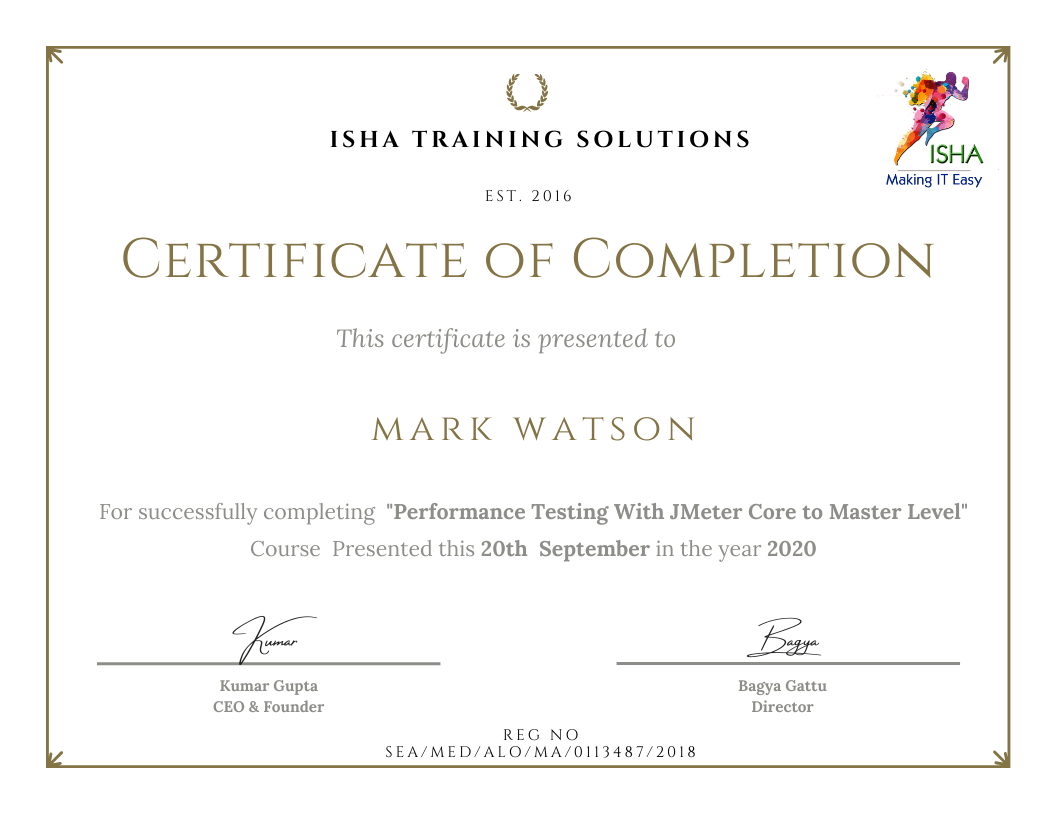
Sample Course Completion Certificate:
Your course completion certificate looks like this……
Important Note:
To maintain the quality of our training and ensure a smooth learning experience for all participants, we do not allow batch repetition or switching between courses.
To reiterate, moving from one course to another or shifting from one trainer to another (even if it is the same course) is not possible. Changing batches or trainers in any form is strictly not permitted.
We request all learners to attend the scheduled sessions regularly and make the most of their learning journey. Thank you for your understanding and continued support.
Course Features
- Lectures 78
- Quiz 0
- Duration 35 hours
- Skill level All levels
- Students 2876
- Assessments Yes
- 16 Sections
- 78 Lessons
- 35 Hours
- Module 1: JMeter Introduction6
- Module 2: JMeter Components9
- Module 3: Web Application Scripting8
- Module 4: Correlation7
- Module 5: Parameterization3
- Module 6: Assertions & Debugging6
- Module 7: API Testing with JMeter4
- Module 8: AI for Test Script Creation5
- Module 9: AI for Load Test Setup3
- Module 10: AI for Result Analysis3
- Module 11: AI + Monitoring Integration3
- Module 12: AI for Performance Testers3
- Module 13: Real-Time Project1
- Module 14: Result Analysis & Reporting12
- 14.1Understanding below Performance Metrics
- 14.2Average Response Time
- 14.3Median Response Time
- 14.490th, 95th, and 99th Percentile
- 14.5Throughput
- 14.6Transactions Per Second (TPS)
- 14.7Error Percentage
- 14.8View Results Tree
- 14.9View Results in Table
- 14.10Aggregate Report
- 14.11Summary Report
- 14.12Response Time Graph
- Module 15: Interview Preparation3
- Module 16: APM tool2