AI Test Automation with Python & Playwright: Build LLM-Powered QA Agents- Live Training
(Master Playwright automation, prompt engineering, AI agents, RAG, and CI/CD — the complete skill set to automate real-world tasks with Python and AI.)
This comprehensive program is designed to help QA professionals transition into AI-powered quality engineering. The course begins with strong foundations in AI, ML, and Deep Learning, covering the AI lifecycle, model validation, testing challenges such as data drift and non-determinism, and Responsible AI principles including fairness, robustness, and explainability. You will gain hands-on experience configuring Azure ML pipelines and working with core AI services.
You will then build practical skills in Python for QA automation, learning core programming concepts, data handling, reusable modules, and writing clean, automation-ready code. The program also introduces Generative AI for QA, including prompt engineering, AI-driven test case and test data generation, and the effective use of ChatGPT for functional testing.
In the advanced phase, you will work with Playwright for UI automation and explore LLM testing frameworks, including RAG evaluation, faithfulness and relevancy metrics, golden datasets, LLM-as-Judge validation, and rule-based evaluation techniques.
The course concludes with a real-world AI testing project, where you will build a test case generator tool, automate UI and model output validation, and receive peer and instructor feedback — preparing you to take on next-generation AI testing roles with confidence.
Meet the Expert Behind This Course:
|
Tripura is a passionate Automation Testing professional with extensive experience in Web Automation, Playwright, Selenium, and Python-based Test Frameworks. Over 8 years, she has worked across multiple real-world automation projects, building scalable and maintainable frameworks for UI and API validation using modern tools and best practices. Having trained and mentored 300+ professionals globally and conducted over 15 successful corporate and public training batches, Tripura is known for transforming learners into confident automation engineers ready for real-world challenges. Known for her hands-on and example-driven teaching style, she simplifies even complex automation concepts — from synchronization to CI/CD integration — making learning both engaging and practical. What truly sets her apart is her ability to bridge theory with real-world implementation. Through her interactive sessions, learners gain the confidence to design complete Playwright automation frameworks using Python, integrate them with Jenkins or GitHub Actions, and apply these skills effectively in live projects. |
Live Sessions Price:
For LIVE sessions – Offer price after discount is 300 USD 259 89 USD Or USD13000 INR 12900 INR 6900 Rupees
Contact Our Team for Upcoming Training Schedules
For any further details, Call or Whatsapp us on +91-9133190573
Success Stories From Our Learners :
|
👨 Karthik Reddy: 👩 Priyanka Guptha: 👨 Aditya Chauhan: 👩 Pooja Abhishek Maheshwari: |
Salient Features:
- 35 hours of live, instructor-led training, plus recorded sessions for flexible learning
- Lifetime access to all course recordings — learn at your own pace, anytime
- Certificate of completion upon finishing the course
Who can enroll for this course?
- Developers looking to build automation that goes beyond traditional scripting, using AI and LLMs
- Automation Test Engineers who want to upskill from Playwright scripting into AI-driven automation
- QA Professionals with basic Python knowledge seeking practical AI automation skills
- Software Engineers and Testers working on browser automation, RAG, or agent-based systems
- DevOps & CI/CD Engineers interested in deploying and scheduling AI automation pipelines
- Backend/Python Developers who want to integrate LLM APIs and build AI agents
- Tech professionals aiming to grow into AI Automation Engineering roles
What will I learn by the end of this course?
- Write clean, modular Python code and use it to build real-world automation pipelines from scratch
- Call LLM APIs (OpenAI, Anthropic Claude, Gemini) from Python and get reliable, structured JSON output
- Apply prompt engineering techniques — zero-shot/few-shot design, reducing hallucinations, and chaining prompts for multi-step tasks
- Build AI agents with function/tool calling that reason through plan → act → observe loops
- Automate modern web applications using Playwright, combined with AI to extract data and self-heal when page layouts change
- Build RAG pipelines using vector databases (Chroma/FAISS/Pinecone) to ground LLM answers in real documents
- Automate business processes — extracting data from documents with OCR + AI, and integrating with Slack, Sheets, and email
- Design multi-agent systems where specialized agents (e.g., a researcher and a writer) collaborate to complete tasks
- Test and monitor AI-driven automation using LLM-as-a-Judge evaluation, and handle non-deterministic AI output
- Deploy and schedule AI automation pipelines using GitHub Actions CI/CD
- Design and build an end-to-end AI automation system combining LLM integration, agents, browser automation, RAG, and production deployment
Course syllabus:
Phase 0 — Python Foundations for Automation
Focus areas: Python Essentials
| Topic | What You’ll Learn & Build |
|---|---|
| Python Setup & Core Syntax | Installing Python and VS Code · virtual environments · variables, data types, operators · loops and conditionals · functions |
| Working with Data | Reading/writing files · JSON and CSV handling · working with APIs and requests · error handling basics |
| Python for Automation Scripts | Modules and packages · writing reusable utility functions · structuring an automation project |
🛠 Mini Project: Build a Python script that pulls data from a public API and saves structured results to a JSON/CSV file.
Phase 1 — Introduction to AI Automation & LLM APIs
Focus areas: LLM APIs · AI-Driven Scripting
| Topic | What You’ll Learn & Build |
|---|---|
| What is AI Automation? | Traditional automation vs. AI-driven automation · where LLMs fit into automation pipelines · use cases across testing, RPA, data processing and content workflows |
| Working with LLM APIs | Calling OpenAI, Anthropic (Claude), and/or Gemini APIs from Python · authentication and API keys · sending prompts and parsing responses · managing tokens and cost |
| Structured Outputs | Getting LLMs to return JSON · schema validation · handling unreliable/malformed AI output |
🛠 Mini Project: Build a Python script that sends a prompt to an LLM and returns a structured, validated JSON response.
Phase 2 — Prompt Engineering for Automation
Focus areas: Prompt Design · Reliability
| Topic | What You’ll Learn & Build |
|---|---|
| Prompt Engineering Fundamentals | Zero-shot vs. few-shot prompting · system vs. user prompts · giving the model context and constraints |
| Designing Reliable Prompts | Reducing hallucinations · making prompts deterministic where it matters · chaining prompts for multi-step tasks |
| Evaluating AI Output | Building simple evaluation checks · comparing expected vs. actual results · retry and fallback strategies |
🛠 Mini Project: Build a reusable “prompt template” library for common automation tasks (classification, extraction, summarization).
Phase 3 — Building AI Agents with Python
Focus areas: Agents · Tool Use · Function Calling
| Topic | What You’ll Learn & Build |
|---|---|
| What Makes an “AI Agent” | Agents vs. simple LLM calls · reasoning loops (plan → act → observe) · when agents are (and aren’t) the right tool |
| Function/Tool Calling | Giving an LLM access to Python functions · defining tool schemas · handling multi-step tool use |
| Agent Frameworks | Introduction to LangChain / LangGraph-style patterns · building a simple agent from scratch vs. using a framework · memory and context management |
🛠 Mini Project: Build a Python-based agent that can answer questions using at least two tools (e.g., a calculator and a web search function).
Phase 4 — Browser Automation with Playwright + AI
Focus areas: Playwright · AI-Driven Web Automation
| Topic | What You’ll Learn & Build |
|---|---|
| Playwright Fundamentals | Installing Playwright for Python · Browser, BrowserContext and Page objects · Chromium, Firefox and WebKit · headed vs. headless runs · sync vs. async APIs |
| Locators & Page Interaction | Role-based, CSS and XPath locators · click(), fill(), press() and other actions · handling dynamic elements, dropdowns and tables · Playwright’s auto-waiting behavior |
| Structuring Playwright Projects | Page Object Model basics · separating locators from logic · reusable page methods for scalable automation |
| Combining Playwright with AI | Letting an LLM decide what to click or extract instead of hardcoding every step · using AI to read and interpret page content |
| AI-Assisted Data Extraction | Scraping unstructured or dynamic web pages · using an LLM to turn raw HTML/text into structured data · handling messy, inconsistent page layouts |
| Self-Healing Automation | Using AI to adapt when selectors break · fallback and retry strategies · logging and re-planning failed steps |
🛠 Mini Project: Build a Playwright script that navigates a website, and uses an LLM to extract and structure the data it finds — even when the page layout is inconsistent or changes.
Phase 5 — Retrieval-Augmented Generation (RAG)
Focus areas: Vector Databases · Knowledge-Grounded AI
| Topic | What You’ll Learn & Build |
|---|---|
| RAG Fundamentals | Why RAG matters · embeddings and semantic search · chunking documents effectively |
| Vector Databases | Introduction to vector stores (e.g., Chroma, FAISS, Pinecone) · storing and querying embeddings · combining retrieval with generation |
| Building a RAG Pipeline | Ingesting documents (PDFs, docs, web pages) · retrieving relevant context · grounding LLM answers in real data |
🛠 Mini Project: Build a Python tool that answers questions about a set of PDFs/documents using RAG.
Phase 6 — Automating Business Processes & Documents
Focus areas: Document AI · Workflow Automation
| Topic | What You’ll Learn & Build |
|---|---|
| Document Processing with AI | Extracting data from PDFs, invoices, forms · combining OCR with LLMs for messy/scanned documents |
| Workflow & Integration Automation | Connecting Python scripts to email, Slack, Google Sheets and webhooks · triggering automation on events · scheduling automated jobs |
| Human-in-the-Loop Design | Building approval steps into AI automation · flagging low-confidence AI decisions for review |
🛠 Mini Project: Build an automated pipeline that extracts data from uploaded documents, validates it with AI, and pushes results to a spreadsheet or Slack channel.
Phase 7 — Multi-Agent Systems & Orchestration
Focus areas: Multi-Agent Workflows
| Topic | What You’ll Learn & Build |
|---|---|
| Multi-Agent Design Patterns | Breaking complex tasks across specialized agents · orchestrator/worker patterns · agent-to-agent communication |
| Coordinating Agents in Python | Managing shared state between agents · handling failures and retries in multi-step pipelines |
| Real-World Multi-Agent Use Cases | Research assistants · content pipelines · automated QA/review chains |
🛠 Mini Project: Build a two-agent pipeline (e.g., a “researcher” agent and a “writer” agent) that collaborate to complete a task.
Phase 8 — Testing, Monitoring & Reliability
Focus areas: AI Automation Quality
| Topic | What You’ll Learn & Build |
|---|---|
| Testing AI-Driven Automation | Why traditional assertions fall short for AI output · LLM-as-a-Judge evaluation patterns · semantic comparison of results |
| Monitoring in Production | Logging AI decisions and outputs · tracking cost, latency and failure rates · alerting on anomalies |
| Handling Non-Determinism | Designing automation that tolerates variable AI output · retry logic and confidence thresholds |
🛠 Mini Project: Add an automated evaluation layer to a previous project that scores AI output and flags failures.
🛠 Mini Project: Add an automated evaluation layer to a previous project that scores AI output and flags failures.
Phase 9 — Deployment & CI/CD for AI Automation
Focus areas: GitHub Actions · Production Readiness
| Topic | What You’ll Learn & Build |
|---|---|
| Packaging Automation Scripts | Structuring an AI automation project for deployment · managing secrets and API keys securely |
| CI/CD with GitHub Actions | Automating scheduled runs · running automation on triggers/PRs · publishing logs and reports |
| Scaling Considerations | Running automation in the cloud · basic cost and rate-limit management for LLM APIs |
🛠 Mini Project: Add an automated evaluation layer to a previous project that scores AI output and flags failures.
🎯 Final Deliverable: A GitHub Actions workflow that runs your AI automation pipeline on a schedule and publishes results/logs.
Capstone Project — End-to-End AI Automation System
Build a complete AI automation pipeline that combines everything from the program:
✅ Python · ✅ LLM API Integration · ✅ Prompt Engineering · ✅ AI Agent with Tool Use · ✅ Playwright Browser Automation · ✅ RAG-Based Document Q&A · ✅ Multi-Agent Coordination · ✅ AI Output Evaluation · ✅ Workflow Integration (Sheets/Slack/Email) · ✅ CI/CD via GitHub Actions
How can I enroll for this course?
kindly Contact Our Team for Upcoming Training Scheduled Dates
For any further details, Call or Whatsapp us on +91-9133190573
Live Sessions Price:
For LIVE sessions – Offer price after discount is 300 USD 259 89USD Or USD13000 INR 12900 INR 6900 Rupees
FAQ – AI Automation with Python – Hands-on Program
1. What is AI Automation with Python?
AI Automation with Python is a hands-on program that goes beyond traditional scripting to build automation that thinks — using LLMs, AI agents, and Python to automate browsers, documents, workflows, and business processes.
2. How is AI automation different from traditional automation?
Traditional automation follows fixed, hardcoded steps that break when a page layout or input changes. AI automation uses LLMs inside the pipeline to make decisions — letting an agent decide what to click or extract, turning messy or inconsistent data into structured results, and self-healing when selectors break instead of failing outright.
3. Who should enroll in this course?
This program is ideal for developers and testers who want to move beyond traditional scripting and build automation that thinks — using LLMs, AI agents, and Python.
4. Is Python mandatory for this course?
Basic Python familiarity is helpful but not required. Phase 0 covers Python essentials — setup, syntax, data handling, and automation scripting — for anyone new to automation.
5. Will this course cover LLM APIs and AI agents?
Yes. The course covers calling OpenAI, Anthropic (Claude), and Gemini APIs from Python; prompt engineering for reliable automation; building AI agents with function/tool calling; multi-agent orchestration; and Retrieval-Augmented Generation (RAG) for document Q&A.
6. What tools and technologies are covered?
The program includes:
- Python for automation
- Playwright for browser automation
- OpenAI / Claude / Gemini APIs
- Prompt engineering and structured outputs
- LangChain-style AI agent frameworks
- Vector databases (Chroma, FAISS, Pinecone) for RAG
- GitHub Actions for CI/CD
7. Will there be hands-on practice?
Yes. This is a hands-on program — every phase ends with a mini project, from a Python API script and an LLM-powered agent to a self-healing Playwright scraper, a RAG document Q&A tool, and a multi-agent pipeline, building up to a capstone project.
8. What project will I work on?
You will build a complete, end-to-end AI automation system that combines LLM API integration, prompt engineering, an AI agent with tool use, Playwright browser automation, RAG-based document Q&A, multi-agent coordination, AI output evaluation, and workflow integration (Sheets/Slack/Email) — deployed through a GitHub Actions CI/CD pipeline.
9. Does this course provide certification?
Yes. Upon successful completion of the training and capstone project, participants receive a course completion certification .
10. What career opportunities are available after this course?
After completing the program, you can pursue roles such as:
- AI Automation Engineer
- Python Automation Engineer
- AI Agent Developer
- LLM Integration Engineer
- RAG / AI Pipeline Engineer
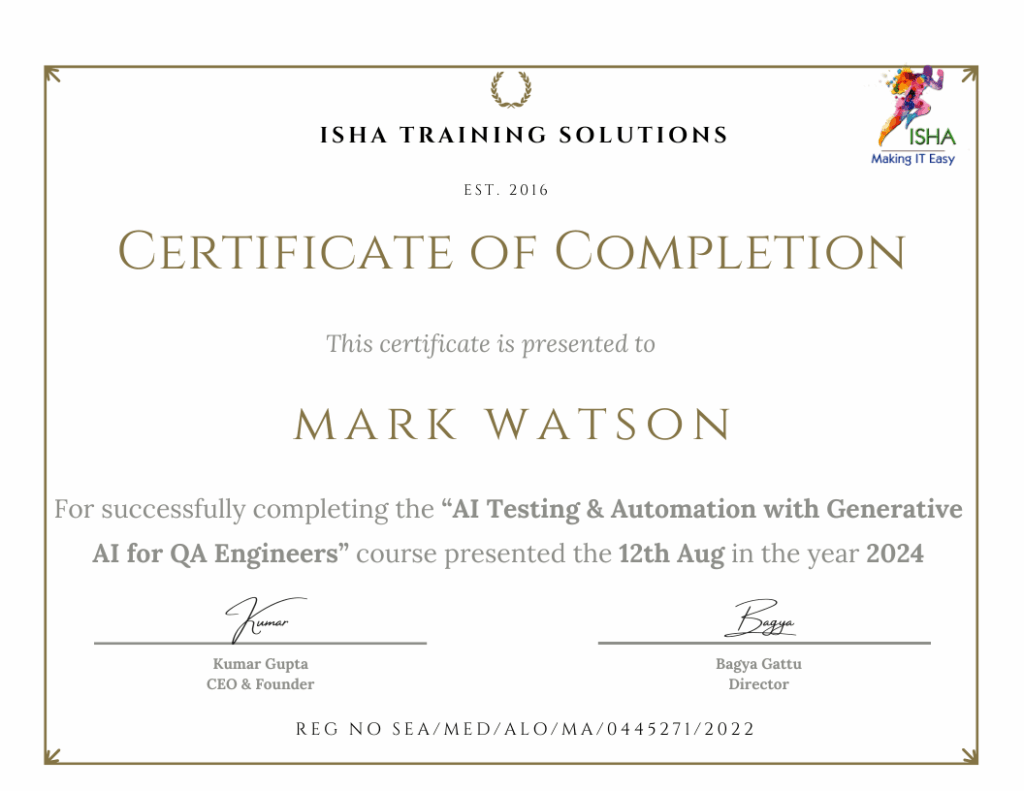
Sample Course Completion Certificate:
Your course completion certificate looks like this….
Important Note:
To maintain the quality of our training and ensure a smooth learning experience for all participants, we do not allow batch repetition or switching between courses.
To reiterate, moving from one course to another or shifting from one trainer to another (even if it is the same course) is not possible. Changing batches or trainers in any form is strictly not permitted.
We request all learners to attend the scheduled sessions regularly and make the most of their learning journey. Thank you for your understanding and continued support.
Course Features
- Lectures 37
- Quiz 0
- Duration 35 hours
- Skill level All levels
- Language English
- Students 0
- Assessments Yes
- 6 Sections
- 37 Lessons
- 35 Hours
- Foundations of AI & ML Testing5
- 1.1What is AI, ML, DL – brief overview
- 1.2Differences between Software Testing & AI Testing
- 1.3AI lifecycle: Data → Model → Deployment → Monitoring
- 1.4Testing challenges in AI/ML (non-determinism, data drift)
- 1.5Key quality attributes: Responsible AI Principles, Accuracy, Fairness, Robustness, Explainability etc.
- Hands-on:2
- Introduction to Python9
- 3.1Introduction to Python and installation setup
- 3.2Understanding variables, data types, and operators
- 3.3Control flow: conditional statements and loops
- 3.4Working with functions and reusable modules
- 3.5Lists, tuples, sets, and dictionaries in test data handling
- 3.6String manipulation and regular expressions
- 3.7Virtual environments (venv, pip)
- 3.8Writing clean, modular Python code
- 3.9Mini hands-on tasks for QA automation
- Gen AI for QA Engineer6
- 4.1Gen-AI for Test Engineer/ QA Engineer.
- 4.2Prompt Engineering – Introduction to prompt engineering principles, Techniques for effective prompt creation, Understanding context and intent in prompts, crafting prompts for testing scenarios
- 4.3Learn Generative AI & AI Agents in Software Testing
- 4.4Generate Test Plan, Test Cases and Test Data using AI
- 4.5Functional Testing with ChatGPT
- 4.6How to use ChatGPT in Software Testing and Automation
- AI/LLM Testing Frameworks and Tools12
- 5.1Playwright for frontend UI automation
- 5.2What is Playwright and why it’s popular
- 5.3Setting up playwright
- 5.4Core Playwright Concepts – Locators, assertions,..
- 5.5RAG for LLM evaluation
- 5.6What RAG is and where it fits in the AI testing stack
- 5.7Key concepts: metrics, test cases, evaluators
- 5.8Faithfulness, relevancy, etc
- 5.9Core metrics evaluation
- 5.10Golden datasets and expected outputs
- 5.11LLM as Judge
- 5.12Rule based evaluation
- AI Project – Hands3