
Claude Certified Associate – Foundations(CCAO-F): Exam Prep Course Outline Live-Training
(Master Claude AI, Prompt Engineering, Output Validation, Workflow Integration, and Responsible AI Usage with Exam Preparation.)
Join our Claude Certified Associate – Foundations (CCAO-F) Live Training Course with instructor-led training and recorded video access for flexible learning and revision. This course helps you build practical knowledge of Claude AI, prompt engineering, AI-powered workflows, and responsible AI usage while preparing for the Claude Certified Associate – Foundations certification exam.
Learn essential Claude AI concepts, effective prompting techniques, output evaluation and validation, hallucination detection, workflow integration, project configuration, knowledge management, AI governance, risk management, and troubleshooting. The course also includes practice exams and mock tests to help you assess your knowledge, strengthen your understanding of the exam domains, and prepare confidently for the CCAO-F certification.
Meet your Instructor:
| Arya is an AI Engineer Associate with approximately 7+ years of hands-on experience in the AI and software engineering domain. He specializes in Artificial Intelligence, Generative AI (GenAI), Large Language Models (LLMs), and AI-powered solutions, with a strong focus on practical implementation and real-world applications.
His professional experience includes working on LLM integrations, document intelligence systems, AI workflow automation, prompt engineering, and AI quality engineering. He has hands-on experience in testing and validating AI systems, evaluating model outputs, managing non-deterministic behavior, and improving the accuracy, reliability, and performance of AI applications. As a trainer, Arya brings 3+ years of training experience and has successfully trained 270+ students through practical, industry-focused sessions. He simplifies complex AI concepts using real-time examples, hands-on demonstrations, and interactive learning approaches. For the Claude Certified Associate – Foundations (CCAO-F) course, he focuses on building a strong understanding of Claude AI, its core capabilities, effective prompting techniques, responsible AI usage, and practical applications of Claude in real-world scenarios. His training approach helps learners understand key concepts, gain practical knowledge, and build the confidence needed to apply Claude AI effectively in their professional workflows. |
Live Sessions Price:
For LIVE sessions – Offer price after discount is 129 USD 109 69 USD Or USD15000 INR 9900 INR 5900 Rupees.
OR
Free Demo On:
Indian Timings: 15th October @ 9:00 PM – 10:00 PM (IST)/
U.S Timings: 15th October @ 11:30 AM – 12:30 PM (EST)/
U.K Timings: 15th October @ 4:30 PM – 5:30 PM (BST)
Class Schedule:
For Participants in India: Monday to Friday @ 9:00 PM – 10:00 PM (IST)
For Participants in the US: Monday to Friday @ 11:30 AM – 12:30 PM (EST)
For Participants in the UK: Monday to Friday @ 4:30 PM – 5:30 PM (BST)
Please Note: Note for US & UK students — Daylight Saving Time ends on 15th Oct (UK) and 1st Nov 2026 (US). UK classes run at 3:30 – 4:30 PM (GMT); from 1st Nov US classes run at 10:30 – 11:30 AM (EST). India stays the same (9 – 10PM IST).
What student’s have to say about Trainer :
| 👦Priya Sharm:
Arya explains Claude concepts clearly and makes AI fundamentals easy to understand. His practical examples helped me improve my prompting skills. 👩Daniel: The training was well-structured and easy to follow. Arya explained important certification topics with real-world examples. 👦Arjun Kumar: Arya’s exam-focused approach helped me understand key concepts and feel more confident about my certification preparation. 👩Asifa: I really enjoyed the hands-on sessions. The explanations of Claude capabilities and responsible AI usage were very helpful. 👦Vikram Singh: Excellent training with practical demonstrations and useful prompting techniques. The sessions were informative and engaging. |
Salient Features:
- 20+ Hours of Live Training along with recorded videos
- 1 Year access to the recorded videos
- Course Completion Certificate
Who Should Take This Course ?
This course is suitable for:
- Professionals looking to learn Claude AI and its practical applications.
- Beginners who want to build a strong foundation in AI tools and prompt engineering.
- Business analysts, project managers, and knowledge workers interested in AI-powered workflows.
- Developers and technical professionals who want to understand Claude’s capabilities and integrations.
- AI enthusiasts who want to learn responsible AI usage, output validation, and workflow optimization.
- Individuals preparing for the Claude Certified Associate – Foundations (CCAO-F) certification exam.
What You Will Learn ?:
By the end of this training, learners will be able to:
- Understand Claude AI fundamentals and capabilities.
- Learn effective prompting techniques.
- Explore Claude’s features and practical applications.
- Use Claude for content creation and problem-solving.
- Apply Claude in AI-assisted workflows.
- Understand responsible AI usage and safety.
- Improve productivity using Claude AI tools.
- Prepare for the CCAO-F certification exam.
Course syllabus:
Class 01: Orientation to the Exam and the Basics of Claude
- Claude plans: Free, Pro, Max, Team, Enterprise
- Where Claude lives: apps, Chrome, Slack, Office add-ins, Cowork
- Exam format, scoring and the seven domains
- Who the exam is for, and what is out of scope
- Sample question walkthrough
- How a language model generates text
- Tokens, context window and knowledge cutoff
- Non-determinism and hallucination
- The AI Fluency 4Ds: Delegation, Description, Discernment, Diligence
- Automation, augmentation and agency
Module 1 · Prompting & Task Execution (14%):
Class 02: Writing Prompts That Work
- Prompting as clear communication
- Role, task, context, audience
- Constraints and success criteria
- Output format and length
- Explaining the “why” behind instructions
- Positive vs negative instructions
- Separating instructions from source material
- Long documents first, question last
- Before-and-after prompt rewrites
Class 03: Techniques for Different Kinds of Work
- Zero-shot vs few-shot examples
- Role prompting
- Step-by-step reasoning and the thinking toggle
- Letting Claude ask clarifying questions
- Prompt templates with placeholders
- Analysis prompts
- Research prompts
- Drafting prompts
- Brainstorming prompts
- Technical prompts: formulas, queries, scripts
- Structured outputs: tables, fixed headings, CSV, JSON
- Allowed values and “Not stated” for missing data
- Consistent results with reusable templates
Class 04: Breaking Down Big Tasks and Refining Results
- Splitting a request into steps
- Manual prompt chaining
- Manual prompt chaining
- Review checkpoints
- When to use a new chat or a Project
- Over-decomposition
- Specific, actionable feedback
- Editing the prompt vs follow-up corrections
- One change at a time
- Saving prompts that work
- Scenario drills: most appropriate action
Module 2 · Output Evaluation & Validation (21%):
Class 05: Judging Quality and What Makes an Output Good
- Discernment: product, process, performance
- Owning the final deliverable
- Accuracy
- Completeness
- Relevance
- Consistency
- Fitness for purpose
- Why stated confidence is not evidence
- Independent review in a fresh chat
- Rubrics and checklists
- Building a small test set
Class 06: Spotting Hallucinations, Contradictions and Bias
- Fabricated citations, statistics, quotes and links
- Why hallucinations happen
- High-risk situations for errors
- Contradictions within and across responses
- Mismatches with the source document
- Stereotyping and demographic skew
- One-sided framing and leading questions
- Sycophancy
- Techniques to reduce errors and bias
Class 07: Evidence, Fact-Checking and When a Human Must Review
- Grounding answers in provided documents
- Citations and supporting quotes
- Facts vs inferences vs opinions
- Checking primary and authoritative sources
- Verifying web search and Research citations
- Lateral reading
- Recomputing numbers
- Checking dates and currency of information
- Triggers for human or expert review
- Diligence and transparency about AI use
Class 08: Tailoring Output to the Audience and the Format
- Executive vs detailed versions
- Technical vs non-technical readers
- Tone, reading level and regional fit
- Comparing versions side by side
- Synthesising and curating information
- Inline responses
- Artifacts
- Structured data
- Generated files: Word, Excel, PowerPoint, PDF
Class 09: Artifacts, Design, Files and Data Analysis
- Creating and iterating on artifacts
- Artifact types: documents, code, diagrams, interactive tools
- Artifacts vs inline answers vs files
- Version history, publishing and sharing
- AI-powered artifacts and viewer usage
- Visual design: mockups, diagrams, slides
- Brand and design-system consistency
- Reviewing designs for accuracy and accessibility
- Analysing CSV and Excel uploads
- Charts and summary tables
- Generating reports, spreadsheets and slides
- Validating generated deliverables
- Removing sensitive data before sharing
- Scenario drills: most appropriate action
Module 3 · Product & Model Selection (12%):
Class 10: Picking the Right Tool in Claude
- Model families: Haiku, Sonnet, Opus, Fable
- Changing the model in the model picker
- Switching models mid-conversation
- Speed vs quality vs cost
- Matching model to task
- High-volume, simple work
- Complex, high-stakes work
- Effort levels and usage trade-off
- When to turn thinking on or off
- Models where thinking is always on
- Plan access to models
- Comparing models on the same task
- When volume calls for the API and a developer
Class 12: Working Within Context Limits
- What fills the context window
- Long-chat degradation and drift
- When to restart
- Handoff summaries
- Persisting context in Projects and memory
- Memory vs past-chat search
- Editing earlier messages to branch
- Incognito chats
- Large knowledge bases in Projects
- Scenario drills: most appropriate action
Module 4 · Workflow Integration & Solution Design (16%):
Class 13: From Business Problem to Claude Workflow
- Current-state vs future-state process maps
- Requirements and user stories from notes
- Finding high-value use cases
- Delegation: problem, platform and task awareness
- Claude vs deterministic automation
- Combining rules-based tools with Claude
Class 14: Claude for Research, Planning and Process Improvement
- Market, competitor and policy research
- Project plans, risks and communication plans
- Meeting notes to action items
- Finding bottlenecks and rework
- Writing SOPs, checklists and templates
- Prototyping and piloting solutions
Class 15: Designing Dependable AI-Assisted Processes
- Workflow stages from intake to delivery
- Human-in-the-loop placement
- Validation checkpoints and fallbacks
- Augmenting vs redesigning a workflow
- Shared Projects and prompt libraries
- Scheduled tasks and plugins
- Cowork sub-agents for parallel work
- Triggering sub-agents and reviewing their results
- Pilot, measure, scale
- Success metrics
- Change management
- Escalating to Architects and Developers
- Explaining value and limitations to stakeholders
- Scenario drills: most appropriate action
Module 5 · Configuration & Knowledge Management (12%):
Class 16: Setting Up Projects
- Creating a Project
- Project instructions
- Project knowledge uploads
- Instructions vs knowledge vs prompt
- Keeping knowledge focused and relevant
- Organising Projects by team, client or workflow
- Visibility: private vs organisation-wide
- Can use vs Can edit
- Chats stay private in shared Projects
- Project-scoped memory
Class 17: Instructions, Styles and Skills
- Writing system-level instructions
- Handling missing information and boundaries
- Avoiding conflicting instructions
- Profile preferences
- Styles: preset and custom
- How configuration layers combine
- What a Skill is
- Built-in, custom and organisation Skills
- Code execution requirement for Skills
- How Skills trigger automatically
- Invoking a Skill on purpose
- Creating and uploading a custom Skill
- Sharing and managing organisation Skills
- Skill vs project instructions
Class 18: Connected Knowledge and Keeping It Fresh
- Google Drive, Gmail, Calendar, Microsoft 365, Slack
- The connectors directory
- Connector access and authorisation
- Admin enablement of connectors
- Turning connectors on per conversation
- Connectors in chat, Projects and Cowork
- Tool permissions for write actions
- Uploaded snapshots vs live sources
- Connected content is data, not instructions
- Source of truth and source authority
- Resolving conflicting sources
- Dates and version control
- Scheduled reviews and owners
- Re-testing after updates
- Scenario drills: most appropriate action
Module 6 · Governance, Risk & Responsible Use (15%):
Class 19: Safe Data, Appropriate Use and Access
- Appropriate vs inappropriate use cases
- Anthropic’s Usage Policy
- Data classification levels
- PII, health, financial and client data
- Redaction, anonymisation and minimisation
- Instructions vs real policy controls
- Consumer vs commercial data handling
- Model-training privacy setting
- Feedback, incognito and retention periods
- Contractually approved tools for regulated data
- GDPR, HIPAA, CCPA, EU AI Act awareness
- IP, copyright and NDAs
- Sharing permissions and least privilege
- Approved accounts vs personal accounts
Class 20: Oversight, Policy, Ethics and Escalation
- High-impact decisions about people
- Human oversight and accountability
- Fairness testing
- Organisational AI policies
- Shadow AI
- Admin controls: SSO, roles, audit logs, retention
- When and where to escalate
- Transparency and disclosure
- Over-reliance and deskilling
Class 21: Safe Use of Claude When It Acts for You
- Claude in Chrome, Cowork and connector actions
- Prompt injection in web pages, emails and files
- Permission modes: Manual, Auto, Skip
- Choosing a permission mode for the task’s risk
- Approving or denying individual actions
- Sub-agents and inherited permissions
- Confirming sensitive or irreversible actions
- Limiting sites, files and accounts
- Admin controls on automatic approval
- Reviewing what Claude did
- Scenario drills: most appropriate action
Module 7 · Troubleshooting & Optimization (10%):
Class 22: Diagnosing a Bad Answer
- Symptom → cause → fix → re-test
- Prompt problems
- Context problems
- Model and feature problems
- Knowledge problems
- Common symptoms and their fixes
- Project knowledge not being used
- Conflicting instruction layers
- Connector and upload issues
- Platform limits that need escalation
Class 23: Keeping Workflows Reliable and Efficient
- Regression testing with a test set
- Monitoring and spot checks
- Logging failures and fixes
- Quality drift
- Turning feedback into instructions or Skills
- Versioning prompts and templates
- Efficiency: model, effort, Projects, connectors, templates
- Session and weekly usage limits, usage credits
- Removing low-value steps
- Knowing when to hand off for automation
- Scenario drills: most appropriate action
Mock Exams
Class 24: Practice Exam 1
- Reading for the deciding constraint
- Smallest effective, policy-compliant action
- Distractor patterns: overkill, abandonment, cosmetic fix, wrong-layer fix
- Distractor patterns: overkill, abandonment, cosmetic fix, wrong-layer fix
- Elimination techniques
- Timed 60-question mock exam
- Domain-by-domain debrief
Class 25: Practice Exam 2 and Exam Day
- Second timed mock exam
- Weighted review of all seven domains
- Targeting weak domains
- Registration via Partner Academy and Pearson VUE
- Delivery options, ID and exam rules
- Rescheduling and retake policy
- 12-month validity and free renewal assessment
CCAO-F Certification Domains:
| Domin | Weight |
| Prompting & Task Execution | 14% |
| Output Evaluation & Validation | 21% |
| Product & Model Selection | 12% |
| Workflow Integration & Solution Design | 16% |
| Configuration & Knowledge Management | 12% |
| Governance, Risk & Responsible Use | 15% |
| Troubleshooting & Optimization | 10% |
How can I enroll for this course?
OR
For any other details, Call me or Whatsapp me on +91-91331 90573
Live Sessions Price:
For LIVE sessions – Offer price after discount is 129 USD 109 89 USD Or USD15000 INR 9900 INR 6900 Rupees.
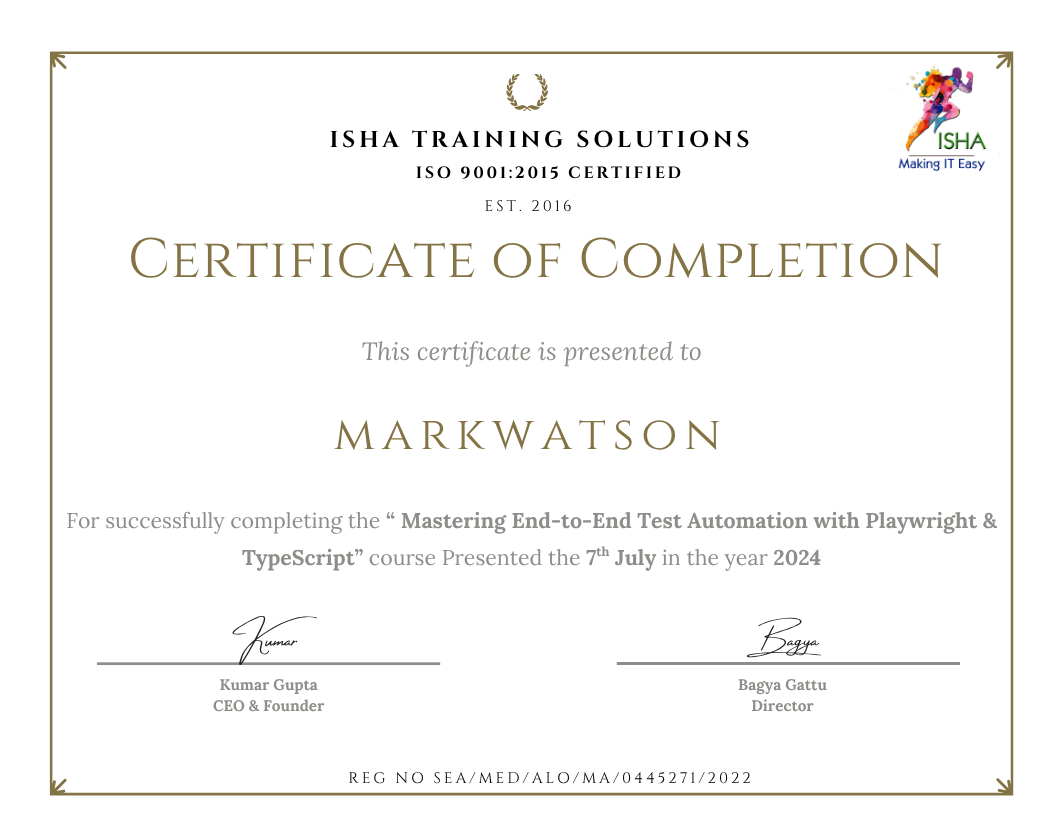
Sample Course Completion Certificate:
Your course completion certificate looks like this……
Course Policy :
- Once payment is made, no refund will be provided.
- If you do not attend the course, the payment cannot be transferred to another batch.
- Course repetition is not allowed for missed sessions
- We request all learners to attend the scheduled sessions regularly and make the most of their learning journey. Thank you for your understanding and continued support.