CLAUDE FOR AUTOMATION TESTERS FROM PROMPTING TO PRODUCTION PIPELINES -Live Training
(Master Claude.ai, Claude API & Claude Code to accelerate test case design, automation scripting, debugging, code reviews,
API testing, CI/CD, GitHub Actions, MCP, and AI-powered QA workflows.)
This course is designed for working automation testers who want to harness the power of Claude AI to accelerate and enhance every stage of the software testing lifecycle. You’ll gain hands-on experience with Claude.ai, the Claude API, and Claude Code, learning how to use AI as a reliable coding and testing assistant in real-world projects.
Throughout the course, you’ll discover how to leverage Claude for test case design, automation script generation, debugging, code reviews, test data creation, CI/CD integration, API testing, and test reporting. Whether you work with Selenium, Playwright, Cypress, or any other automation tool, this course will help you boost productivity, improve code quality, and reduce manual effort.
By the end of the program, you’ll be equipped to use Claude as your everyday AI partner, enabling you to automate faster, solve testing challenges more efficiently, and deliver higher-quality software with confidence.
About the Instructor:
|
Yesh is an experienced AI and Automation professional with over 10 years of IT industry experience, having worked on enterprise-level projects across product-based and global technology environments. Over the years, he has specialized in AI-powered engineering, intelligent workflow automation, and Agentic AI solutions, helping professionals adopt next-generation AI technologies in real-time enterprise environments. His strong industry exposure and practical implementation approach make his sessions highly hands-on, industry-oriented, and aligned with current market demands. Yesh currently delivers advanced live training programs on AI Agent Bootcamp: Master N8N and Workflow Automation, The Agentic Developer Course: Master AI-Assisted Full-Stack Engineering, ISTQB Certified AI Tester – Advanced QA with AI & ML, and AI Agents Engineering Course – Live Training. His core training areas include AI agents, workflow orchestration using n8n, LLM integrations, prompt engineering, AI-assisted development, intelligent automation, AI-driven testing strategies, and real-time AI workflow implementation. He focuses heavily on practical use cases, live project scenarios, event-driven automations, and modern AI engineering concepts that help learners build production-ready AI solutions. Teaching and mentoring have always been Yesh’s passion, and he has successfully trained and mentored more than 300+ professionals through live interactive sessions, workshops, and real-time project-based learning programs. Known for his practical teaching style and simplified explanation of complex AI concepts, he has helped many working professionals transition into AI-focused roles and modern engineering domains. Passionate about continuous learning and innovation, Yesh aims to empower learners with future-ready AI and automation skills required to succeed in rapidly evolving technology landscapes. |
Live Sessions Price:
For LIVE sessions – Offer price after discount is 159 USD 109 69 USD Or USD11000 INR 9900 INR 5,900 Rupees.
OR
Free Demo Session Timings:
Indian Timings: 11th August @ 8 PM – 9 PM (IST)
U.S Timings: 11th August @ 10:30 AM – 11:30 AM (EST)
UK Timings: 11th August @ 3:30 PM – 4:30 PM (BST)
Class Schedule:
For Participants in India: Monday to Friday @ 8 PM – 9 PM (IST)
For Participants in US: Monday to Friday @ 10:30 AM – 11:30 AM (EST)
For Participants in UK: Monday to Friday @ 3:30 PM – 4:30 PM (BST)
What Students Say about the trainer:
| ⭐ The trainer explained Claude for Automation Testers: From Prompting to Production Pipelines in a very simple and practical way. I learned how to use Claude for test case generation, API testing, Playwright automation, and CI/CD integration with real-time examples. The hands-on sessions were excellent and helped me apply AI effectively in my daily testing work. – Kumar
⭐ Excellent course for learning AI-assisted automation testing with Claude. The trainer covered Prompt Engineering, test design, bug reporting, Playwright automation, and production testing pipelines in a clear and easy-to-understand manner. The real-time projects helped me improve both my coding and testing skills. Great learning experience overall. – Priya ⭐ The practical sessions and real-world projects made learning Claude-powered testing very easy. I particularly liked the modules on generating test scenarios, validating APIs, and creating automated test scripts using Claude. – Joshi ⭐ One of the best industry-focused training programs I have attended. The course covered AI-assisted test planning, Playwright automation, API testing, CI/CD integration, and production-ready testing workflows in detail. The trainer supported us throughout the practical sessions and projects, and I gained hands-on experience in building scalable automation pipelines. The learning environment was interactive and professional. – Sneha ⭐ The trainer provided clear explanations and real-world examples throughout the course. I gained strong knowledge in using Claude for exploratory testing, automation script generation, test data creation, and production pipeline integration. The course has significantly improved my confidence in working as an AI-augmented automation tester. – Vijaya |
Who can enroll for this course?
- Automation Test Engineers
- QA Automation Engineers
- Software Test Engineers with automation experience
- Selenium Automation Testers
- Playwright Automation Engineers
- Cypress Automation Engineers
- API Test Automation Engineers
- SDET (Software Development Engineer in Test) professionals
- QA Leads and Test Architects looking to adopt AI in testing
- Manual Testers with basic automation knowledge who want to transition to AI-assisted automation
- DevOps or CI/CD Engineers involved in test automation pipelines
- Software Developers who write or maintain automated tests
Salient Features:
- Approximately 25+ Hours of Live Training
- Every session gets recorded, and 1 year of access to these videos will be given.
- Course Completion Certificate
What will I Learn by the end of this course?
• Write effective prompts for test case design, test data, and bug reports
• Generate and refine automation scripts (Selenium/Playwright) using Claude
• Use Claude to review, debug, and refactor existing automation code
• Use Claude Code to scaffold frameworks and fix failing test suites
• Integrate the Claude API into test pipelines for reporting and self-healing checks
• Connect Claude to testing tools using MCP (Model Context Protocol)
• Position yourself for AI-augmented testing roles with a portfolio and capstone project
Course syllabus:
Module 1: Foundations — Claude and the AI Testing Mindset (Duration: 3 Hours)
1.1 Why testers need to learn Claude — market context and job trends
1.2 Traditional testing vs AI-assisted testing — what changes and what doesn’t
1.3 Overview of Claude models (Opus, Sonnet, Haiku) and when to use each
1.4 claude.ai vs Claude API vs Claude Code — three ways testers use Claude
1.5 Setting up a Claude account, Projects, and Artifacts for testing work
1.6 Claude’s capabilities and limits for QA — what to trust, what to verify
Tools / Platforms: claude.ai, Claude Console
Module 2: Prompt Engineering for QA (Duration: 3 Hours)
2.1 Core prompt engineering principles for testers
2.2 Writing clear, context-rich prompts for test tasks
2.3 Before/after examples: vague vs effective testing prompts
2.4 Using examples and templates to guide Claude’s output
2.5 Structuring multi-step testing tasks with step-by-step prompts
2.6 Requesting specific formats (tables, checklists, structured tags) for QA deliverables
Tools / Platforms: claude.ai, reusable prompt templates
Module 3: Test Case and Test Data Generation with Claude (Duration: 3 Hours)
3.1 Generating test cases from requirements and user stories
3.2 Discovering edge cases and negative scenarios with Claude
3.3 Generating boundary-value and equivalence-partitioning test sets
3.4 Creating realistic synthetic test data (valid, invalid, edge-case)
3.5 Generating test cases directly from API specs (Swagger/OpenAPI)
3.6 Guided Project: Requirement-to-Test-Case Generator Workflow
Tools / Platforms: claude.ai, Swagger/OpenAPI docs, spreadsheets
Module 4: Claude for Automation Script Generation (Duration: 4 Hours)
4.1 Converting manual test cases into automated scripts
4.2 Generating Selenium scripts (Java/Python) from natural language
4.3 Generating Playwright scripts (JavaScript/TypeScript) from natural language
4.4 Generating Page Object Model structures with Claude
4.5 Generating API test scripts (REST Assured / Postman / pytest)
4.6 Reviewing and correcting AI-generated automation code
4.7 Guided Project: Manual Test Case to Playwright Script Pipeline
Tools / Platforms: Selenium, Playwright, VS Code, Claude
Module 5: Claude for Code Review, Debugging, and Refactoring (Duration: 4 Hours)
5.1 Reviewing automation framework code with Claude
5.2 Identifying anti-patterns and common causes of flaky tests
5.3 Root-cause analysis of failing tests using logs and stack traces
5.4 Refactoring test code for readability and maintainability
5.5 Explaining unfamiliar or legacy automation code
5.6 Guided Project: Debugging a Flaky Test Suite with Claude
Tools / Platforms: Claude, Git, existing automation repositories
Module 6: Claude Code for Testers (Duration: 4 Hours)
6.1 Introduction to Claude Code — the agentic CLI for developers and testers
6.2 Installing and configuring Claude Code
6.3 Scaffolding a new test automation framework with Claude Code
6.4 Running, diagnosing, and fixing failing test suites autonomously
6.5 Git workflows — commits, branches, and pull requests with Claude Code
6.6 Guardrails: reviewing AI-driven code changes before merging
6.7 Guided Project: Framework Setup and Test Fixing with Claude Code
Tools / Platforms: Claude Code CLI, Git, GitHub
Module 8: Documentation, Bug Reporting, and Career Positioning (Duration: 3 Hours)
8.1 Writing clear, structured bug reports with Claude
8.2 Generating test summary reports and release notes
8.3 Using Claude as an exploratory testing thinking partner
8.4 Building a portfolio of AI-assisted testing work
8.5 Resume and interview positioning for “AI-augmented tester” roles
8.6 Capstone: End-to-End AI-Assisted Testing Workflow
8.7 Capstone demo and certification wrap-up
Tools / Platforms: Claude, GitHub portfolio, resume templates
Live Sessions Price:
Call or Whatsapp Kumar gupta @ +91-9133190573
OR
For LIVE sessions – Offer price after discount is 159 USD 109 69 USD Or USD11000 INR 9900 INR 5,900 Rupees.
FAQ –CLAUDE FOR AUTOMATION TESTERS:
1. Who can enroll in this course?
Anyone with basic automation testing experience using Selenium, Playwright, Cypress, or similar tools can enroll.
2. Do I need prior knowledge of Claude AI?
No. We start from the basics and gradually cover advanced topics.
3. What will I learn in this course?
You’ll learn Prompt Engineering, Claude.ai, Claude API, Claude Code, AI-assisted automation, debugging, and CI/CD integration.
4. Which automation tools are covered?
The course covers Selenium, Playwright, Cypress, REST Assured, Postman, and GitHub Actions.
5. Is this course practical?
Yes. The course includes hands-on labs, real-world examples, guided projects, and a capstone project.
6. Will I learn Claude API and Claude Code?
Yes. You’ll learn how to use both Claude API and Claude Code in real automation projects.
7. Is coding knowledge required?
Basic knowledge of Java, Python, or JavaScript is recommended.
8. Will this course help me in my job?
Yes. You’ll learn practical AI skills that can help you automate faster and improve productivity at work.
9. Will I receive a certificate?
Yes. A course completion certificate will be provided after successful completion.
10. Is this course live or recorded?
This is a live instructor-led online training program with interactive sessions.
11. Will I get access to recordings?
Yes. Session recordings will be provided for revision after each class with one year access to the recorded videos
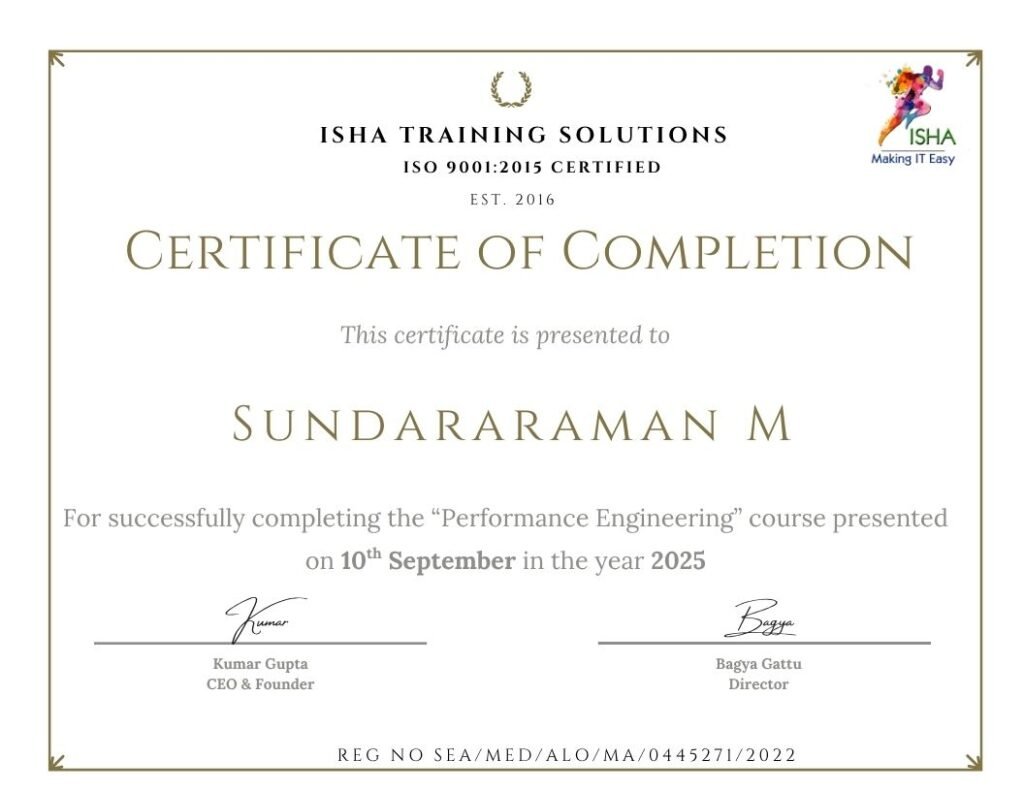
Sample Course Completion Certificate:
Your course completion certificate looks like this……
Note:
To maintain the quality of our training and ensure a smooth learning experience for all participants, we do not allow batch repetition or switching between courses.
To reiterate, moving from one course to another or shifting from one trainer to another (even if it is the same course) is not possible. Changing batches or trainers in any form is strictly not permitted.
We request all learners to attend the scheduled sessions regularly and make the most of their learning journey. Thank you for your understanding and continued support.
Course Features
- Lectures 60
- Quiz 0
- Duration 28 hours
- Skill level All levels
- Language English
- Students 159
- Assessments Yes
- 8 Sections
- 60 Lessons
- 28 Hours
- Module 1: Foundations — Claude and the AI Testing Mindset (Duration: 3 Hours)7
- 1.11.1 Why testers need to learn Claude — market context and job trends
- 1.21.2 Traditional testing vs AI-assisted testing — what changes and what doesn’t
- 1.31.3 Overview of Claude models (Opus, Sonnet, Haiku) and when to use each
- 1.41.4 claude.ai vs Claude API vs Claude Code — three ways testers use Claude
- 1.51.5 Setting up a Claude account, Projects, and Artifacts for testing work
- 1.61.6 Claude’s capabilities and limits for QA — what to trust, what to verify
- 1.7Tools / Platforms: claude.ai, Claude Console
- Module 2: Prompt Engineering for QA (Duration: 3 Hours)7
- 2.12.1 Core prompt engineering principles for testers
- 2.22.2 Writing clear, context-rich prompts for test tasks
- 2.32.3 Before/after examples: vague vs effective testing prompts
- 2.42.4 Using examples and templates to guide Claude’s output
- 2.52.5 Structuring multi-step testing tasks with step-by-step prompts
- 2.62.6 Requesting specific formats (tables, checklists, structured tags) for QA deliverables
- 2.7Tools / Platforms: claude.ai, reusable prompt templates
- Module 3: Test Case and Test Data Generation with Claude (Duration: 3 Hours)7
- 3.13.1 Generating test cases from requirements and user stories
- 3.23.2 Discovering edge cases and negative scenarios with Claude
- 3.33.3 Generating boundary-value and equivalence-partitioning test sets
- 3.43.4 Creating realistic synthetic test data (valid, invalid, edge-case)
- 3.53.5 Generating test cases directly from API specs (Swagger/OpenAPI)
- 3.63.6 Guided Project: Requirement-to-Test-Case Generator Workflow
- 3.7Tools / Platforms: claude.ai, Swagger/OpenAPI docs, spreadsheets
- Module 4: Claude for Automation Script Generation (Duration: 4 Hours)8
- 4.14.1 Converting manual test cases into automated scripts
- 4.24.2 Generating Selenium scripts (Java/Python) from natural language
- 4.34.3 Generating Playwright scripts (JavaScript/TypeScript) from natural language
- 4.44.4 Generating Page Object Model structures with Claude
- 4.54.5 Generating API test scripts (REST Assured / Postman / pytest)
- 4.64.6 Reviewing and correcting AI-generated automation code
- 4.74.7 Guided Project: Manual Test Case to Playwright Script Pipeline
- 4.8Tools / Platforms: Selenium, Playwright, VS Code, Claude
- Module 5: Claude for Code Review, Debugging, and Refactoring (Duration: 4 Hours)7
- 5.15.1 Reviewing automation framework code with Claude
- 5.25.2 Identifying anti-patterns and common causes of flaky tests
- 5.35.3 Root-cause analysis of failing tests using logs and stack traces
- 5.45.4 Refactoring test code for readability and maintainability
- 5.55.5 Explaining unfamiliar or legacy automation code
- 5.65.6 Guided Project: Debugging a Flaky Test Suite with Claude
- 5.7Tools / Platforms: Claude, Git, existing automation repositories
- Module 6: Claude Code for Testers (Duration: 4 Hours)8
- 6.16.1 Introduction to Claude Code — the agentic CLI for developers and testers
- 6.26.2 Installing and configuring Claude Code
- 6.36.3 Scaffolding a new test automation framework with Claude Code
- 6.46.4 Running, diagnosing, and fixing failing test suites autonomously
- 6.56.5 Git workflows — commits, branches, and pull requests with Claude Code
- 6.66.6 Guardrails: reviewing AI-driven code changes before merging
- 6.76.7 Guided Project: Framework Setup and Test Fixing with Claude Code
- 6.8Tools / Platforms: Claude Code CLI, Git, GitHub
- Module 7: Integrating the Claude API into Test Automation Pipelines (Duration: 4 Hours)8
- 7.17.1 Claude API basics — authentication, requests, and responses
- 7.27.2 Calling Claude from Python/Java test frameworks
- 7.37.3 AI-assisted test reporting and failure summarization
- 7.47.4 Self-healing locators using Claude-based logic
- 7.57.5 Integrating Claude checks into CI/CD pipelines (GitHub Actions)
- 7.67.6 Introduction to MCP (Model Context Protocol) for connecting Claude to test tools
- 7.77.7 Guided Project: AI-Summarized Test Report in a CI/CD Pipeline
- 7.8Tools / Platforms: Claude API, Python/Java, GitHub Actions, MCP
- Module 8: Documentation, Bug Reporting, and Career Positioning (Duration: 3 Hours)8
- 8.18.1 Writing clear, structured bug reports with Claude
- 8.28.2 Generating test summary reports and release notes
- 8.38.3 Using Claude as an exploratory testing thinking partner
- 8.48.4 Building a portfolio of AI-assisted testing work
- 8.58.5 Resume and interview positioning for “AI-augmented tester” roles
- 8.68.6 Capstone: End-to-End AI-Assisted Testing Workflow
- 8.78.7 Capstone demo and certification wrap-up
- 8.8Tools / Platforms: Claude, GitHub portfolio, resume templates