JMeter Performance Testing —Basics to Master
(BeanShell · Prometheus · Grafana · Jenkins · AppDynamics · Kubernetes · Docker · AI-Powered Testing)
Master performance testing with Apache JMeter through a practical, industry-focused live training program designed for beginners and working professionals. Learn how to design, develop, execute, and analyze performance tests for web applications, APIs, and enterprise systems.
This comprehensive training covers JMeter Fundamentals, Test Plan Creation, Parameterization, Correlation, Assertions, Listeners, Load Testing, Stress Testing, Endurance Testing, Distributed Testing, Reporting, and Performance Analysis. Gain hands-on experience by working on real-world scenarios and industry best practices used by performance testing professionals.
By the end of this course, you will be able to build scalable performance testing frameworks, identify application bottlenecks, analyze performance test results, and deliver actionable performance insights to Development, QA, and DevOps teams with confidence.
About the Instructor:
|
Mohit Srivastava is a seasoned Performance Testing and Performance Engineering professional with nearly 15 years of industry experience.
Throughout his career, he has worked extensively on designing and executing performance testing strategies for enterprise applications, with strong expertise in Apache JMeter, workload modeling, performance analysis, bottleneck identification, and application optimization. His practical knowledge and real-world experience enable him to deliver effective and scalable performance solutions.
Alongside his industry experience, Mohit is a passionate trainer and mentor. He has successfully trained more than 500 professionals and has conducted numerous corporate trainings, online batch sessions, and one-on-one mentoring programs for participants across India and abroad. His training approach focuses on hands-on learning and industry best practices, helping learners gain confidence in handling real-world performance testing challenges.
Currently associated with ISHA Training Solutions as a JMeter trainer, Mohit is known for his interactive teaching style and emphasis on practical implementation rather than just tool usage.
|
What will I learn by the end of this course?
- • Build production-grade JMeter scripts from scratch• Execute distributed load tests confidently• Interpret HTML reports and identify performance bottlenecks
• Integrate JMeter with Jenkins CI/CD pipelines
• Use AI tools to accelerate scripting and performance analysis
• Perform advanced correlation using Regex, JSON, and Boundary Extractors
• Parameterize test data using CSV files
• Write Groovy/JSR223 scripts for custom logic
• Stream live performance metrics to Grafana and InfluxDB
• Test REST, SOAP, GraphQL, and JDBC applications
• Run tests in Non-GUI mode using command-line arguments
• Understand Load, Stress, Spike, Soak, Scalability, and Smoke testing
• Configure Master-Slave distributed testing on cloud environments
• Generate AI-assisted RCA summaries and executive reports
• Design NFRs and workload models based on business SLAs
• Compare ChatGPT, GitHub Copilot, and Gemini for performance testing use cases
• Analyze test results and identify performance bottlenecks
• Create professional performance test reports and dashboards
• Apply industry best practices through real-world projects
• Gain job-ready Apache JMeter performance testing skills for enterprise applications.
Salient Features:
- 36 Hours Live Training
- 1 Year Access to Videos
- 10 Hands-On Lab Sessions
- Certificate Included
Who can enroll for this course?
-
• Anyone who wants to build a career in Performance Testing
• Anyone looking to gain a strong foundation in Apache JMeter
• Anyone interested in implementing end-to-end JMeter projects
• Professionals with basic JMeter knowledge seeking deeper expertise and confidence
• Performance Testers experienced with other performance testing tools who want to upskill in JMeter
• Freshers and software professionals at any stage of their career
• Manual Testers and Automation Testers transitioning into Performance Testing
• Business Analysts, QA Leads, Test Managers, and Software Professionals
• DevOps Engineers responsible for application performance and scalability
• Developers involved in performance optimization and capacity planning
• Technical Leads validating system performance, scalability, and reliability
• Anyone interested in learning modern performance testing practices using JMeter and AI-powered tools.
Course syllabus:
Module 1: JMeter Foundations & Environment Setup
- JMeter ecosystem and performance testing fundamentals
- Java (JDK/JRE) installation and environment setup
- JMeter GUI and Non-GUI modes
- Plugin Manager installation and configuration
- Supported protocols (HTTP, HTTPS, FTP, JDBC, JMS, LDAP, SMTP, TCP)
- JMeter thread model and architecture
- Hands-on environment setup lab
Module 2: HTTP Protocol Essentials for Performance Testers
- HTTP vs HTTPS fundamentals
- HTTP methods and CRUD operations
- Response status codes and performance implications
- HTTP/1.1 vs HTTP/2
- Cookies, sessions, and caching
- Content types and encoding
- REST vs SOAP basics
- Browser DevTools traffic analysis lab
Module 3: Script Recording & Initial Test Creation
- Proxy Server setup in JMeter
- Browser recording configuration
- HTTP(S) Test Script Recorder
- Request filtering and optimization
- BlazeMeter Recorder extension
- Manual request creation
- Post-recording cleanup techniques
- End-to-end recording lab
Module 4: Correlation, Parameterization & Load Modeling
- Dynamic values and correlation concepts
- Regular Expression Extractor
- JSON Extractor and XPath Extractor
- Boundary Extractor
- CSV Data Set Config
- Virtual Users, Ramp-Up, Loop Count, Think Time
- Throughput-based load modeling
- Docker-based JMeter scripting
- Kubernetes microservices-based scripting
- Correlation and parameterization lab
Module 5: JMeter Elements Deep Dive
- Thread Groups
- Controllers
- Samplers
- Config Elements
- Assertions
- Timers
- Listeners
- Execution order and scope
- Multi-scenario test plan lab
Module 6: Regular Expressions, Variables & Advanced Scripting
- Regex fundamentals
- Multi-value extraction
- JSR223 (Groovy) scripting
- Custom JMeter functions
- Variables and properties management
- Script debugging techniques
- Advanced Groovy scripting lab
Module 7: Test Execution, Reporting & Results Analysis
- Non-GUI execution
- HTML Dashboard Reporting
- Report analysis and interpretation
- JTL file management
- Property-based parameterization
- CLI arguments and execution options
- Performance metrics and percentiles
- Reporting and analysis lab
Module 8: Distributed Load Testing & Performance Strategy
- Master-Slave architecture
- Remote execution setup
- Distributed testing configuration
- Cloud-based load generation
- Performance testing types
- NFR definition and validation
- Capacity planning
- Kubernetes-based distributed testing
- Docker Compose distributed setup
- Distributed testing lab
Module 9: Web Services Testing & Tool Integrations
- REST API Performance Testing
- SOAP/XML Testing
- GraphQL Testing
- JDBC Performance Testing
- Grafana & InfluxDB Integration
- Jenkins CI/CD Integration
- GitHub Actions Integration
- Dockerized test execution
- Kubernetes-based microservices testing
- End-to-end integration lab
Module 10: AI-Powered Performance Testing
- AI-assisted JMeter script generation
- AI-driven correlation assistance
- Test data generation using AI
- Load model recommendations
- AI-based bottleneck detection
- Automated RCA generation
- ChatGPT vs GitHub Copilot vs Gemini
- AI limitations and best practices
- AI-assisted performance testing lab
Capstone Project
- Build a complete enterprise-grade JMeter framework
- Script, parameterize, correlate, and execute tests
- Run distributed tests using Docker and Kubernetes
- Integrate with Jenkins, Grafana, and InfluxDB
- Generate reports and AI-powered RCA summaries
- Present performance analysis and recommendations
Frequently Asked Questions (FAQs) – Selenium Automation Testing with Java
Q1. Do I need prior JMeter or Performance Testing experience?
No prior experience is required. This course is designed for beginners and takes you from the fundamentals of Java and JMeter setup through advanced topics such as distributed testing, cloud-based load testing, and AI-powered performance analysis.
Q2. Will I get session recordings?
Yes. All live sessions are recorded and shared with participants. You will receive 1-year access to the complete course recordings.
Q3. What course materials are provided?
You will receive:
- Comprehensive slide decks (PDF)
- Detailed lab guides
- Sample JMeter scripts for each module
- CSV test data files
- JMeter CLI cheat sheets
- Post-training reference materials
Q4. Is this course suitable for Automation Testers transitioning into Performance Testing?
Absolutely. The course is specifically designed for QA Engineers, Manual Testers, and Automation Testers who want to expand their skill set into Performance Testing.
Q5. Does the training cover CI/CD integration?
Yes. The course includes:
- Jenkins integration with JMeter
- GitHub Actions workflows
- Automated performance testing pipelines
- Pass/Fail threshold implementation
- Performance testing in CI/CD environments
Q6. Will I learn Distributed Load Testing on the Cloud?
Yes. You will learn:
- Master-Slave architecture
- RMI configuration
- Distributed execution
- AWS EC2-based load generation
- Azure VM-based load testing
- Hands-on distributed testing labs
Q7. Will I receive a Certificate upon completion?
Yes. Participants will receive a Course Completion Certificate after successfully completing the training and capstone project.
Q8. What is covered in the AI-Powered Performance Testing module?
The AI module covers:
- AI-assisted JMeter script generation
- Automated correlation suggestions
- AI-driven test data generation
- Performance report interpretation
- Bottleneck identification
- RCA (Root Cause Analysis) generation
- ChatGPT, GitHub Copilot, and Gemini for Performance Testing
- AI best practices and limitations
Q9. Are hands-on labs included?
Yes. Every module includes practical hands-on exercises, real-world scenarios, and guided labs to help you gain practical experience.
Q10. What kind of projects will I work on?
You will work on real-world web applications, APIs, microservices, Docker-based environments, Kubernetes deployments, and enterprise performance testing scenarios.
How can I enroll for this course?
Enroll For Free Demo
OR
For any other details, Call me or Whatsapp me on +91-9133190573
Live Sessions Price:
For LIVE sessions – Offer price after discount is 300 USD 259 USD 109 USD Or 13000 INR 12900 INR 8900 Rupees
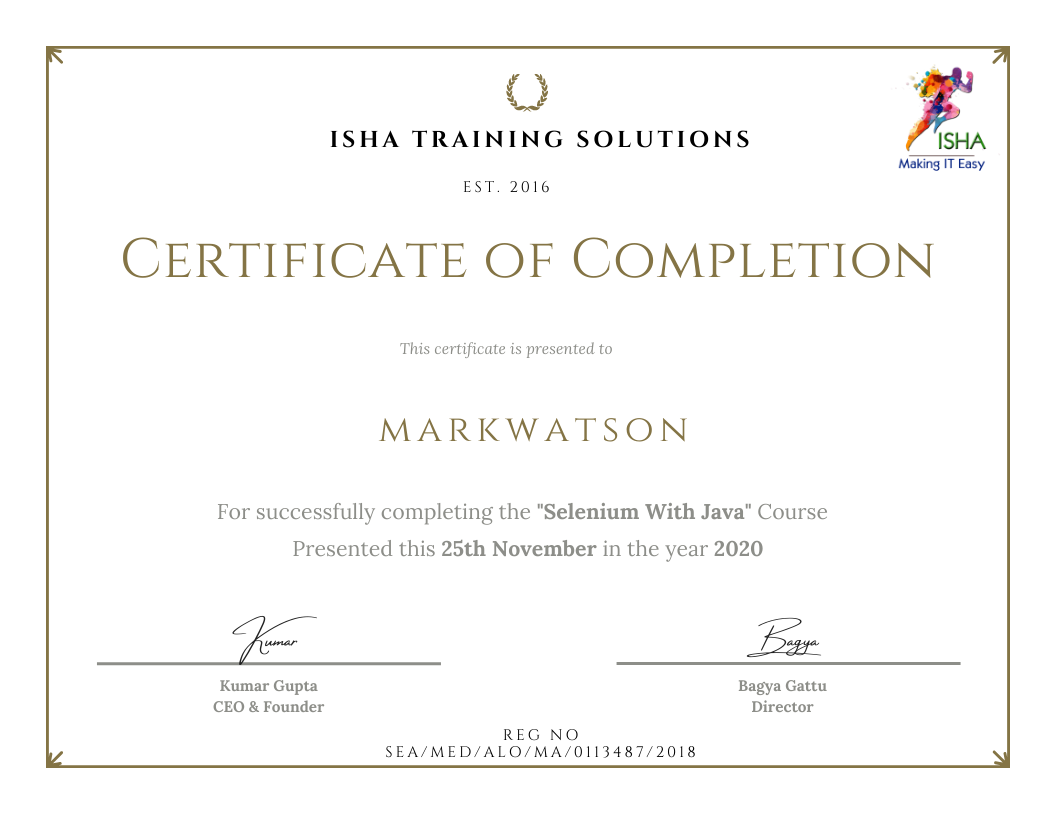
Sample Course Completion Certificate:
Your course completion certificate looks like this……
 Note:
Note:
To maintain the quality of our training and ensure a smooth learning experience for all participants, we do not allow batch repetition or switching between courses.
To reiterate, moving from one course to another or shifting from one trainer to another (even if it is the same course) is not possible. Changing batches or trainers in any form is strictly not permitted.
We request all learners to attend the scheduled sessions regularly and make the most of their learning journey. Thank you for your understanding and continued support.
