Cloud Performance Engineering in DevOps (AWS Cloud, Linux Command Line, MicroServices, Docker, Kubernetes, EKS, Jenkins, CI/CD Pipeline, Java Performance Engineering)
The Cloud Performance Engineering in DevOps course provides comprehensive training on building, deploying, and monitoring high-performance applications in modern cloud environments. It covers essential technologies including AWS Cloud services, Linux administration, containerization with Docker, and orchestration using Kubernetes and EKS. Learners will understand microservices architecture, CI/CD pipelines with Jenkins, and infrastructure automation using Terraform and Ansible. The program also introduces performance testing with JMeter, observability using Prometheus, Grafana, ELK, and AWS CloudWatch. In addition, foundational knowledge of Java and Python is provided to support performance engineering and automation. This course is designed to help professionals implement reliable, scalable, and performance-optimized DevOps systems in real-world environments.
About the Instructor:
| With over 16 years of extensive experience in the IT industry, Raushan is a seasoned Site Reliability Engineer and Cloud Architect Associate Certified professional specializing in Java Performance Engineering, Cloud, and DevOps. His technical expertise spans a wide range of tools and platforms including JMeter, LoadRunner, Performance Center, OATS, Dynatrace, JVisualVM, and Java Flight Recorder (JMC). Raushan’s deep understanding of Java performance optimization and system reliability engineering has enabled him to deliver scalable, high-performing, and stable solutions for enterprise applications.
Throughout his career, Raushan has worked on diverse projects involving automation (Shell Scripting, Selenium), WebLogic and WebSphere Application Servers, and Oracle Database performance tuning. His proficiency extends to both cloud-based and on-premise infrastructures, covering Windows and Unix environments for containerized and virtualized architectures. From monolithic systems to modern microservices deployments, Raushan combines performance engineering expertise with SRE principles to ensure reliability and scalability across all layers of infrastructure. Over the past 10 years, Raushan has trained and mentored numerous professionals and aspiring engineers, guiding them from the fundamentals of performance testing to advanced Site Reliability and Cloud practices. His sessions emphasize real-world implementation, observability, and automation-driven reliability across modern tech stacks. Known for his clarity, patience, and practical insights, Raushan empowers learners to build a strong foundation in SRE, Cloud, and DevOps, preparing them to design and maintain resilient, high-availability systems in dynamic production environments. |
Sample Videos:
Cloud Performance Engineering in DevOps – Live Training – Demo Recording
Cloud Performance Engineering in DevOps – Live Training – Day1 Recording
Weekend Batch
Free Demo On:
Indian Timings: 12th July @ 7:30 PM – 8:30 PM (IST)/
U.S Timings: 12th July @ 10 AM – 11 AM (EST)/
U.K Timings: 12th July @ 3 PM – 4 PM (BST)
Class Schedule:
For Participants in India: Every Saturday & Sunday @ 7:30 PM – 9:30 PM (IST)/
For Participants in the US: Every Saturday & Sunday @ 10 AM – 12 PM (EST)/
For Participants in the UK: Every Saturday & Sunday @ 3 PM – 5 PM (BST)
Live Sessions Price:
Offer price after discount is 400 USD 359 189 USD Or USD29000 INR 25000 INR 15000 Rupees.
OR
What student’s have to say about Raushan:
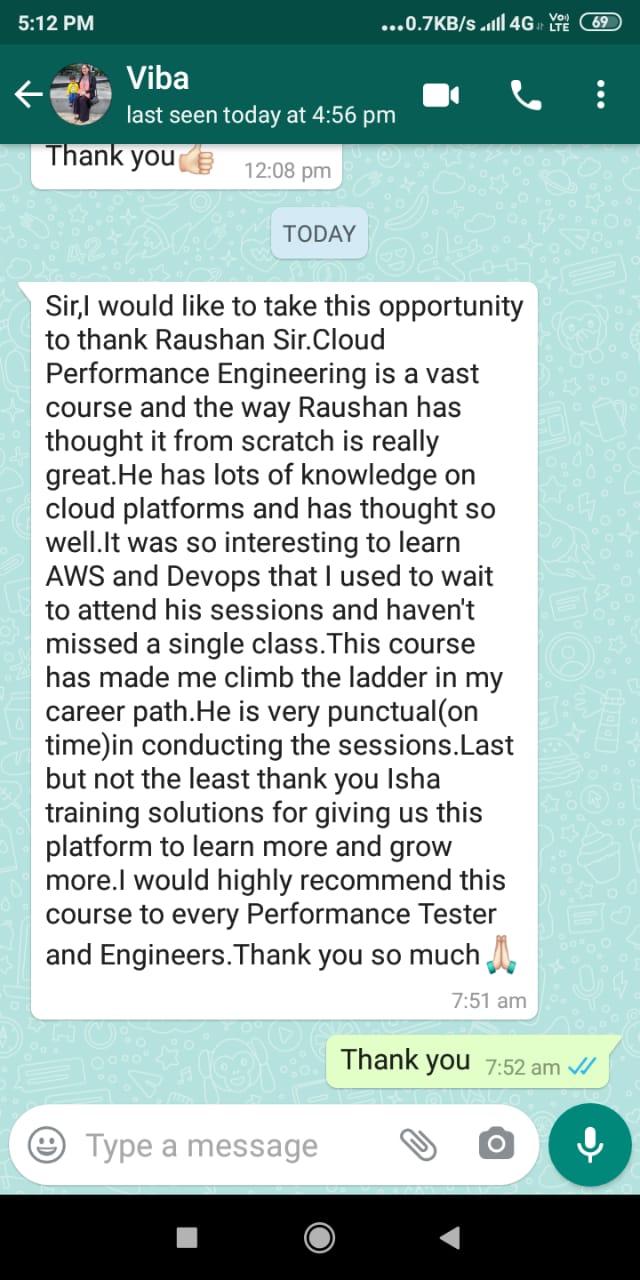
| Sir,I would like to take this opportunity to thank Raushan Sir.Cloud Performance Engineering is a vast course and the way Raushan has thought it from scratch is really great.He has lots of knowledge on cloud platforms and has thought so well.It was so interesting to learn AWS and Devops that I used to wait to attend his sessions and haven’t missed a single class.This course has made me climb the ladder in my career path.He is very punctual(on time)in conducting the sessions.Last but not the least thank you Isha training solutions for giving us this platform to learn more and grow more.I would highly recommend this course to every Performance Tester and Engineers.Thank you so much – Vibha Chodankar
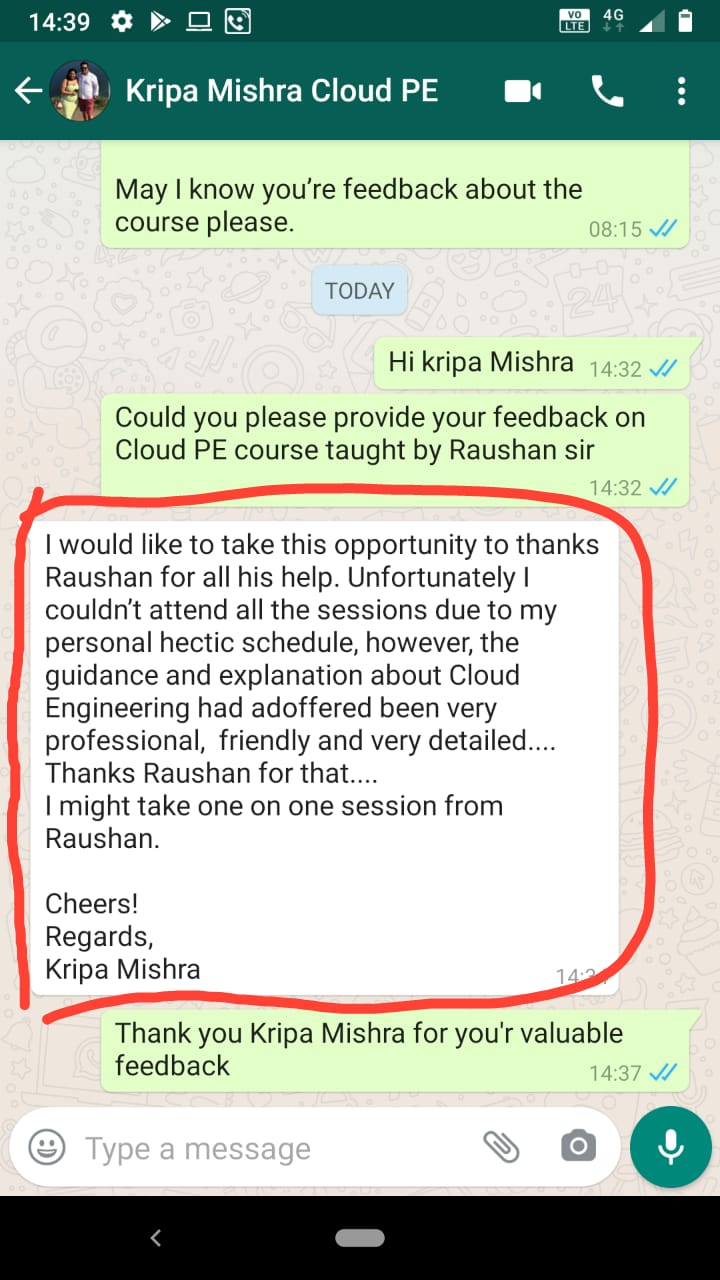
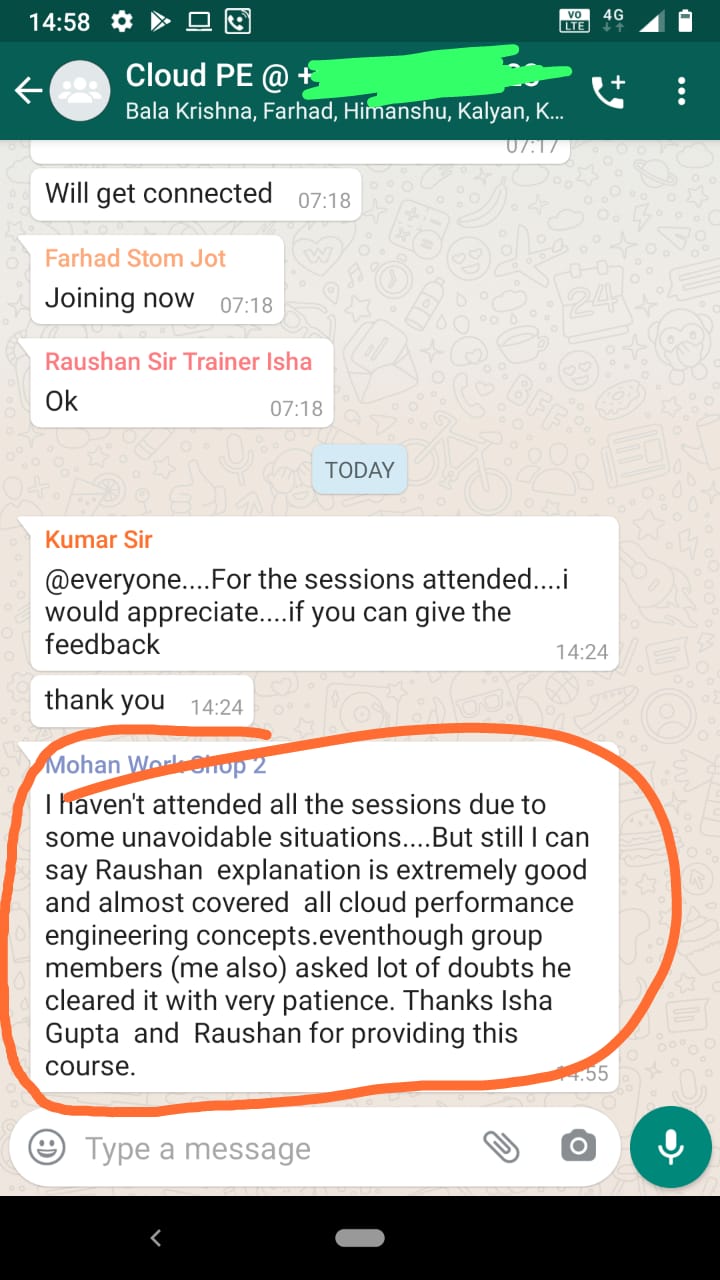
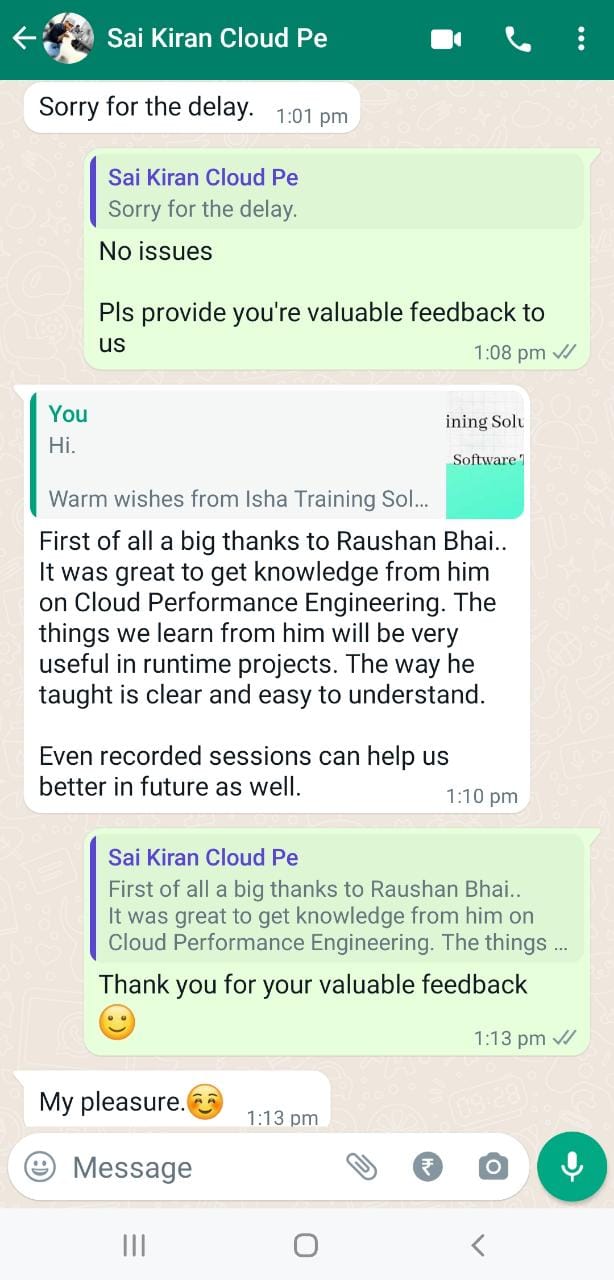
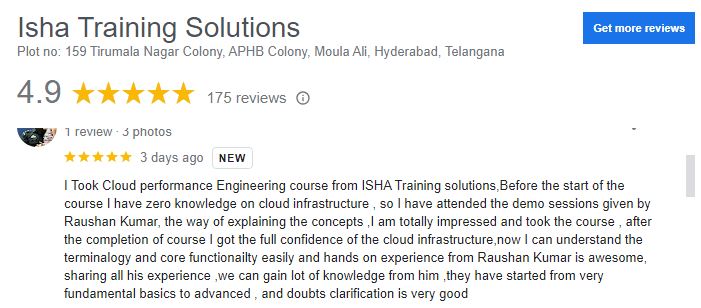
Big THANKS!! to Raushan for handling such a complicated and vast course. The course was very structured. It was presented well with ample examples and opportunities to raise questions. The course met my expectations. The Course duration was long I personally felt the pace could be increased. Every topic had a practise excercise which was good. Really appreciate Raushan’s dedication to always update his slides with latest information and code snippets to keep it updated even during the sessions……CICD – Sunil First of all a big thanks to Raushan Bhai.. It was great to get knowledge from him on Cloud Performance Engineering. The things we learn from him will be very useful in runtime projects. The way he taught is clear and easy to understand. Even recorded sessions can help us better in future as well. – Saikiran I Took Cloud performance Engineering course from ISHA Training solutions,Before the start of the course I have zero knowledge on cloud infrastructure , so I have attended the demo sessions given by Raushan Kumar, the way of explaining the concepts ,I am totally impressed and took the course , after the completion of course I got the full confidence of the cloud infrastructure,now I can understand the terminalogy and core functionailty easily and hands on experience from Raushan Kumar is awesome, sharing all his experience ,we can gain lot of knowledge from him ,they have started from very fundamental basics to advanced , and doubts clarification is very good – Vamsi Krishna The course was pretty good and very informative. Raushan sir is highly knowledgeable. – Arunava Dey Raushan teachings has-been phenomenal with his remarkable acumen with Cloud Technology concepts. He demonstrated hands on for all AWS services and explained,cleared on going concerns with patience. I enjoyed and recommend by all means- Kumar I haven’t attended all the sessions due to some unavoidable situations….But still I can say Raushan explanation is extremely good and almost covered all cloud performance engineering concepts. Eventhough group members (me also) asked lot of doubts he cleared it with very patience. Thanks Isha Gupta and Raushan for providing this course.- Mohan I would like to take this opportunity to thanks Raushan for all his help. Unfortunately I couldn’t attend all the sessions due to my personal hectic schedule, however, the guidance and explanation about Cloud Engineering had ad offered been very professional, friendly and very detailed…. Thanks Raushan for that…. Thank you for your detailed explanation and really learned new things during the course and I am more confident now on Cloud Engineering Concepts now – Lekha Easy to understand the way the author has explained. I liked the way he covered the details. It was a good learning experience. – Sekhar I was a PT tester with intermediate knowledge. With the help of this course, I learned very imp key concepts of Performance Engineering and Cloud – Durga Prasad The course inclusive of the trainer was excellent. Lots of skills obtained and will definitely recommend this course to my colleagues at work. – Sagar Yes ,it is very helpful and the concepts are clear and easy to understand with the explanations given- Neha |
What will I Learn by end of this course?
- The course starts with Core cloud concepts and how cloud implementation differs from On-Prem setup.
- You will learn AWS Cloud Computing and its various Services from Performance Engineers standpoint.
- The course lays down a strong foundation for your cloud learning journey. Later, you can go for Certificaitons (Cloud Practitioner & Solutions Architect Associate).
- The course covers atleast 20-25 AWS Services. IAM, EC2, Lambda, CloudWatch, SNS, ELB, ASG, EKS, VPC to name a few.
- You will learn about architecting resilient, highly available, fault tolerant cloud solutions.
- You will be as comfortable working in Linux environments as you are in Windows env. This is very important skill set as we, Performance Engineers, spend most of our time in linux environments.
- You will understand the difference between Monolithic & MicroServices architecture and why IT industry is moving towards MicroServices.
- You will learn about the Container Technology – Docker Engine, and how it has revolutionized the virtualization space.
- You will learn about Container Orchestration Engine – Kubernetes, wihch is a portable, extensible, open-source platform for managing containerized workloads and services.
- CloudWatch is explained extensively in this course. CloudWatch is the Performance Monitoring Solution for various AWS Services including Containers monitoring (CloudWatch Container Insights).
- The course explains DevOps and how it integrates with Performance Engineering.
- You will learn how to implement continuous performance testing in CI/CD pipeline (DevOps) using Jenkins in cloud. JMeter tool will be used for demonstration.
Salient Features:
- 40 Hours of Live Training along with recorded videos
- One Year Access to the recorded videos
- Course Completion Certificate
Who can enroll in this course?
- Performance Testers with aspiration to move to Performance Engineering space
- Performance Engineers with aspiration to become Cloud Performance Engineers
- Developers and Support Engineers who are looking to switch to Cloud Performance domain
- This course is very much applicable to “Freshers” who do not have any prior knowledge and looking for a career in this domain.
Course syllabus:
-
- Cloud Computing – AWS
- Cloud Computing – Introduction
- Why Cloud Computing?
- What is Cloud Computing?
- Service Models – Iaas, PaaS, SaaS
- Deployment Models – Public, Private, Hybrid, Community
- Major Cloud Providers
- Create an AWS account
- AWS Budget Setup
- Core Cloud Concepts
- AWS Regions & AZs
- AWS Services
- AWS Security Services
- Security – IAM
- Compute Services – EC2
- Provision EC2 in AWS Cloud
- Private vs Public vs Elastic IP
- Connect to your instance remotely
- Security Groups
- Launch your website
- Storage Services – EBS, EFS, S3
- Database Services: RDS – MySQL, Oracle
- Networking – VPC
- Serverless Services
- AWS CloudFormaiton
- Elastic Load Balancing & Auto Scaling Groups
- Cloud Monitoring – AWS CloudWatch
- Metrics
- Dashboards
- Logs
- Alarms
- Events
- Linux Command Line – ‘Get as comfortable with Linux OS as you are with Windows’
- Shell Scripting for Performance Monitoring (Only recorded videos provided)
- Directory Navigation
- System Information
- Installing Packages
- Hardware Information
- User Information & Management
- File & Directory Commands
- Process Management
- File Permissions
- Networking
- Archives (TAR Files)
- Search
- SSH Logins
- File Transfers
- Disk Usage
- Performance Monitoring & Stats
- Linux Performance Monitoring
- top
- uptime
- vmstat
- free
- iostat
- sar
- mpstat
 Site Reliability Engineering – Introduction
- What is Reliability of a system mean?
- What is Fault Tolerance?
- What id High Availability?
- What is Disaster Recovery
- SRE Vs DevOps (class SRE implements DevOps)
- SLIs, SLOs, SLAs, Error Budget
- Incident Management
- Change Management
- Roles and Responsibilities of SRE
- Software Architectures
- What is Monolithic?
- What is Monolithic Architecture?
- Advantages & Disadvantages
- Monolithic Architecture – The Big problem
- Why & What MicroService?
- Characteristics of MicroService Architecture
- Advantages & Disadvantages
- MicroService vs. Monolithic
- Runtime Environment for MicroServices
- Container Engine – Docker
- Containers in General
- Containers in IT
- Container Architecture
- Advantages
- Container Engines
- Docker – What and why?
- Introduction to Docker Hub
- Docker Installation
- Common Docker Operations
- Build docker images using Dockerfile
- Docker Volumes
- Install Docker-Compose
- Build and run images using ‘docker-compose.yaml’ file
- Container Orchestration Engine – Kubernetes
- What is Container Orchestration Engine (COE)?
- COE Features
- Top 3 Container Orchestration
- What is Kubernetes?
- Why Kubernetes?
- Kubernetes Architecture
- AWS EKS (Elastic Kubernetes Service)
- EKS Continued (EKS Cluster Setup)
- What is Pod?
- Pod Deployment
- Multi-container
- Pod Networking
- Inter-Pod & Intra-Pod Communication
- Pod Lifecycle
- Services – NodePort, ClusterIP, LoadBalancer
- ReplicaSet
- CloudWatch Container Insights
- Horizontal Pod AutoScaler (HPA)
- Cluster AutoScaler
- Performance Engineering in DevOps
- Trasitional approach
- Before DevOps
- What is DevOps?
- Why DevOps?
- DevOps Lifecycle
- DevOps Phases
- DevOps Phases – CI/CD
- How Performance Engineering fits in DevOps
- Elements of Performance Engineering
- Implement Continuous Performance Testing
- What is “Shift Left” approach in Performance Testing?
- What is “Shift Right” approach in Performance Monitoring?
- Feedback Loop in the Performance Engineering Process
- What is Continuous Integration
- Jenkins Introduction
- Features of Jenkins
- Installing Jenkins on EC2 – Commands
- Jenkins Architecture
- Managing Nodes on Jenkins
- Jenkins Integration with DevOps tools – GIT, DockerHub
- What are CI/CD Pipelines
- JMeter – Get Started
- Jenkins Integration with JMeter
- Automated Feedbacks – Email notifications
- Creating Jenkins (Freestyle) Jobs
- Creating Pipeline
- Scheduling the Pipeline Jobs with Dependencies
- Introduction to AWS Services for CI/CD pipeline
- Gaining Resilience and Reliability on AWS
- AWS Global, Regional, and Zonal Architecture Design
- Amazon’s Global Storage Services – S3
- Running Resilient Databases On AWS – RDS and DynamoDB
- Fault Tolerant Computation On AWS – Lambda and EC2
- Core Resilience Principles for AWS – Load Balancing and Auto Scaling
- Using Kubernetes and EKS On AWS
- Observability – Issue Debugging, Monitoring and Alerting
- Linux Monitoring
- Cloud Watch
- Prometheus and Grafana
- ELK (Elastic Search, Log Stash, Kibana)
- Troubleshooting Performance Bottlenecks (8 hours Java Performance Engineering Self-paced videos will be provided)
- JMeter – Performance Testing tool overview
- Java Performance Tuning
- Eliminating toil and Automation
- Infrastructure Automation using Terraform
- Configuration Management using Ansible
- CI/CD Pipeline using Jenkins
- Automating Mundane tasks using Shell-Scripting and Python Scripting
- Shell Scripting (3+ hours Self-paced videos will be provided)
- Directory Navigation
- System Information
- Installing Packages
- Hardware Information
- User Information & Management
- File & Directory Commands
- Process Management
- File Permissions
- Networking
- Archives (TAR Files)
- Search
- SSH Logins
- File Transfers
- Disk Usage
- Core Java (32+ hours Self-paced videos will be provided)
- Installation of jdk , setting up environment variables and eclipse
- Java – Classes/objects/methods/ packages
- Java programs for creating class/objects/packages
- Basics of Strings & arrays
- Java Programs with strings and arrays
- Single Thread Vs Multi Threading concepts
- Java – File handling and sample programs
- Installing mysql database and integration with java program
- Basics of html
- Basic of JSP
- Basics of Servlets
- Compilation and creating jar/war file
- Installation of Tomcat
- Deployment of Java application
- Python (30+ hours Self-paced videos will be provided)
- An Introduction to Python
- What can Python do?
- Why Python?
- Python Syntax compared to other programming languages
- Python and Anaconda Installation
- Data Types and Operations
- Prints and Comments
- Numbers, Strings, List
- Tuple, Dictionary
- String Operations in Python
- Simple Input & Output
- Simple Output Formatting
- Operators in python
- Python Program Flow
- Indentation
- The If statement and its’ related statement
- An example with if and it’s related statement
- The while loop
- The for loop
- The range statement
- Break &Continue
- Assert
- Examples for looping
- Functions& Modules
- Create your own functions
- Functions Parameters
- Variable Arguments
- Scope of a Function
- Function Documentations
- Lambda Functions & map
- Exercise with functions
- Create a Module
- Standard Modules
- Exceptions Handling
- Errors
- Exception handling with try
- handling Multiple Exceptions
- Writing your own Exception
- File Handling
- File handling Modes
- Reading Files
- Writing & Appending to Files
- Handling File Exceptions
- The with statement
- Classes in Python
- New Style Classes
- Creating Classes
- Instance Methods
- Inheritance
- Polymorphism
- Exception Classes & Custom Exceptions
- Generators and iterators
- Iterators
- Generators
- The Functions any and all
- With Statement
- Data Compression
- Data Structures
- List Comprehensions
- Nested List Comprehensions
- Dictionary Comprehensions
- Functions
- Default Parameters
- Variable Arguments
- Specialized Sorts
- Collections
- namedtuple()
- ChainMap
- Counter
- OrderedDict
- defaultdict
- UserDict
- UserList
- UserString
- Data Modification and Analysis with Pandas
- Defining Pandas
- Pandas – Creating and Manipulating Data
- How to Create Data Frames?
- Importance of Grouping and Sorting
- Plotting Data
- Selenium Python Basics
- Introduction to Selenium Webdriver
- Basic Navigation using selenium on website
- Automation tips
- An Introduction to Python
- Cloud Computing – AWS
How can I enroll for this course?
OR
Call or WhatsApp Kumar Gupta on +91-9133190573 to enroll for free demo
Live Sessions Price:
Offer price after discount is 400 USD 359 189 USD Or USD29000 INR 2500 INR 15000 Rupees.
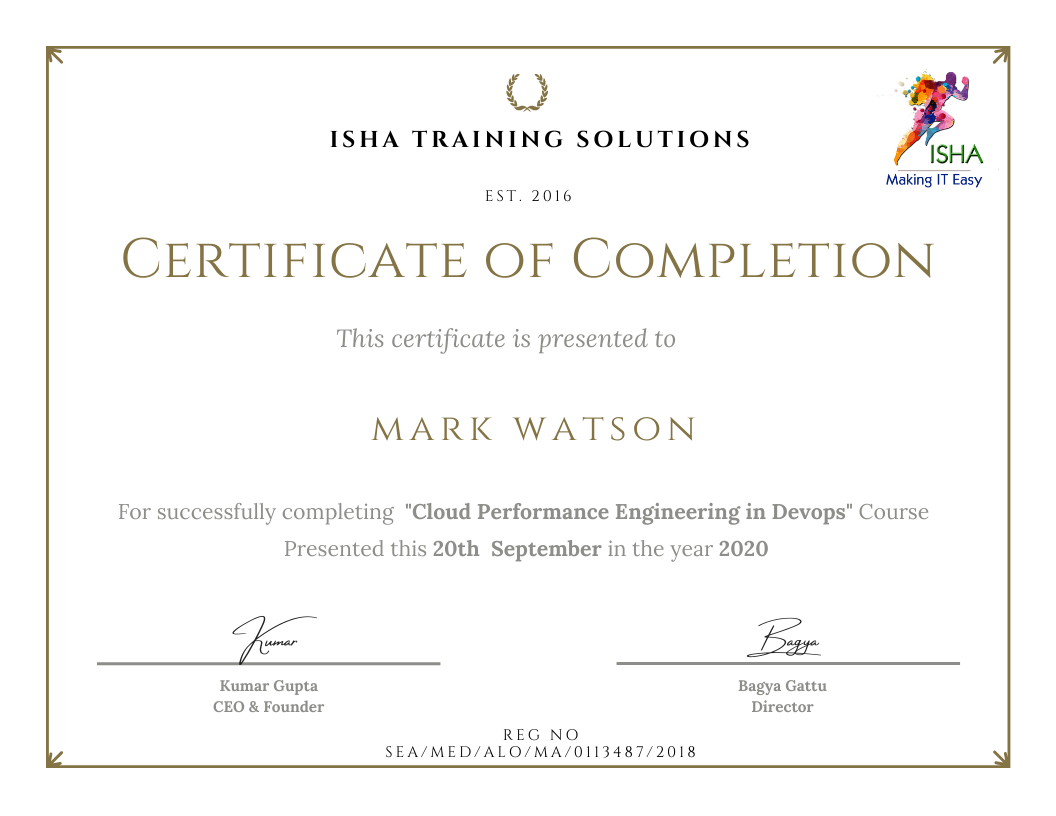
Sample Course Completion Certificate:
Your course completion certificate looks like this……
What student’s have to say about Raushan:
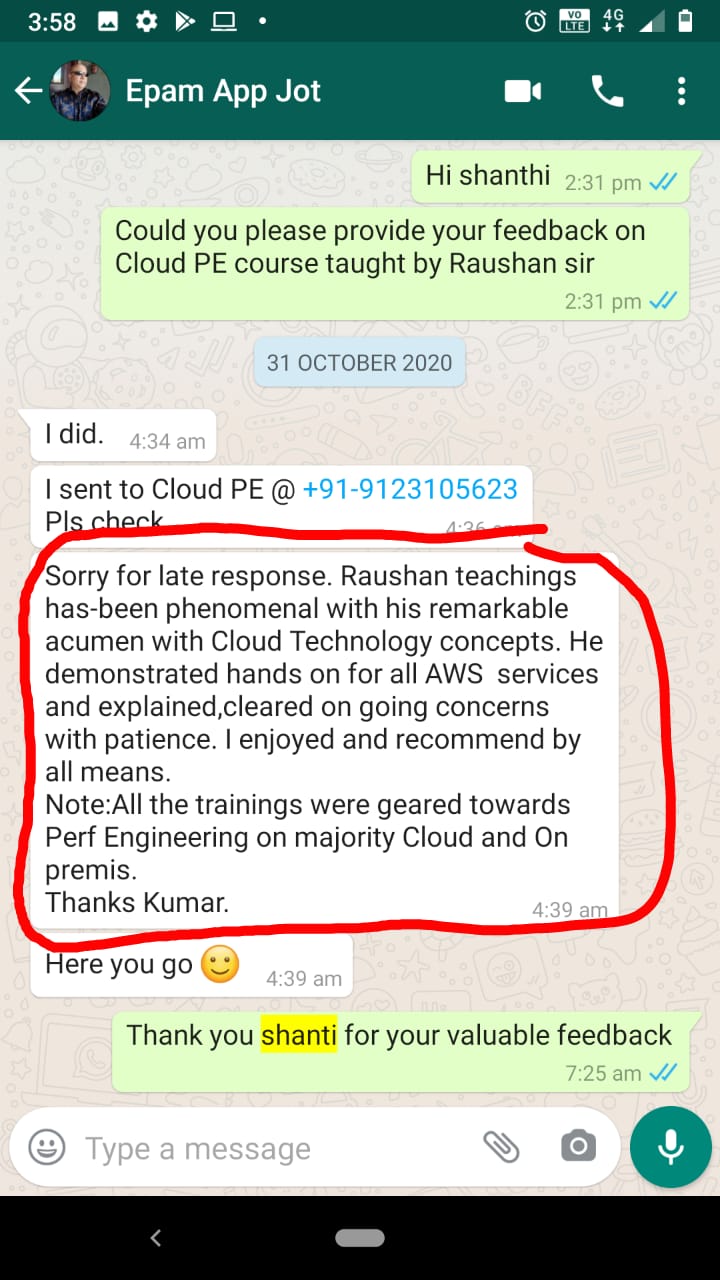
| Sorry for late response. Raushan teachings has-been phenomenal with his remarkable acumen with Cloud Technology concepts. He demonstrated hands on for all AWS services and explained,cleared on going concerns with patience. I enjoyed and recommend by all means. Note:All the trainings were geared towards Perf Engineering on majority Cloud and On premis. Thanks Kumar. – EpamI echo with Asif.“This course has much more information than I had expected it to be” Enjoying this course everyday .Thank you Raushan for designing this course as per current market requirement for Performance Test Engineers. “This is what I needed”. Glad to be part of this course. – MadhaviWe are nearing the end of the current batch of Cloud Performance Engineering. As an attendee of this batch, I just wanted to share my experience in case anyone is interested. I feel that I really couldn’t have found better training than this on the subject. The main reason is the trainer – Raushan Kumar I specially want to highlight that Raushan’s vast knowledge on a wide array of cloud and devops technologies, and his masterful teaching made this a superb learning experience for me. I really appreciate his dedication to such teaching, and also thank Isha training for this. Thank you! – Asif |
Testimonials:
Course Features
- Lectures 122
- Quizzes 2
- Duration 40 hours
- Skill level All levels
- Students 2409
- Assessments Yes
- 6 Sections
- 122 Lessons
- 40 Hours
- Cloud Computing30
- 1.1Cloud Computing – Introduction30 Minutes
- 1.2Why Cloud Computing?
- 1.3What is Cloud Computing?
- 1.4Service Models – Iaas, PaaS, SaaS
- 1.5Deployment Models – Public, Private, Hybrid, Community
- 1.6Major Cloud Providers
- 1.7Create an AWS account
- 1.8AWS Budget Setup
- 1.9Core Cloud Concepts
- 1.10AWS Regions & AZs
- 1.11AWS Services
- 1.12Security – IAM
- 1.13Compute Services – EC2
- 1.14Provision EC2 in AWS Cloud
- 1.15Private vs Public vs Elastic IP
- 1.16Connect to your instance remotely
- 1.17Security Groups
- 1.18Launch your website
- 1.19Storage Services – EBS, EFS, S3
- 1.20Networking – VPC
- 1.21Serverless Services – Lambda, API Gateway, SNS
- 1.22AWS CloudFormaiton
- 1.23AWS Beanstalk
- 1.24Elastic Load Balancing & Auto Scaling Groups
- 1.25Cloud Monitoring – AWS CloudWatch-Metrics
- 1.26Cloud Monitoring – AWS CloudWatch-Dashboards
- 1.27Cloud Monitoring – AWS CloudWatch-Logs
- 1.28Cloud Monitoring – AWS CloudWatch-Alarms
- 1.29Cloud Monitoring – AWS CloudWatch-Events
- 1.30AWS X-Ray – Troubleshooting performance issues
- Linux Command Line – ‘Get as comfortable with Linux OS as you are with Windows’23
- 2.1Shell Scripting for Performance Monitoring
- 2.2Directory Navigation
- 2.3System Information
- 2.4Installing Packages
- 2.5Hardware Information
- 2.6User Information & Management
- 2.7File & Directory Commands
- 2.8Process Management
- 2.9File Permissions
- 2.10Networking
- 2.11Archives (TAR Files)
- 2.12Search
- 2.13SSH Logins
- 2.14File Transfers
- 2.15Disk Usage
- 2.16Performance Monitoring & Stats
- 2.17Linux Performance Monitoring-top
- 2.18Linux Performance Monitoring-uptime
- 2.19Linux Performance Monitoring -vmstat
- 2.20Linux Performance Monitoring -free
- 2.21Linux Performance Monitoring-iostat
- 2.22Linux Performance Monitoring-sar10 Minutes0 Questions
- 2.23Linux Performance Monitoring-mpstat10 Minutes0 Questions
- Software Architectures9
- 3.1What is Monolithic?
- 3.2What is Monolithic Architecture?
- 3.3Advantages & Disadvantages
- 3.4Monolithic Architecture – The Big problem
- 3.5Why & What Microservice?
- 3.6Characteristics of Microservice Architecture
- 3.7Advantages & Disadvantages
- 3.8Microservice vs. Monolithic
- 3.9Runtime Environment for MicroServices
- Container Engine – Docker13
- 4.1Containers in General
- 4.2Containers in IT
- 4.3Container Architecture
- 4.4Advantages
- 4.5Container Engines
- 4.6Docker – What and why?
- 4.7Introduction to Docker Hub
- 4.8Docker Installation
- 4.9Common Docker Operations
- 4.10Build docker images using Dockerfile
- 4.11Docker Volumes
- 4.12Install Docker-Compose
- 4.13Build and run images using ‘dokcer-compose.yaml’ file
- Container Orchestration Engine – Kubernetes21
- 5.1What is Container Orchestration Engine (COE)?
- 5.2COE Features
- 5.3Top 3 Container Orchestration
- 5.4What is Kubernetes?
- 5.5Why Kubernetes?
- 5.6Kubernetes Architecture
- 5.7AWS ECS (Elastic Container Service)
- 5.8AWS EKS (Elastic Kubernetes Service)
- 5.9Difference between ECS and EKS
- 5.10EKS Continued (EKS Cluster Setup)
- 5.11What is Pod?
- 5.12Pod Deployment
- 5.13Multi-container
- 5.14Pod Networking
- 5.15Inter-Pod & Intra-Pod Communication
- 5.16Pod Lifecycle
- 5.17Services – NodePort, ClusterIP, LoadBalancer
- 5.18ReplicaSet
- 5.19CloudWatch Container Insights
- 5.20Horizontal Pod AutoScaler (HPA)
- 5.21Cluster AutoScaler
- Performance Engineering in DevOps28
- 6.1Trasitional approach
- 6.2Before DevOps
- 6.3What is DevOps?
- 6.4Why DevOps?
- 6.5DevOps Lifecycle
- 6.6DevOps Phases
- 6.7DevOps Phases – CI/CD
- 6.8How Performance Engineering fits in DevOps
- 6.9Elements of Performance Engineering
- 6.10Implement Continuous Performance Testing
- 6.11What is “Shift Left” approach in Performance Testing?
- 6.12What is “Shift Right” approach in Performance Monitoring?
- 6.13Feedback Loop in the Performance Engineering Process
- 6.14What is Continuous Integration
- 6.15Jenkins Introduction
- 6.16Features of Jenkins
- 6.17Installing Jenkins on EC2 – Commands
- 6.18Jenkins Architecture
- 6.19Managing Nodes on Jenkins
- 6.20Jenkins Integration with DevOps tools – GIT, DockerHub
- 6.21What are CI/CD Pipelines
- 6.22JMeter – Get Started
- 6.23Jenkins Integration with JMeter
- 6.24Automated Feedbacks – Email notifications
- 6.25Creating Jenkins (Freestyle) Jobs
- 6.26Creating Pipeline
- 6.27Scheduling the Pipeline Jobs with Dependencies
- 6.28Introduction to AWS Services for CI/CD pipeline